38
Clock
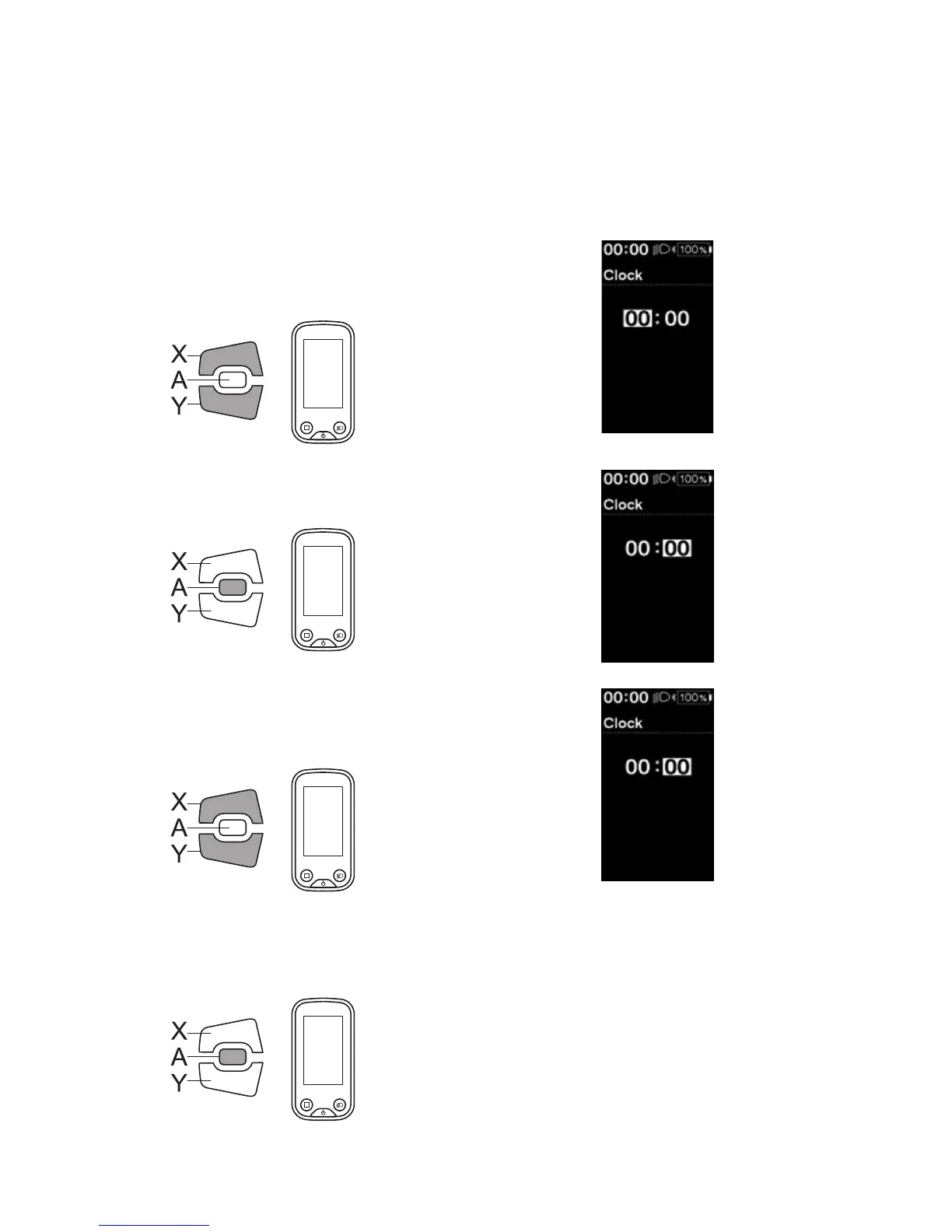
Sets the current time. First set "hour" then "minute".
In step 2 and 4 in below procedure, you can change the values quickly by holding down Assist-X or Assist-Y.
1.
Enter the [Clock] menu.
(1) Launch the setting menu.
(2) Press Assist-X or Assist-Y to select [Clock], then
press Assist-A.
2.
Press Assist-X or Assist-Y to adjust the time.
•
Press Assist-X to increase the value.
•
Press Assist-Y to decrease the value.
Assist
3.
Press Assist-A to confirm the setting.
The cursor moves to minutes value.
Assist
4.
Press Assist-X or Assist-Y to adjust the minutes value.
•
Press Assist-X to increase the value.
•
Press Assist-Y to decrease the value.
Assist
5.
Press Assist-A to confirm the setting.
*
The screen will automatically return to the setting
menu screen.
Assist





 To Next Page