36
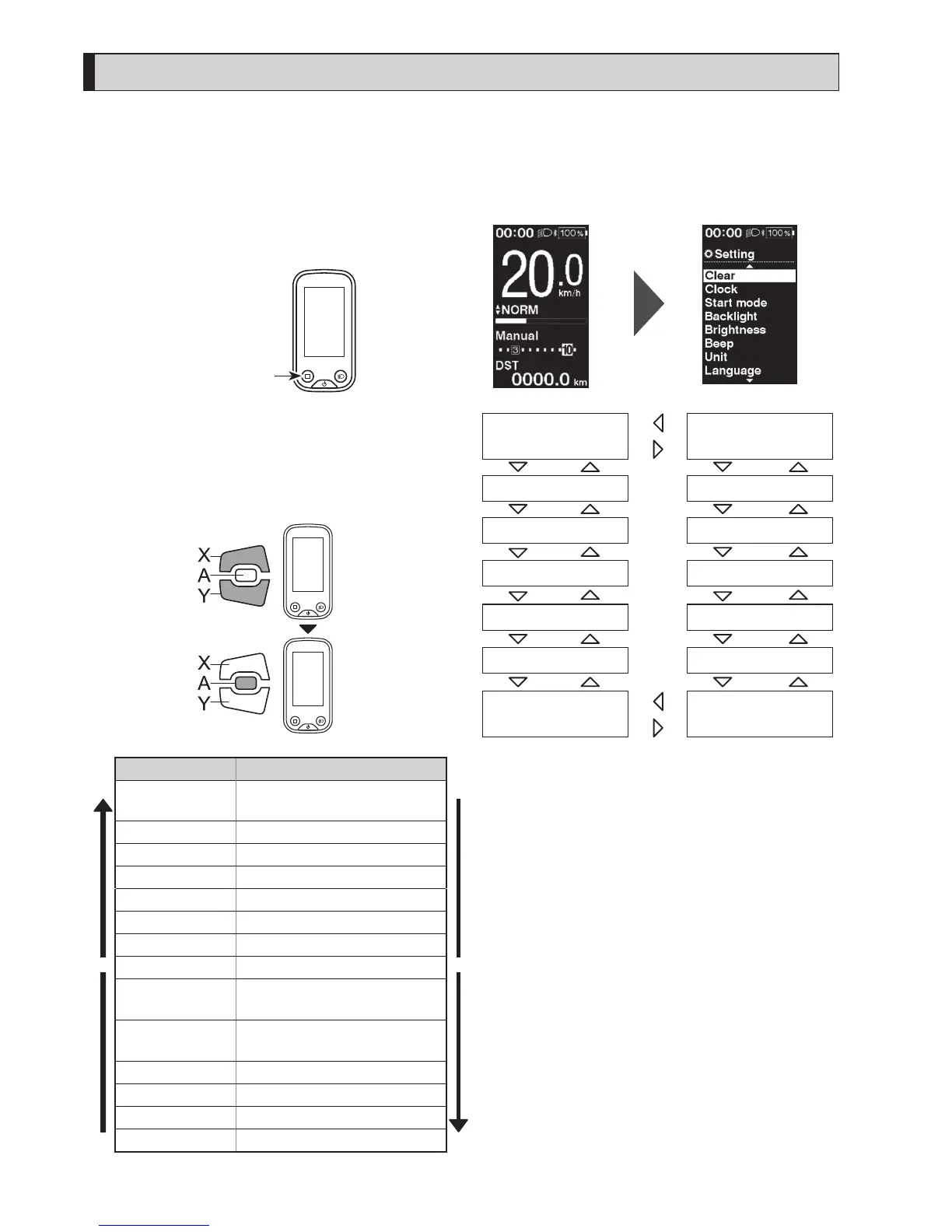
Setting menu (SC-E6100)
Launching
1.
Stop your bicycle.
2.
Press and hold the function button.
When the display changes to the setting screen,
release the button.
Function button
< Basic screen > < Setting menu screen >
3.
Select the menu item.
(1) Press Assist-X or Assist-Y to move the cursor on
setting menu.
(2) Press Assist-A.
The display changes to the selected menu item.
Assist
Configurable items Details
X
[Clear]
Reset the traveling distance or
the setting values.
Y
[Clock] Set the current time.
[Start mode]
*1
Set the start gear.
[Backlight] Configure the display backlight.
[Brightness] Set the display brightness.
[Beep] Turning the beep sound ON/OFF.
[Unit] Select between km and miles.
[Language] Set the display language.
[Font color]
Select the display character color
between black and white.
[Adjust]
*2
Adjust the electronic gear
shifting unit
[Shift timing] Adjust the shift timing
[Shifting advice] Turning the shifting advice ON/OFF
[RD protection reset]
*3
Actibating RD protection reset
[Exit] Return to the main screen.
[Clear]
[Unit]
[Clock]
[Start mode]
[Backlight]
[Brightness]
[Beep]
[Exit]
[Language]
[RD protection reset]
[Adjust]
[Shifting advice]
[Font color]
[Shift timing]
*
1 Only for electronic shifting with internal geared hub
*
2 Only for electronic shifting
*
3 Only for electronic shifting with rear derailleur





 To Next Page