34
Clock
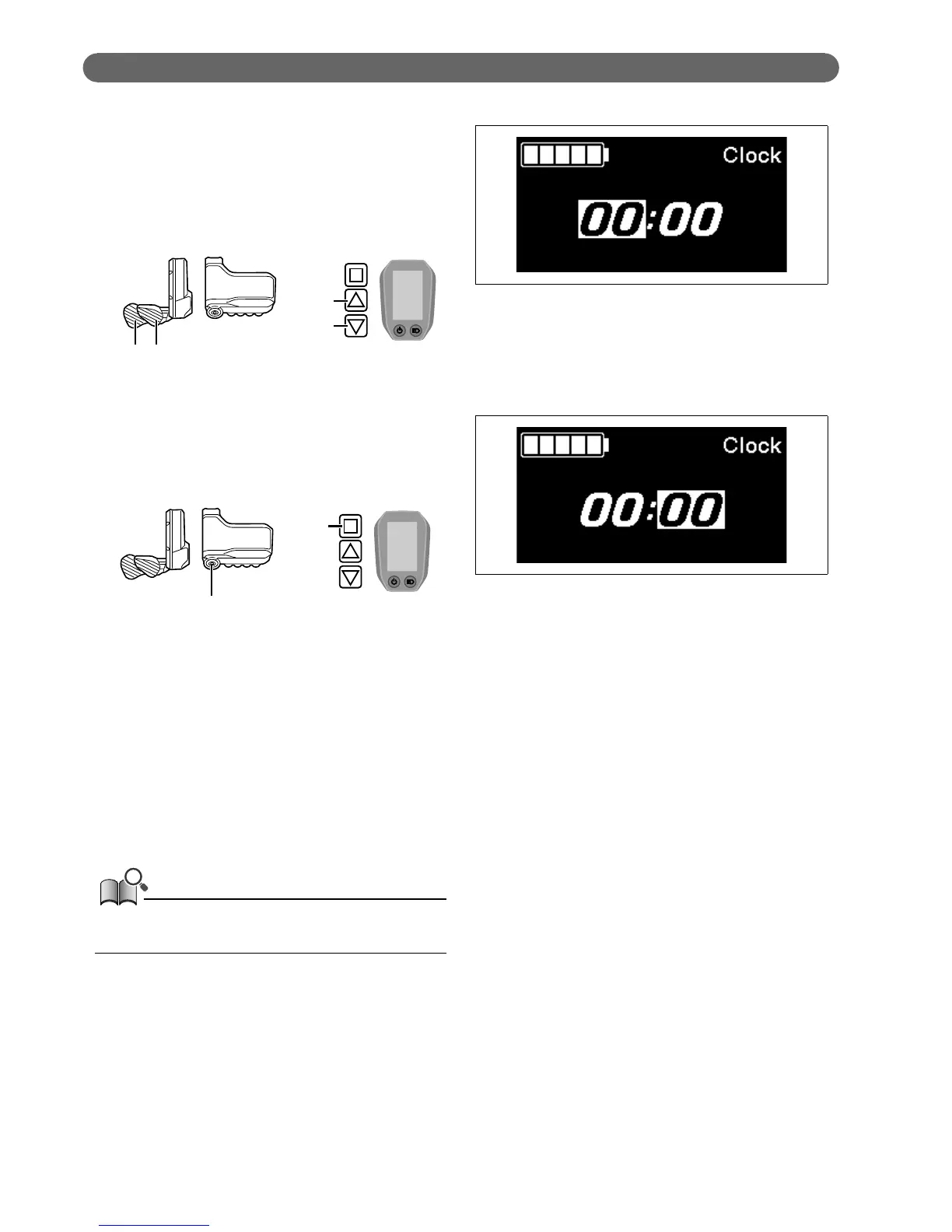
Configure the "Clock" setting.
1.
Press X1 or Y1 to adjust the time.
•
Press X1 to increase the numbers.
•
Press Y1 to decrease the numbers.
X1Y1
SW-E8000-L/SC-E8000
X1
Y1
SW-E6000/SC-E6010
2.
Pressing A enables the set value and moves you to the
minutes setting.
A
SW-E8000-L/SC-E8000
A
SW-E6000/SC-E6010
3.
Press X1 or Y1 to set the minutes.
4.
Press A to confirm the setting.
•
After confirmation, the screen will automatically
return to the menu list screen.
You can change the numbers quickly by holding down X1 or
Y1.





 To Next Page