35
Bluetooth LE (SC-E8000)
E-TUBE PROJECT for smartphones/tablets may be used if a Bluetooth LE connection is established with a smartphone/
tablet.
1.
Before setting up a connection, turn on Bluetooth LE
on the smartphone/tablet.
2.
Open E-TUBE PROJECT and set it to listen for
Bluetooth LE signals.
3.
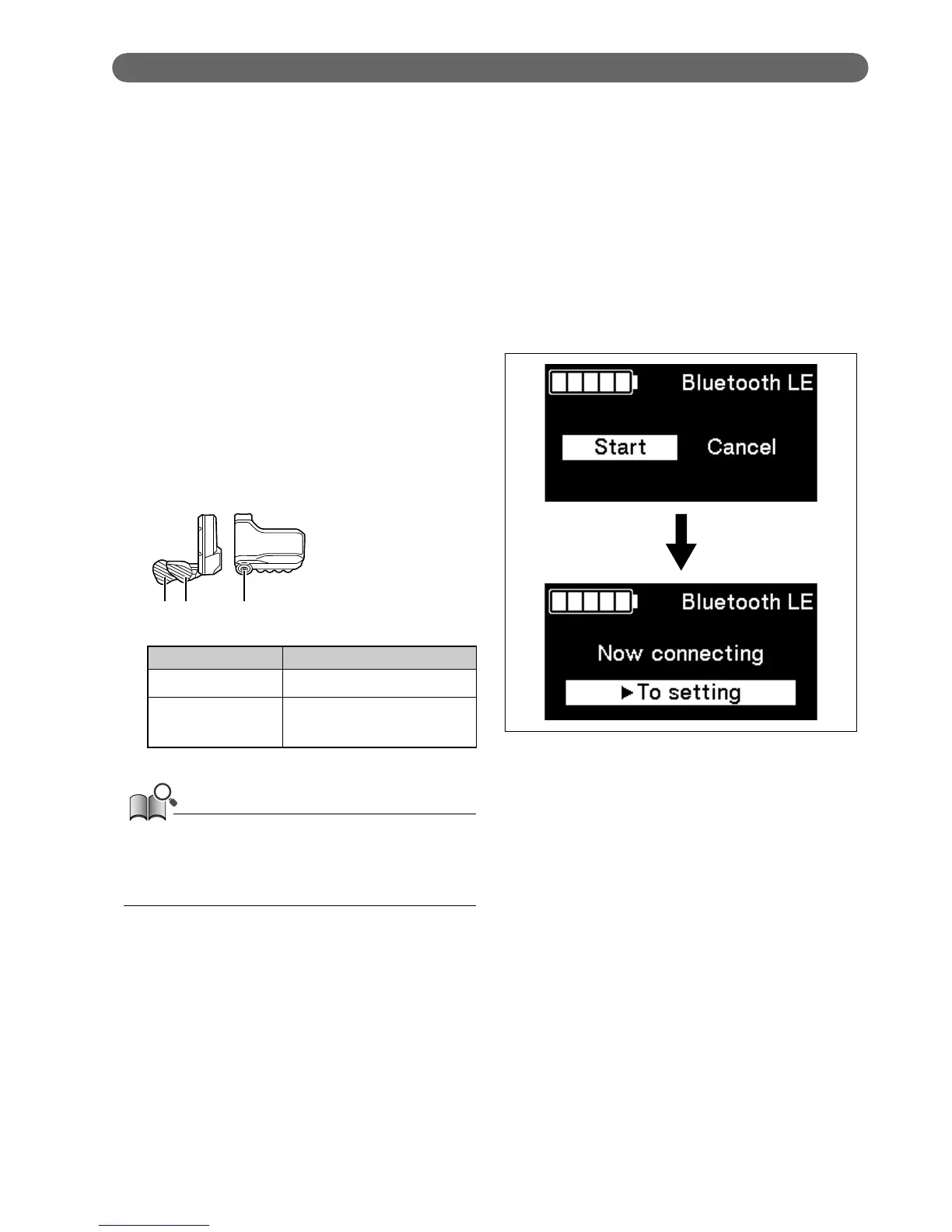
Press X1 or Y1 to select [Start].
To start Bluetooth LE pairing, press A to confirm.
•
If you press A during Bluetooth LE pairing, the
transmission will be interrupted, then the screen
will return to the menu list screen.
X1 AY1
SW-E8000-L/SC-E8000
Configurable items Details
Start Starts Bluetooth LE pairing
Cancel
To not perform pairing,
select [Cancel]
Generally, Bluetooth LE transmission will begin automatically
when the cycle computer is turned on, however, pairing can be
started by selecting [Start] from the [Bluetooth LE] menu when
connectivity is poor.




 To Next Page