EasyManua.ls Logo

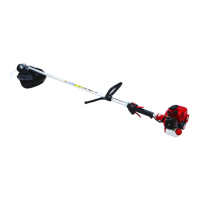
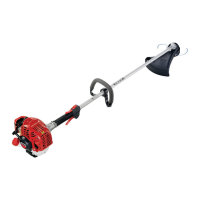
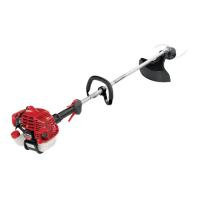
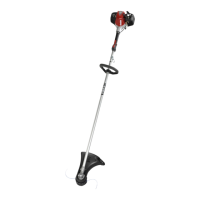
Shindaiwa T220 - User Manual

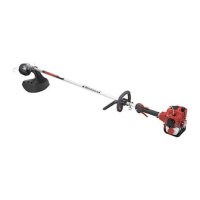
Shindaiwa T220
24 pages
Print Icon
To Next Page IconTo Next Page
Loading...
F220
Part Number 62090-94310 Rev. 10/04
WARNING!
Read this manual and familiarize yourself with its contents.
This machine is designed for cutting grass, weed, and bushes. Do
not use this machine for other purposes.
Minimize the risk of injury to yourself and others.
Do not operate or service this machine unless you clearly
understand this manual.
Keep this manual at a particular place so that you can reread it
whenever you have a question about its use.
SHINDAIWA OWNER’S/OPERATOR'S MANUAL
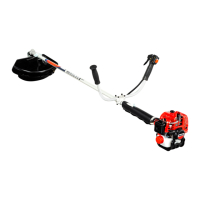
F220 GRASS TRIMMER
T220 GRASS TRIMMER
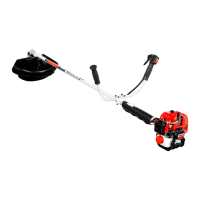
C220 BRUSHCUTTER
T220
C220


Other manuals for Shindaiwa T220

Questions and Answers

  • L
    Lauren BarberAug 18, 2025
    How to fix a loose spark plug on a Shindaiwa Trimmer?
    • C
      cruzmichaelAug 18, 2025
      If your Shindaiwa Trimmer isn't starting and you suspect a loose spark plug, simply tighten the spark plug and then try restarting the engine.
  • S
    Sarah ArroyoAug 28, 2025
    What to do if Shindaiwa T220 Trimmer engine does not start?
    • K
      Karen MaloneAug 28, 2025
      If your Shindaiwa Trimmer engine won't start, begin by ensuring the ignition switch is in the START (ON) position. Check the fuel: use clean, fresh unleaded gasoline with a pump octane of 87 or higher, mixed with Shindaiwa Premium 2-cycle mixing oil at a 50:1 gasoline/oil ratio. Inspect the spark plug; if loose, tighten it. If the plug is fouled or improperly gapped, clean and regap it to 0.6 ~ 0.7 mm. Replace the plug with an NGK BPMR6A if it's damaged or the wrong size. If the plug is wet, indicating excess fuel, crank the engine with the plug removed, then replace the plug and try restarting. Replace the fuel filter or vent if needed.
  • K
    Kara HeathNov 6, 2025
    Why Shindaiwa T220 Trimmer engine does not start?
    • N
      Nicholas RodriguezNov 7, 2025
      Your Shindaiwa Trimmer engine might not start due to several reasons. It could be due to incorrect, stale, or contaminated fuel, or an incorrect fuel mixture. Refill with clean, fresh unleaded gasoline with a pump octane of 87 or higher, mixed with Shindaiwa Premium 2-cycle mixing oil at a 50:1 gasoline/oil ratio. Another reason could be that the ignition switch is in the STOP (OFF) position; in that case, move the switch to the START (ON) position. Also, check the spark plug: if it's loose, tighten it. If the plug is fouled or improperly gapped, clean and regap it to 0.6 ~ 0.7 mm. If the plug is damaged or the wrong size, replace it with an NGK BPMR6A. Excess fuel in the cylinder can also prevent starting; if the plug is wet, crank the engine with the plug removed, replace the plug, and r...

Summary

Attention Statements

Warning Statements

Explains the meaning of "WARNING!" statements preceded by a triangle symbol.

Important Statements

Explains the meaning of "IMPORTANT!" statements.

Notes and Cautions

Explains the meaning of "NOTE:" and "CAUTION!" statements.

Warning Labels

Operator Preparation

General Safety Instructions

Working Environment Safety

Product Description and Warnings

Technical Specifications

Assembly Procedure

Prior to Assembly

Check all required components and inspect for damage before assembly.

Outer Tube Pre-Assembly

Loosen the joint bolt before assembling the outer tube.

Outer Tube Assembly

Assemble the outer tube by sliding it into the joint and securing it.

Handle Assembly

Assemble the front handle for F220 and T220 models.

Handle Assembly (C220)

Assemble the front handle for the C220 model.

Throttle Cable Adjustment

Adjust the throttle cable free play to 4-6mm for proper operation.

Cutting Attachment Shield Assembly

Securely install the cutting attachment shield assembly.

Trimmer Head Installation

Install the trimmer head onto the gear-shaft securely.

C220 Trimmer Head Installation Details

Specific steps for installing the trimmer head on the C220 model.

Blade Mounting

Mount the blade securely onto the brushcutter.

Engine Starting and Stopping

Fuel Tank Filling

Fill the fuel tank with the correct fuel mixture away from ignition sources.

Starting the Engine

Procedure for starting a cold engine, including priming and choke.

Stopping the Engine

Stop the engine by sliding the ON-OFF switch to the 'O' position.

Engine Idle Adjustment

Adjust idle speed to prevent attachment rotation at idle.

Unit Condition Checks

Operation Basics

Engine Operating Speeds

Operate at full throttle while cutting for best efficiency and clutch life.

Shoulder Strap Usage

Adjust shoulder strap for comfort and control, especially with blades.

Trimmer Head Operation

Operate trimmer heads for grass trimming and edging techniques.

Blade Usage and Safety

Blade Operation and Safety

Use blades safely, understand blade thrust, and use proper handlebars/straps.

Blade Operation Techniques

Details on blade rotation, cutting positions, and vertical cuts.

Recommended Cutting Attachments

Maintenance Procedures

Daily Maintenance

Perform daily checks on the engine, air cleaner, and fasteners.

10 Hour Maintenance

Clean the air cleaner element thoroughly with soap and water.

10;15 Hour Maintenance

Clean and adjust the spark plug gap to 0.6mm.

50 Hour Maintenance

Clean the cylinder cover and remove dirt from cylinder fins.

Gearcase Lubrication

Apply new grease to the flexible shaft or gearcase as per model.

Fuel Filter Maintenance

Extract and replace the fuel filter element.

Muffler Maintenance

Clean the spark arrester screen for performance.

Long Term Storage

Prepare the machine for storage by draining fuel and cleaning parts.

Blade Sharpening

Troubleshooting Guide

Engine Not Starting

Guide to diagnose and fix issues when the engine fails to start.

Low Power and Rough Operation

Troubleshoot issues related to low power, rough running, and poor fuel mixture.

Engine Stopping and Vibration Issues

Resolve problems with abrupt engine stops, difficult shut-off, or excessive vibration.

Performance and Idle Problems

Address poor acceleration, engine idle issues, and cutting attachment rotation.

Declaration of Conformity

Shindaiwa T220 Specifications

General IconGeneral
BrandShindaiwa
ModelT220
CategoryTrimmer
LanguageEnglish

Related product manuals