Generate Point Cloud
Mesh
Mesh
Unwatertight Semi-watertight Watertight
Editing the data after completing or pausing the scan.
Generate point cloud after scanning and editing data.
Generate directly
(fast and takes small memory usage)
Optimize and Generate
Meshing is to convert the point cloud into a triangular
mesh surface. The data after mesh can be directly used
for rendering, measurement or printing.
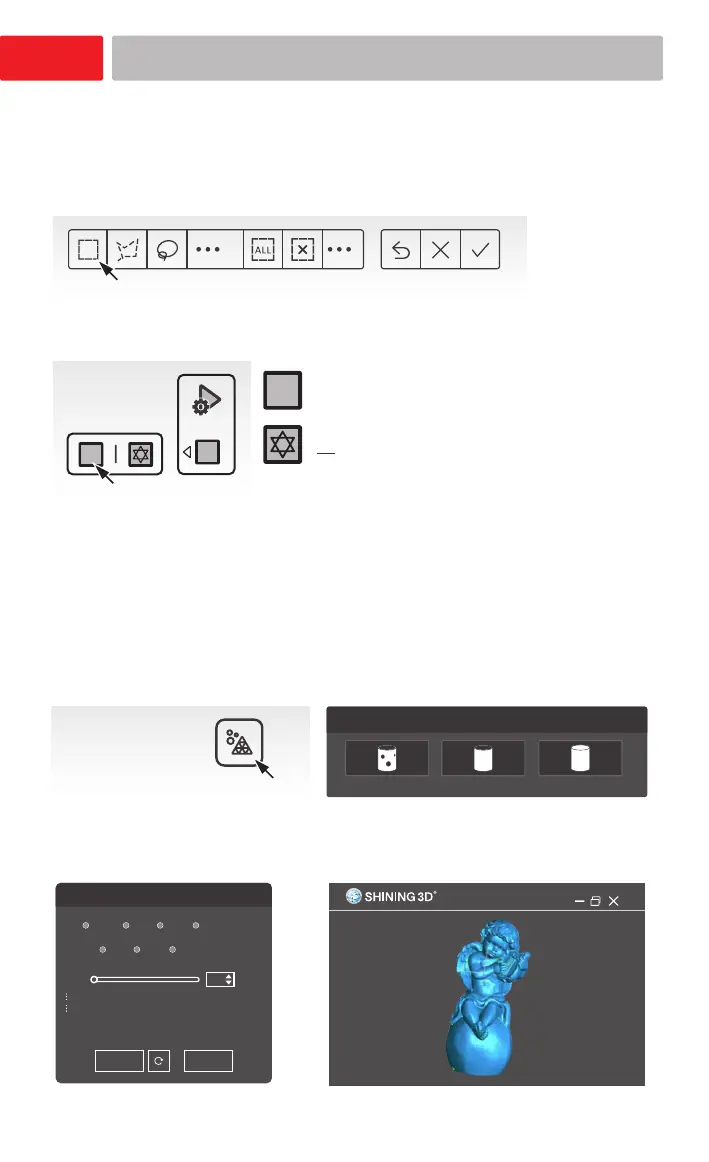
Mesh Model
Click to start post processing.
Select the suitable mesh type for postprocessing.
Click Apply to preview meshing. Click Confirm to go with
current result.
Mesh Optimization
Object size
None Low Med High
Smooth
Low Med High
Remove Small Floating Parts
1
Apply
Confirm
Point Cloud and Mesh
12
(Select when there is layering problems.
It takes more time and memory usage to
optimize.)
Mandatory for Portrait mode














 To Next Page