11
Scanning
Distance
Movement
Please move the scanner gently to continue scan
and build an object surface.
When you lost tracking, direct Einstar at a region
you’ve already scanned to resume scanning .
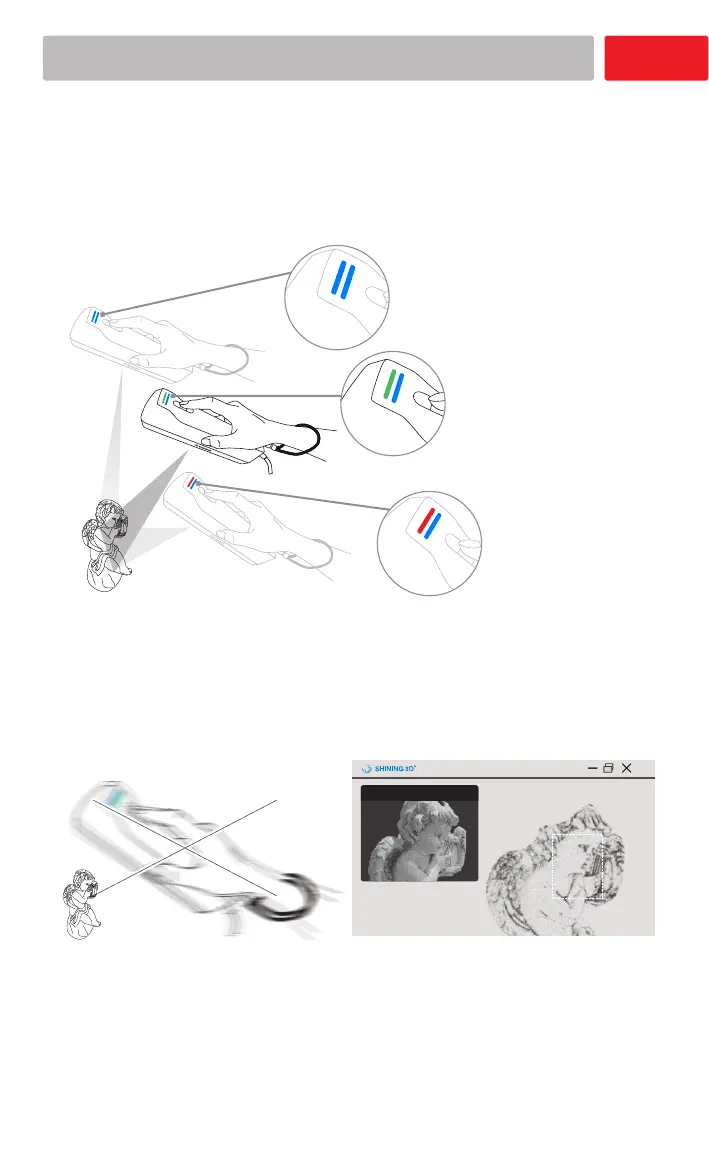
Green: Suitable
Avoid fast movement
During scanning, it is crucial to maintain the distance
between the scanner and the object being scanned.
Blue
Too far
Move closer
Red
Too close
Move further
Camera Windows
Scanned region with sufficient data














 To Next Page