Product: 50740 / 50741 / 50742 / 50743
7. The User Interface
7.1. The Internal Touchscreen Interface
The console utilizes an easy to use and intuitive graphical user interface (GUI), supporting multi-touch. The
following sections explain the basics of finding your way around the GUI, in the internal as well as the
external display.
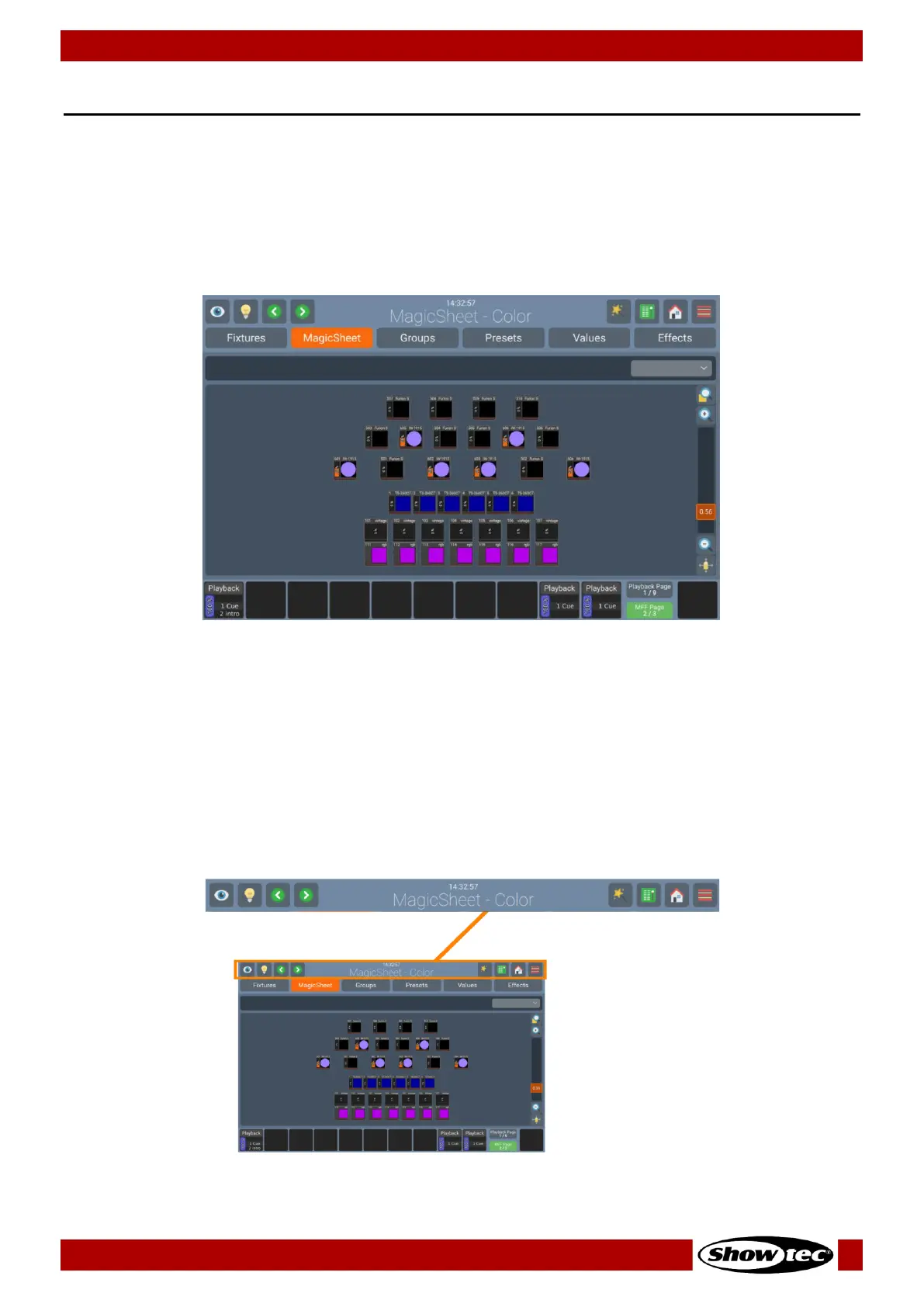
The Screen Layout of the LAMPY Consoles is divided into three different parts: The Top Toolbar, the
Content Area, and the Bottom Toolbar.
Fig. 10: The Internal Screen Graphical User Interface
7.1.1. The “Top Toolbar”
The Top Toolbar is also divided into three parts:
The left part shows buttons that control the programming interface.
The center part shows the time, and title of the current screen, or, if applicable the current command
including possible options. If the current command is displayed in red, it is invalid or missing information.
The right part shows the main buttons to navigate through the User Interface.













 To Next Page