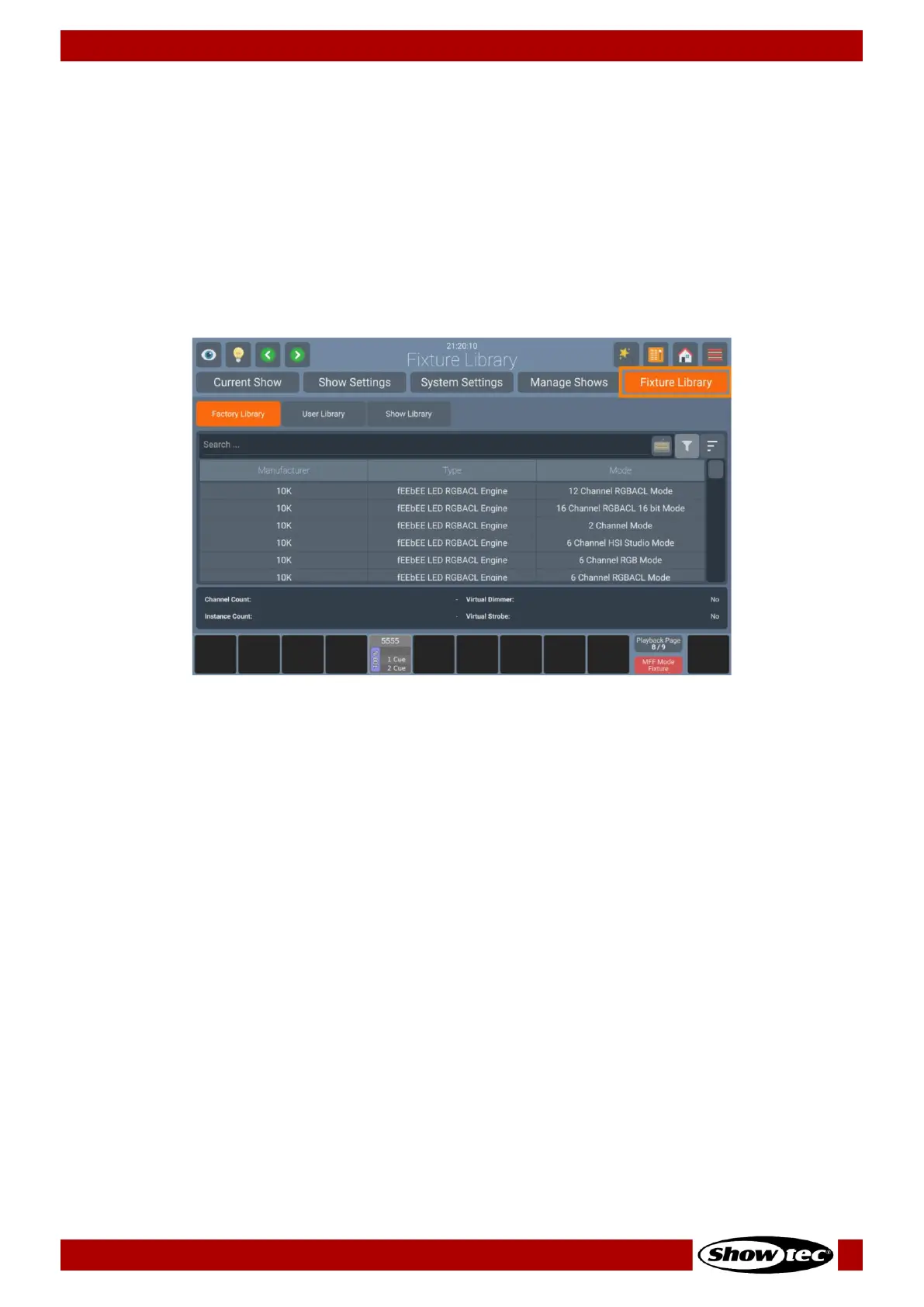
6.3. Fixture Library Basics
The consoles Fixture Library is divided into three parts: A Factory Library, a User Library and the Show
Library.
Fixture types may easily be transferred between Libraries using the Magic Wand Button from within the
Fixture Library tab in the Setup Menu. If a fixture type is modified within the Show Library and those
changes should be available for later show files, you may transfer the fixture from the Show Library to the
User Library.
You may select the different libraries in the Fixture Library Tab using the buttons found in the top part of
the Fixture Library page.
6.3.1. Factory Library
The Factory Library gets replaced with every Software Update. It contains around 20000 Fixtures and is
maintained by Atlabase. It is not editable by the user; however, it may be updated separately from the
Console OS.
6.3.2. User Library
The User Library is fully editable by the user and is not replaced or deleted during software updates. It is
stored on the flash-disk of the console and its fixture types are available to all existing or new shows.
6.3.3. Show Library
The show library resides within the Show file. Before a fixture can be patched, it needs to be added to the
Show Library. The Show Library is stored within the Show file and hence will be exported with the Show file
if a backup of the Show to a USB Key is made. Fixtures within the Show Library are not available to other
Shows. To make the Fixture Types in the Show Library available to other shows, they need to be
transferred to the User Library first.
More Information on creating or modifying Fixture Libraries may be found in Section 8.4.5, Fixture Library
Tab on Page 77.













 To Next Page