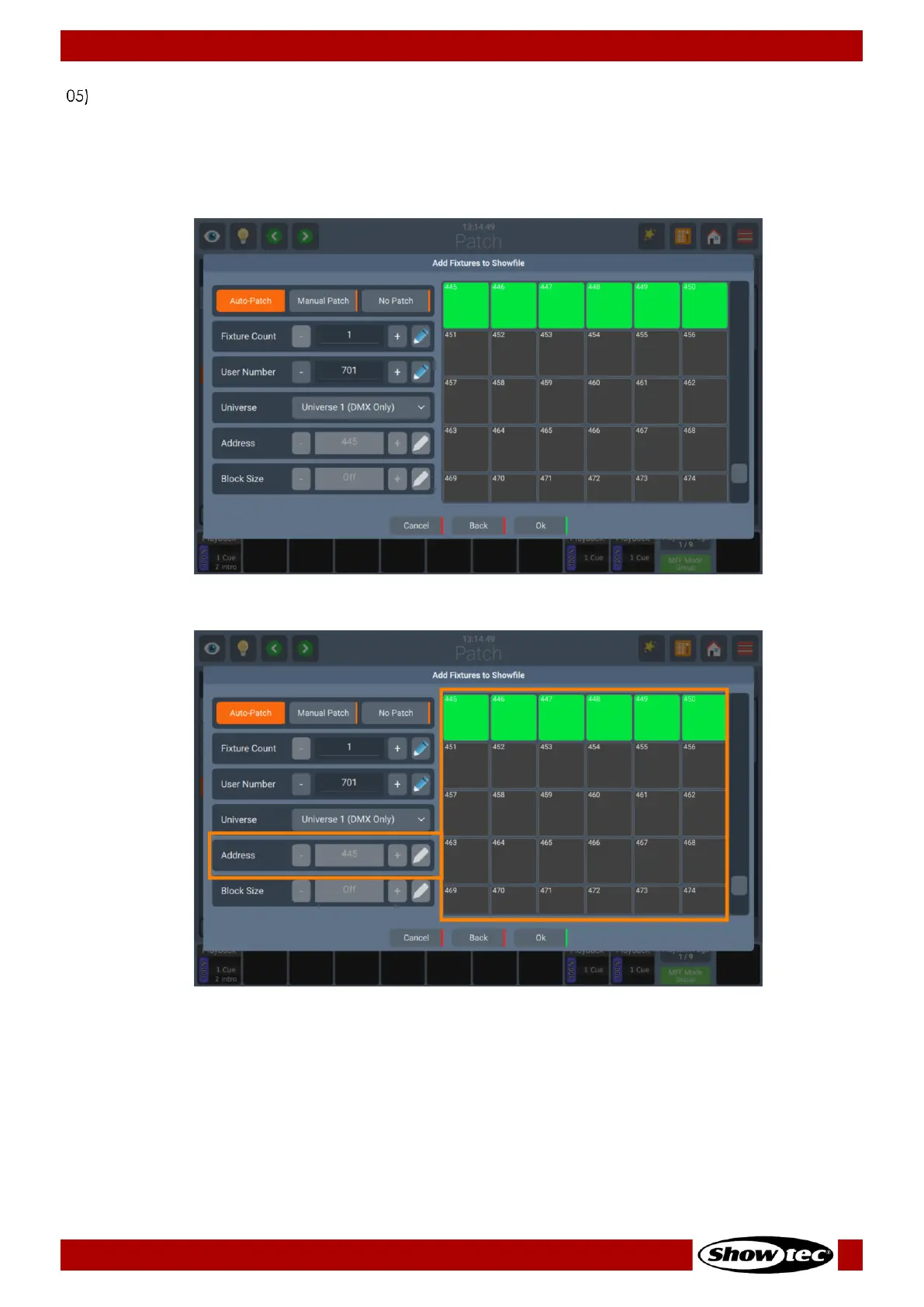
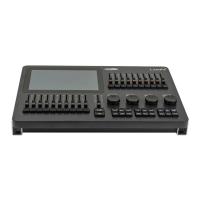
After selecting the Fixture type, click on Next. An add Fixtures to Showfile dialog will be shown. This
screen offers the possibility to do an Auto-Patch, Manual Patch, or No Patch. You may select Auto
Patch, which will patch the fixtures automatically onto the selected universe. Select Manual Patch to
set universe, start address (by either typing it, or by using the Pencil Button) and gap between fixtures
using the Block Size option manually. Or select No Patch, which will leave the fixtures without any
DMX Assignment.




 To Next Page