8.3.4. Deleting Fixtures from the Show file
Select the fixtures you wish to delete in either the Patch Window or by any of the other methods.
Open the Action Menu by pressing the Magic Wand button.
Click on Delete Fixtures. A window asking you to confirm the action will be shown. click on Yes,
delete! To continue. Or click on Cancel to abort.
When deleting fixtures, a confirmation dialog will be shown. Click on Ok to close it.
8.3.5. Changing the Patch of existing Fixtures
Select the fixtures you wish to change the address of, in either the Patch Window or by any of the
other methods.
Open the Action Menu by pressing the Magic Wand button.
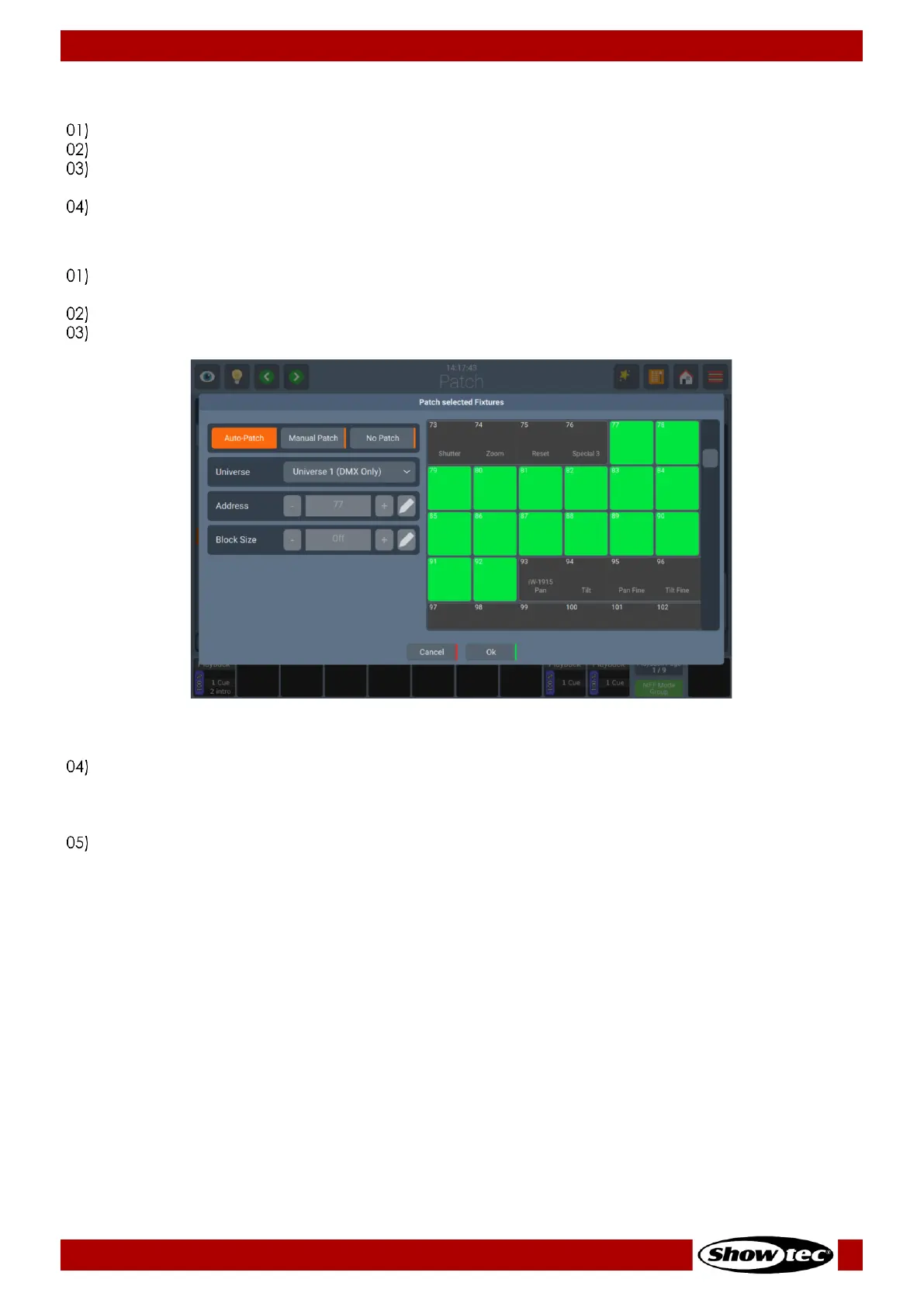
Click on Patch Fixtures. The following Window will be shown.
You may select No Patch, which will leave the fixtures without any DMX Assignment, you may select
Manual Patch to set Universe, start address (by either typing it, or by using the Pencil button) and gap
between fixtures using the Block Size option manually. Or select Auto Patch, which will patch the
fixtures automatically onto the selected universe.
Click on Ok when done.













 To Next Page