8.4.2.6. Enable and configure the Sound Input
You may use any LINE level audio source to trigger cues and chases using the LAMPY.
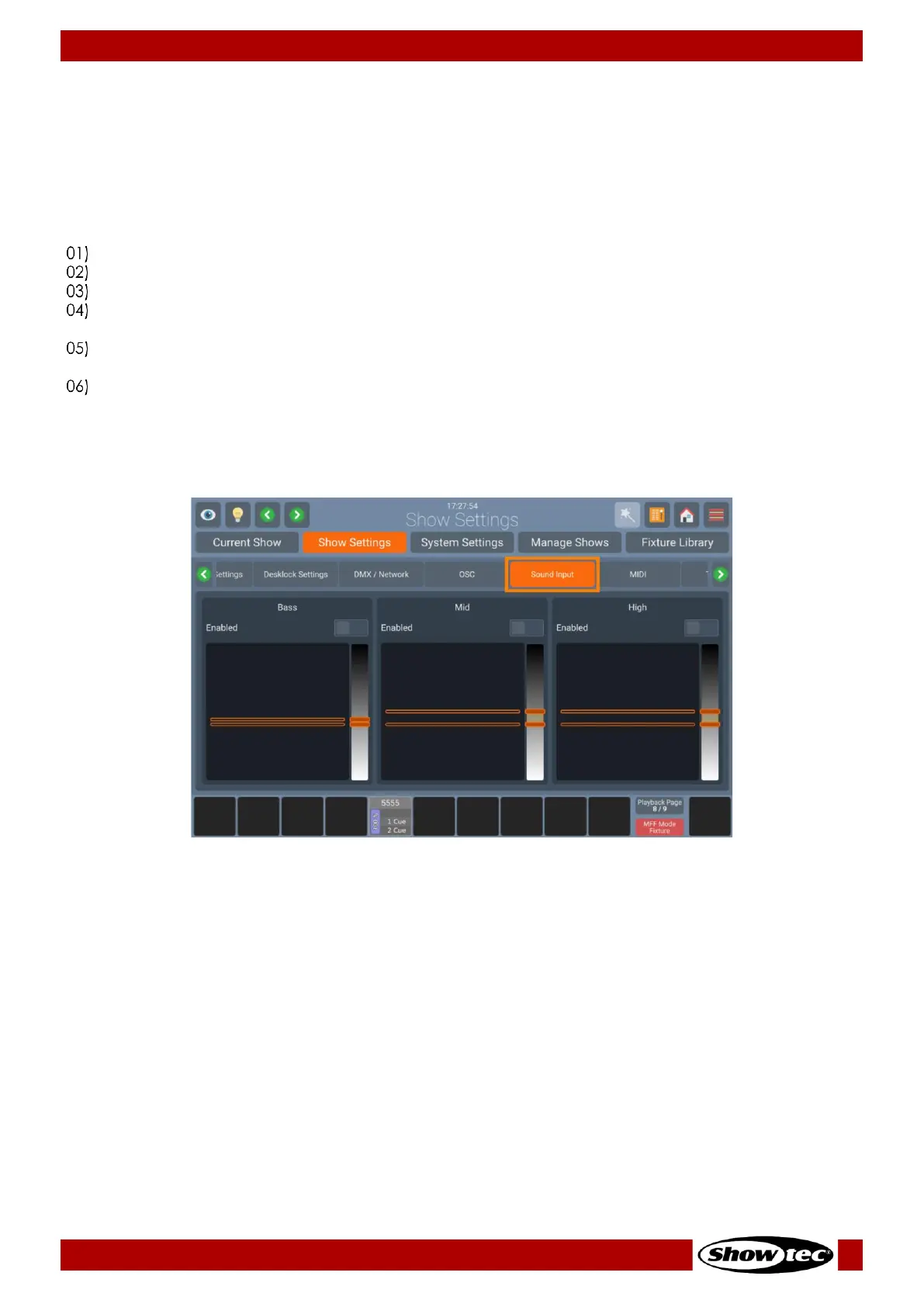
The sound input is analyzed in Bass, Mid and High levels which are individually configurable in their
individual levels.
You may configure the sound input threshold as follows:
Open the Setup Menu.
Change to the Show Settings tab.
Click on Sound Input.
Make sure the Sound Input On-Screen switch is set to enable. Sound Inputs can be
activated/deactivated independently for Bass, Mid and High.
Connect your Audio Signal to the 6.3mm Jack on the Rear of the Console. For best results use a
symmetric signal.
Play back Audio from your Audio source at the intended volume.
Adjust the Bass, Mid and High Sliders. The orange lines in the Input settings indicate the level the sound
signal must reach to be triggered (top line) and the sound signal must fall below (bottom line) to be able
to be triggered again.













 To Next Page