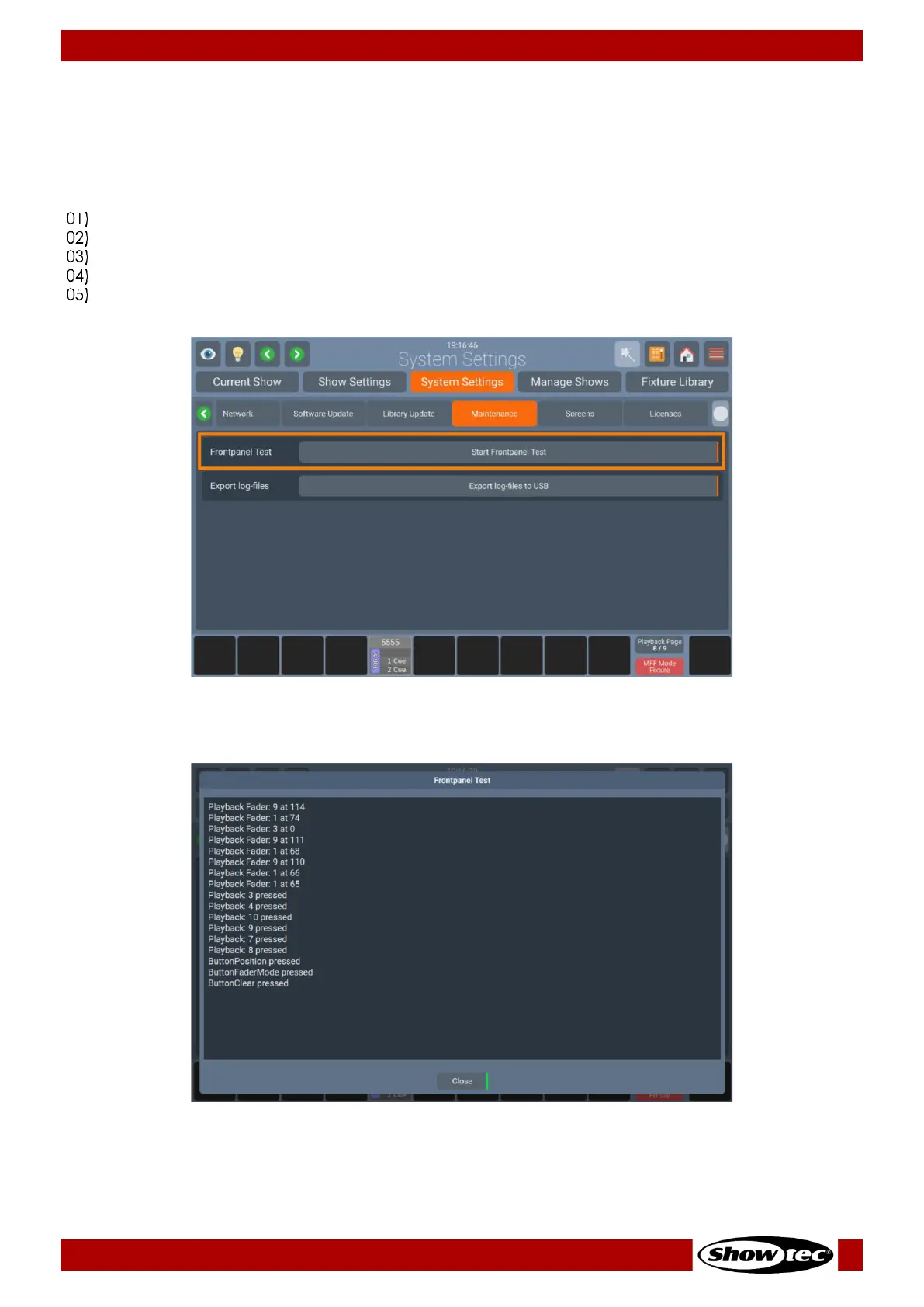
8.4.3.6. Maintenance
Testing the Frontpanel Hardware
If you ever have the feeling buttons, faders or encoders are not responding properly, or that a LED may
be broken, it could be worth testing the Frontpanel for proper function. To do so:
Open the Setup Menu.
Change to the System Settings tab.
Click on Maintenance.
Click on Frontpanel Test.
Test the front panel hardware. All button presses, encoder and fader movements will be shown in the
window. The LEDs on the frontpanel will cycle through multiple colors.













 To Next Page