Proportional Range
A range which indicates a certain function that has a range of values (such as pan tilt or strobe) on a
channel.
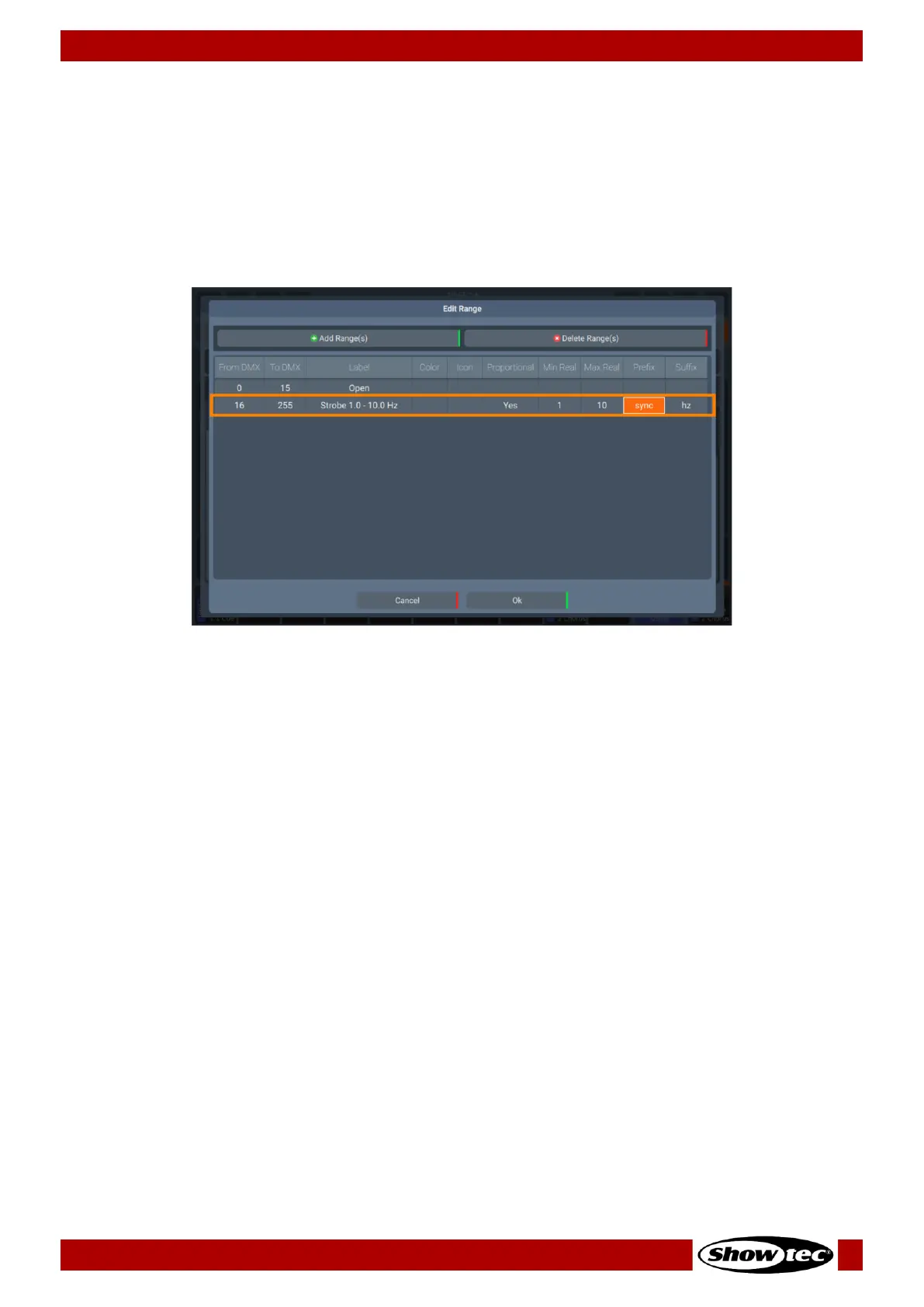
By double tapping on the Proportional cell, in the Edit Ranges dialog, you will be able to set it to Yes. In
the screenshot below (taken from a Fixture with a Strobe channel), we can see that this range spans
across DMX value 16 to DMX value 255 (the whole channel) and the name of the Range is Strobe 1.0-
10.0 Hz.
.
On the right side of the screenshot, next to Proportional, Min Real and Max Real, Prefix and Suffix cells are
shown.
The Min Real and Max Real equal the read-out in the programmer or output table for the Min and Max
DMX Value respectively. When the channel is at value 16, the readout will be 1, when the channel is at
255 (100%), then the readout will be 10. Any other values in between would be calculated accordingly.
The Prefix is shown before the actual value, the Suffix is shown after the value. For example, in a strobe
channel the prefix could indicate the type of strobe (usually SYNC or RND) whereas the suffix indicates
“Hz” for the frequency.
Mixing Single and Proportional Ranges on one channel
It is possible and can be very helpful to combine these different range types when building a fixture
library. A strobe channel is a good example for this – you may have “Open” and “Closed” ranges which
span multiple dmx values. In between you may have a linear, proportional range starting at 1 Hz and
ending at 10 Hz.













 To Next Page