EasyManua.ls Logo

SHOWTEC Net-2/5 Pocket - User Manual

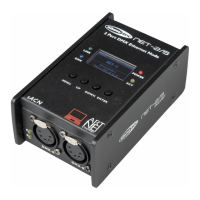
SHOWTEC Net-2/5 Pocket
24 pages
Print Icon
To Next Page IconTo Next Page
Loading...
Net-2/5 Pocket V1
Highlite International B.V. Vestastraat 2 6468 EX Kerkrade the Netherlands
Order code: 50808
MANUAL
ENGLISH

Questions and Answers

  • E
    Erin ZunigaAug 15, 2025
    How to troubleshoot SHOWTEC Network Router fixtures not functioning?
    • T
      Todd WrightAug 15, 2025
      If one or more of your SHOWTEC Network Router fixtures aren't functioning, start by checking the power and signal: * **No power:** Ensure the AC power adapter is securely plugged into the power outlet and the DC input connector on the Net-2/5 Pocket. Also, verify the AC power output works and supplies the proper voltage. * **Inactive protocol:** Configure and activate Art-Net/sACN, because Art-Net or sACN protocol may not be active.
  • U
    uhessNov 1, 2025
    What to do if some SHOWTEC Network Router fixtures respond erratically?
    • S
      Sharon BarajasNov 1, 2025
      If some of your fixtures are responding erratically or not at all after a reset, there could be several reasons: * **Poor data quality:** Check the data quality. If it's much lower than 100%, the problem may be a bad data link connection, poor quality or broken cables, a missing termination plug, or a defective fixture. * **Bad data link connection:** Inspect connections and cables. Correct poor connections or replace damaged cables. * **Missing termination plug:** Insert a termination plug in the output jack of the last fixture on the link. * **Incorrect addressing:** Check the address settings of the fixtures. * **Frame rate issue:** Adjust the DMX data refresh rate if it's too low or too high. * **Defective fixture:** Bypass one fixture at a time until normal operation is r...

Summary

Safety and Warnings

General Safety Precautions

Important safety warnings and cautions for device operation and handling.

Important Safety Instructions

Detailed safety rules regarding liability, power, environment, and handling.

Operational Guidelines

Operating Determinations

Guidelines for device operation, temperature limits, and power disconnection.

Mains Connection Safety

Instructions for safe connection of the device to the mains power supply.

Fixture Linking and Data Cabling

Guidelines for linking multiple fixtures and recommended data cables.

Device Description and Setup

Device Features and Views

Overview of the device's features and physical appearance (top view).

Front and Back Panel Views

Detailed diagrams and labels for the front and back panels.

Setup with Laptop;Computer

Steps for setting up the device with a computer using XLR and network cables.

Setup with Lighting Controller

Steps for setting up the device with a lighting controller using XLR and network cables.

Network Connectivity and Protocols

Configuration for Art-Net and sACN network protocols.

Data Cable Preparation

Instructions and standards for creating or selecting Ethernet data cables.

Operation and Configuration

Control Panel Operation

How to navigate menus and use the device's control panel.

Status Menu and Device Info

Understanding the device's status, IP, and network information.

Main Menu Overview

Overview of the device's main menu structure and options.

Device Naming and IP Settings

How to rename the device and select IP mode (DHCP/Manual).

IP Address and Netmask Configuration

Steps for manually configuring the IP address and netmask.

DMX Port Settings

Settings for DMX ports, including status, mode, protocol, and universe.

Display and Factory Reset

Adjusting display settings and performing a factory reset.

Web Interface Configuration

Remote configuration of the device using a web browser.

Maintenance and Updates

Password and Firmware Management

Procedures for changing the password and updating the firmware.

Routine Maintenance

Guidelines for keeping the device clean and in good condition.

Troubleshooting and Specifications

Troubleshooting Common Issues

Solutions for common problems encountered during device operation.

Product Technical Specifications

Detailed technical specifications and dimensions of the device.

SHOWTEC Net-2/5 Pocket Specifications

General IconGeneral
ProtocolsArt-Net, sACN
DMX channels1024
DMX Connectors2x 5-pin XLR (output)
Ethernet Connectors1x RJ45
Power Supply12 VDC

Related product manuals