EasyManua.ls Logo

SHOWTEC Net-2 - User Manual

SHOWTEC Net-2
24 pages
Print Icon
To Next Page IconTo Next Page
Loading...
Net-2 Install V1
Highlite International B.V. Vestastraat 2 6468 EX Kerkrade the Netherlands
Order code: 50816
MANUAL
ENGLISH

Questions and Answers

  • S
    stephensonstacyJul 29, 2025
    What to do if some SHOWTEC Net-2 Network Router fixtures respond erratically?
    • B
      Bryan ByrdJul 29, 2025
      If some fixtures respond erratically or not at all, there could be several reasons. First, check the data quality; if it's much lower than 100%, it may be a bad data link connection, poor quality or broken cables, a missing termination plug, or a defective fixture disturbing the link. Inspect connections and cables, correcting poor connections or replacing damaged cables. Ensure a termination plug is inserted in the output jack of the last fixture on the link. Verify the address settings of the fixtures and adjust the DMX data refresh rate. To identify a defective fixture, bypass one at a time until normal operation is restored by unplugging both connectors and connecting them directly together. Have the defective fixture serviced by a qualified technician.
  • V
    victoria34Aug 7, 2025
    How to troubleshoot SHOWTEC Net-2 Network Router fixtures not functioning?
    • S
      Steven RojasAug 7, 2025
      If one or more fixtures aren't functioning at all, start by checking the power supply to the fixture, ensuring the Net-2 Install is properly connected and the power output supplies the correct voltage. Also, verify that the Art-Net or sACN protocol is active by configuring and activating Art-Net/sACN.
  • V
    Veronica VangAug 19, 2025
    Why does my SHOWTEC Network Router respond erratically?
    • R
      russellsawyerAug 19, 2025
      If the device responds erratically, it might be due to changed factory settings. Reset the device’s parameters to the default factory settings.

Summary

Safety and Warnings

Unpacking and Safety Instructions

Instructions for unpacking the product and essential safety guidelines for device handling.

Important Operational Guidelines

Operating Determinations

Specifies environmental and operational limits to ensure device longevity and safety.

Connection and Support

Connection with the Mains

Details on connecting the device to the power supply, including color coding.

Return Procedure and Claims

Steps for returning the product and customer obligations for making claims.

Device Description

Key Features and Overview

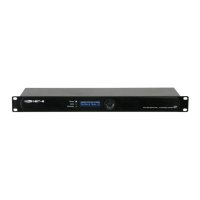
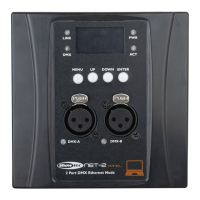
Lists primary capabilities, technical specs, and a visual diagram of the device.

Front Panel and Installation

Front Panel Components

Detailed explanation of the LEDs, display, buttons, and connectors on the front panel.

Installation

Step-by-step instructions for physically mounting and connecting the device.

Setup and Operation

Setup with Laptop;PC

Detailed steps for connecting the Net-2 Install to a network and computer.

Setup with Lighting Controller

Network Connectivity

Art-Net and sACN Settings

Configuration parameters for Art-Net and sACN network protocols.

Data Cable Creation

Instructions for making Ethernet data cables for device connectivity.

Fixture Linking and Operation Modes

Operation Modes Explained

Details the HTP, LTP, SINGLE, and BACKUP merging functionalities.

Control Panel and Status Menu

Status Menu Information

How to view device and port status information on the OLED display.

Menu Overview

Main Menu Configuration

Rename Device

Procedure to change the device's name using the control panel.

IP Mode Selection

Choosing between DHCP and Manual IP configuration for the device.

IP and Netmask Configuration

Manual IP Configuration

Step-by-step guide to manually set the device's IP address.

Set Netmask

How to select and apply the correct subnet mask from available options.

DMX Port Configuration

Display, Reset, and Firmware

Display Settings

Adjusting OLED display orientation and backlight timeout.

Factory Reset and Firmware Version

Restoring default settings and viewing the current firmware version.

Web Interface Configuration

Change Password

Instructions on how to change the device's login password.

Update Firmware

Steps for downloading and installing new firmware for the device.

Maintenance and Cleaning

Troubleshooting Guide

Product Specifications

Device Dimensions

SHOWTEC Net-2 Specifications

General IconGeneral
BrandSHOWTEC
ModelNet-2
CategoryNetwork Router
LanguageEnglish

Related product manuals