EasyManua.ls Logo

SHOWTEC NET-2 3-pin - User Manual

SHOWTEC NET-2 3-pin
28 pages
Print Icon
To Next Page IconTo Next Page
Loading...
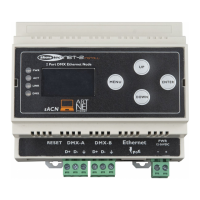
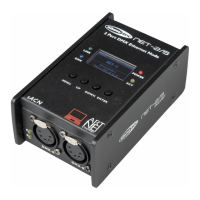
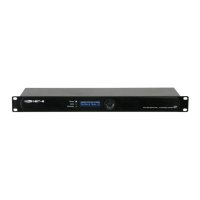
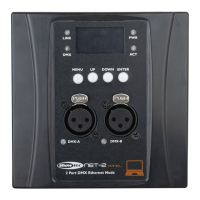
Net-2 Panel, 3-pin V1
Highlite International B.V. Vestastraat 2 6468 EX Kerkrade the Netherlands
Order code: 50812/50814
MANUAL
ENGLISH

Questions and Answers

  • L
    Laura StevensonJul 29, 2025
    How to troubleshoot SHOWTEC Network Router if some fixtures don't function?
    • J
      Jacob SmithJul 29, 2025
      If one or more fixtures aren't working at all, and the Power LED indicators are off, ensure the SHOWTEC Network Router is properly connected to the power supply and that the power output works and supplies the correct voltage. If the Art-Net or sACN protocol isn't active (Link LED indicators are off), configure and activate Art-Net/sACN.
  • Q
    quinnashleyAug 8, 2025
    Why do some SHOWTEC NET-2 3-pin fixtures respond erratically?
    • T
      Tyler WilsonAug 8, 2025
      If fixtures reset correctly, but some respond erratically, check the data quality. If it's much lower than 100%, the issue might be a bad data link connection, poor quality or broken cables, a missing termination plug, or a defective fixture. Inspect connections and cables for poor connections or damage. Ensure the data link is terminated with a 120 Ohm termination plug in the last fixture's output jack. Verify the fixture address settings, and adjust the DMX data refresh rate if the frame rate is too low or too high. To check for a defective fixture, bypass one at a time until normal operation returns by unplugging both connectors and connecting them directly together. If the problem persists, have the defective fixture serviced by a qualified technician.
  • F
    fgomezAug 17, 2025
    What to do if my SHOWTEC NET-2 3-pin Network Router responds erratically?
    • T
      Taylor MunozAug 17, 2025
      If the SHOWTEC Network Router device responds erratically, its factory settings may have been changed. Reset the device’s parameters to the default factory settings.

Summary

Warning and Safety Precautions

Important Operating Guidelines

Installation Guide

Setup and Operation

Laptop;PC Setup Guide

Step-by-step guide for setting up the Net-2 Panel using a laptop or PC.

Lighting Controller Setup

Network Connection Procedures

Instructions for establishing a network connection for device configuration.

Network Protocol Configuration

Operational Modes and Merging

Merging Options Explanation

Explanation of different merging modes like HTP, LTP, and Single.

Control Panel Interface

Menu Structure Overview

Main Menu Options and Navigation

Overview of the main menu structure and how to navigate settings.

Main Menu Configuration Options

IP and Netmask Configuration

DMX Port Configuration Settings

DMX Port Parameter Configuration

Configuring DMX status, mode, protocol, and universe settings for each port.

Factory Default Reset

Web Interface Configuration

Remote Device Management via Web

How to access and configure the device using a web browser interface.

Password and Firmware Management

Password Change and Firmware Update

Procedures for changing the password and updating the device's firmware.

Troubleshooting Common Issues

Product Technical Specifications

SHOWTEC NET-2 3-pin Specifications

General IconGeneral
ModelNET-2 3-pin
ProtocolsArt-Net, sACN
DMX Connector3-pin XLR
Ethernet ports1 x RJ45
Power SupplyExternal Power Adapter
HousingMetal
TypeEthernet to DMX Node
Connection TypeEthernet
Power input12V DC
Inputs1x Ethernet
Outputs2 DMX Universes

Related product manuals