Shure Incorporated
18/26
1.
2.
3.
4.
Updating Firmware
Firmware is embedded software in each component that controls functionality. Periodically, new versions of firmware are
developed to incorporate additional features and enhancements. To take advantage of design improvements, you can upload
and install new versions of the firmware by using the Shure Update Utility. The Shure Update Utility is available for download
from http://www.shure.com/.
Firmware Versioning
When performing an update, first download firmware to the receiver, and then update transmitters to the same firmware version
to ensure consistent operation.
The firmware numbering for Shure devices uses the following format: MAJOR.MINOR.PATCH (e.g., 1.2.14). At a minimum, all
devices on the network (including transmitters), must have the same MAJOR and MINOR firmware version numbers (e.g.,
1.2.x).
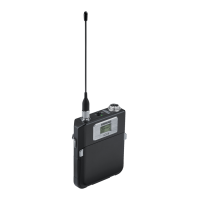
Updating the Transmitter
Download the firmware to the receiver.
Access the following menu from the receiver: Device
Configuration > Tx
Firmware
Update.
Align the IR ports between the transmitter and the receiver. IR ports must be aligned for the entire download, which can
take 50 seconds or longer.
Tip: The red alignment LED will turn on when the alignment is correct.
Press ENTER on the receiver to begin the download to the transmitter. The receiver will display the progress of the
update as a percentage.
Specifications
Mic Offset Range
-12 to 21 dB (in 1 dB steps)
Battery Type
Shure SB910 Rechargeable Li-Ion
Battery Runtime
@ 10mW


 To Next Page