EasyManua.ls Logo

Shure FP5 - User Manual

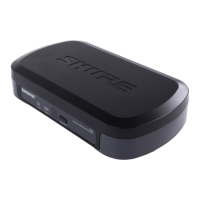
Shure FP5
56 pages
Print Icon
To Next Page IconTo Next Page
Loading...
©2012 Shure Incorporated
27B16756 (Rev. 1)
FP5 FP1 FP3 FP2
Shure FP Wireless
FP 무선 시스템
FP 无线系统
FP 無線系統
Sistem Nirkabel FP
FPワイヤレスシステム
Printed in China
FP Wireless System

Questions and Answers

  • S
    Sara LeeJul 27, 2025
    Why is there distortion or unwanted noise bursts in my Shure Microphone system?
    • R
      Ryan BellJul 27, 2025
      Distortion or unwanted noise bursts may occur due to several reasons. Try the following: * Remove nearby sources of RF interference like CD players, cell phones, computers, digital effects, or in-ear monitor systems. * Change the receiver and transmitter to a different frequency. * Reduce transmitter gain. * Replace the transmitter batteries. * If using multiple systems, change the frequency of one of the active systems.
  • V
    vnguyenJul 31, 2025
    What to do if my Shure Microphone system has no sound or faint sound?
    • L
      Lisa CollinsAug 1, 2025
      If you are experiencing no sound or faint sound, try the following: * Sync the transmitter to the receiver. * Move closer to the transmitter and maintain a direct line of sight. Also, move away from metal surfaces and digital equipment.
  • C
    cweberAug 6, 2025
    What to do if the transmitter power LED is red or flashing red on my Shure Microphone system?
    • J
      Jacob LopezAug 6, 2025
      If the transmitter power LED is red or flashing red, first replace the transmitter batteries. If the indicator continues flashing red after replacing the batteries, the transmitter and receiver may belong to incompatible frequency bands. Contact your Shure reseller for assistance.
  • N
    nicholasmarquezAug 11, 2025
    What does it mean if the receiver power LED is off, red, or blinking red on my Shure Microphone system?
    • K
      Kimberly SchneiderAug 11, 2025
      If the receiver power LED is off, red, or blinking red, insert fresh batteries or power on the receiver.
  • A
    Amy CobbAug 15, 2025
    What does it mean if the transmitter power LED is off on my Shure Microphone system?
    • T
      tolsenAug 15, 2025
      If the transmitter power LED is off: * Turn on the transmitter. * Make sure the +/- indicators on the batteries match the transmitter terminals. * Insert fresh batteries.
  • D
    Daniel TateAug 20, 2025
    What to do if the transmitter power light is on, and the receiver blue RF LED is on for Shure Microphone system?
    • O
      omartinAug 20, 2025
      If the transmitter power light is on and the receiver blue RF LED is on, verify all sound system connections and adjust gain settings on the transmitter and receiver. Ensure the handheld transmitter gain is at the 0dB setting.

Summary

FP Wireless System Overview

System Components

Descriptions of FP1 Bodypack, FP2 Handheld, FP3 Plug-On Transmitters, and FP5 Portable Receiver.

Key Features

Furnished Accessories

Quickstart Guide

Install Batteries

Instructions for installing AA batteries in FP1-FP5 units.

Power Up Receiver and Transmitter

Steps to power on FP5 receiver and transmitters.

Frequency Setup and Sync

Procedures for group scan, automatic frequency selection, and transmitter-receiver sync.

FP5 Receiver Controls

FP5 Receiver Indicators and Ports

Details on Power LED, RF LED, Power Button, IR port, TA3M Jack, Audio Output Gain, LCD Screen, Scan/Sync buttons, Antennas.

Transmitter Controls

Transmitter Indicator LEDs and Inputs

Explains Indicator LED, Power Button, IR Port, Mic Input Jack, Audio Input Gain, XLR Connection, and Level Indicator.

Operation Procedures

Adjusting Gain

How to adjust audio gain for FP1, FP2, and FP3 transmitters for optimal sound levels.

System Setup Methods

Covers single system, multiple system, and automatic frequency scan setup procedures.

Transmitter Control Lock

Procedure to lock and unlock transmitter controls to prevent accidental changes.

Troubleshooting and Performance Tips

Troubleshooting Common Issues

Solutions for no sound, distortion, noise, and power-on problems.

Performance Improvement Tips

Advice on maintaining line-of-sight and avoiding RF interference.

Accessory Part Numbers

Technical Specifications

Component Specifications

Detailed technical data for FP5, FP1, FP2, and FP3 units including dimensions, power, and sensitivity.

Frequency and Output Power Data

Regulatory Compliance

Certifications and Approvals

Statements of compliance with Canadian ICES-003, European EN standards, FCC, and IC RSS.

Licensing and User Information

Shure FP5 Specifications

General IconGeneral
ColorBlack
TypeWireless receiver
ModulationFM
Dynamic Range100 dB, A-weighted
RF Output PowerNot applicable (receiver)
Polar PatternNot applicable (receiver)
ConnectorXLR and 1/4 inch output connectors

Related product manuals