Shure Incorporated
27/36
Editing in Split Mode
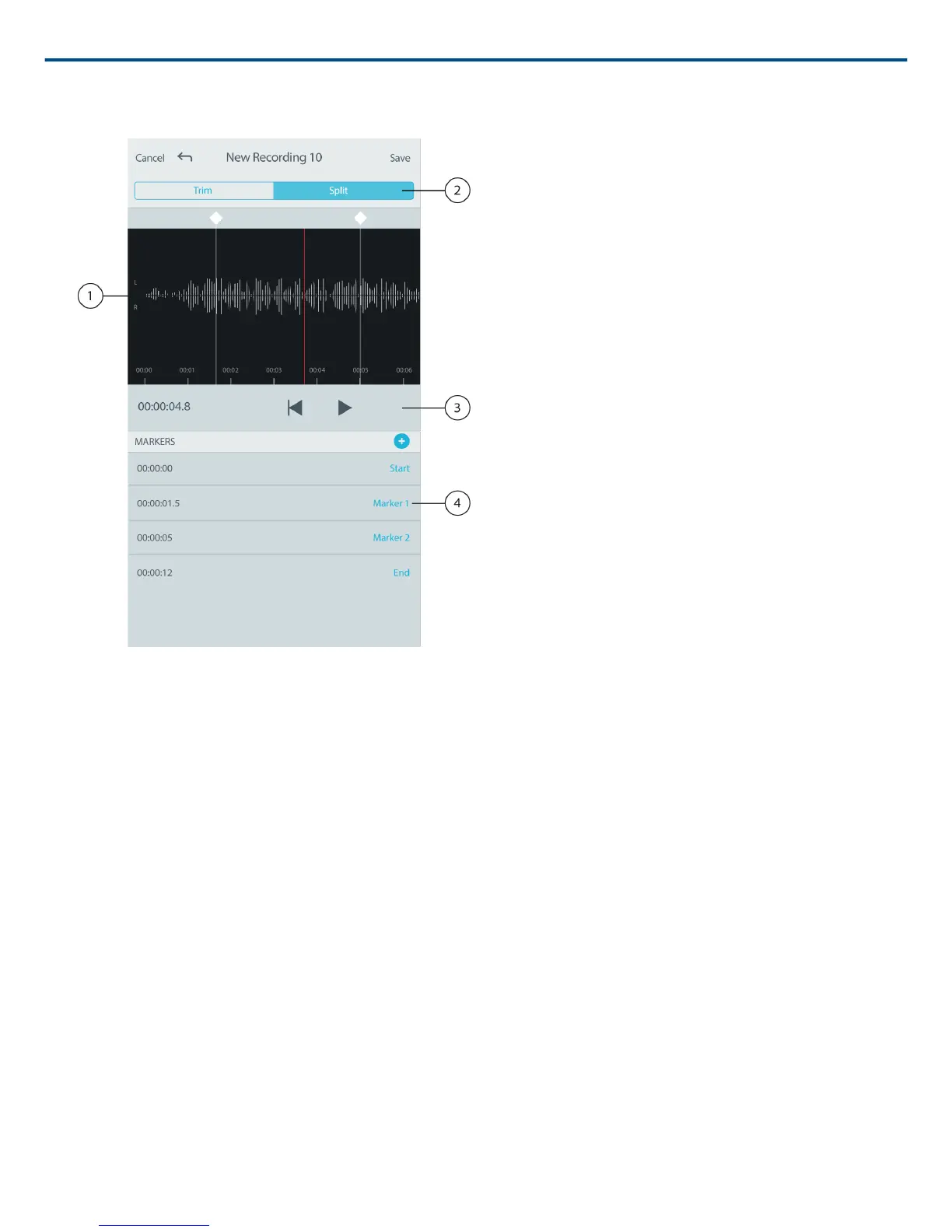
① Timeline Display
See your entire timeline. Zoom in for precise editing.
② Trim / Split Select
Select your edit mode.
③ Playback Controls
Loop, Rewind, Play/Pause, or Add Bookmarks to your track.
④ Marker List Item
Displays name and position in hours, minutes, seconds, and milliseconds.
Use Split Mode when you have a long audio file that you'd like to divide into smaller audio files. Create new edited
files while keeping your original file intact.
1. Go to My Recordings to select the audio file that you would like to edit.
2. Select the Edit icon to open the Editor.
3. Place a marker at the point where you want to split the audio.
4. Select Split.
5. Keep the original file format or select a new one.



 To Next Page