EasyManua.ls Logo

Shure MV5 - User Manual

Shure MV5
30 pages
Print Icon
To Next Page IconTo Next Page
Loading...
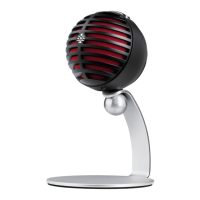
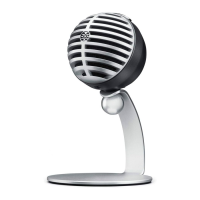
MV5
Digital Condenser Microphone
The Shure digital condenser microphone, MV5, user guide.
Version: 3 (2019-L)

Other manuals for Shure MV5

Questions and Answers

  • L
    longstaceyJul 27, 2025
    Why does my Shure MV5 Microphone sound bad?
    • C
      Christina CastilloJul 27, 2025
      If the audio from your Shure Microphone sounds bad, check the sound control panel of the computer to ensure that the MV5 is fully plugged in and recognized.
  • J
    Jonathan FosterAug 2, 2025
    What to do if Shure Microphone audio is distorted?
    • A
      anne56Aug 2, 2025
      If the audio from your Shure Microphone is distorted, use the audio meter to ensure that volume peaks are within the target range. If the level is reaching the red peak indicator on the input meter, turn the gain down.
  • K
    Kristina MooreAug 8, 2025
    How to fix low audio on Shure MV5 Microphone?
    • A
      alexanderwoodsAug 8, 2025
      If the audio from your Shure Microphone is too low, check the computer sound control panel settings. When first connecting the MV5 to your computer, make sure to raise the computer volume level.
  • C
    Courtney WalkerAug 14, 2025
    How to fix unnatural or jittery sound on Shure Microphone?
    • D
      Dennis CurtisAug 14, 2025
      If the audio from your Shure Microphone sounds unnatural or jittery, make sure that the sample rate and bit depth microphone settings, found in the sound control panel of the computer, are consistent with the sample rate and bit depth selected in your software.
  • R
    Ryan WilliamsSep 10, 2025
    What to do if Shure MV5 Microphone is not working with USB hub?
    • L
      Laura MillerSep 12, 2025
      If your Shure Microphone is not working with a USB hub, check the USB hub documentation for current/port specification, because the MV5 requires 250 mA per port.

Summary

MV5 Digital Condenser Microphone Overview

MV5 Features

Key features of the MV5 microphone, including design and preset modes.

MV5 Quick Setup Guide

Step-by-step guide for initial setup and connection of the MV5 microphone.

Connections and Controls

Preset Modes Explained

Details on the three selectable modes (Voice, Instrument, Flat) and their applications.

Advanced Mic Settings

Fine-tuning sound with limiter, compressor, and equalizer settings.

Equalizer Functionality

How to adjust frequency bands to improve sound clarity.

Microphone Placement Guide

Podcast and Voice Recording Placement

Recommended distance and positioning for voice recording.

Music and Instrument Placement

Guidance for recording vocals, acoustic instruments, and ensembles.

Loud Sources and Band Recording

Placement advice for bands, drums, and amplified instruments.

Advanced Usage and Troubleshooting

Additional Tips for Recording

Resources for improving recording techniques.

Adjusting Microphone and Headphone Levels

Guidance on setting microphone gain and headphone volume.

Accessing Control Panel Settings

Steps to adjust gain levels on Windows and Mac.

Troubleshooting Common Issues

Solutions for display, audio, and connectivity problems.

System Requirements and Specifications

System Requirements and Compatibility

Operating system and hardware compatibility details.

MV5 Technical Specifications

Detailed specifications including cartridge type, polar pattern, and frequency response.

Included Accessories and Weight

Information on included accessories, dimensions, and net weight.

Certifications and Compliance

FCC Compliance Information

Statements regarding FCC rules and potential interference.

Industry Canada ICES-003

Compliance label for Canadian radio communication standards.

CE Marking and European Representative

Details on meeting European directives and contact for compliance.

Shure MV5 Specifications

General IconGeneral
Transducer TypeCondenser
Polar PatternCardioid
Frequency Response20 Hz to 20 kHz
Sensitivity-40 dBFS/Pa at 1 kHz
Maximum SPL130 dB SPL
ConnectivityUSB
Adjustable Gain Range0 to +36 dB
Connector TypeMicro-USB
Sampling Rate44.1 kHz/48 kHz
Power RequirementsPowered by USB
Headphone Output3.5 mm
CompatibilityiOS, Android, Mac, PC

Related product manuals