Shure Incorporated
6/14
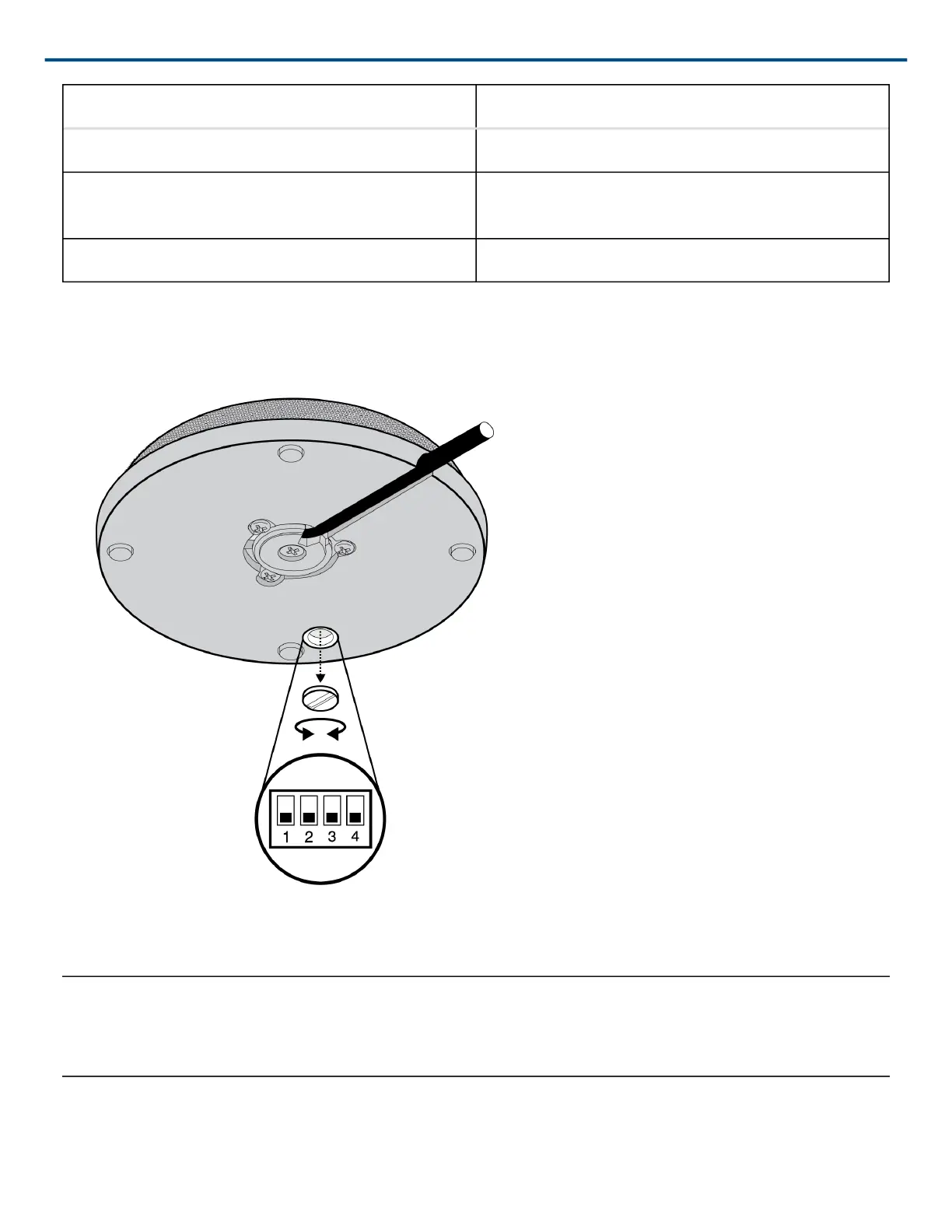
DOWN (Default) UP
Push-to-Mute Push-to-Talk
Mute button enabled, LED illuminates when mic is ac-
tive
Disable mute button (microphone always on), logic
controls LED
Full Frequency Range 6dB/octave Low Cut Filter
Low Cut Filter
Set DIP Switch 4 up to activate the low cut filter. Attenuates 6 dB per octave below 150 Hz.
Local Mute Control
The mircophone ships configured for local (manual) mute control (DIP Switch 3 down). In this mode, the PUSH
button on the microphone mutes the audio signal at the microphone. Audio is not sent to the audio outputs.



 To Next Page