3
PG4 Receiver Features
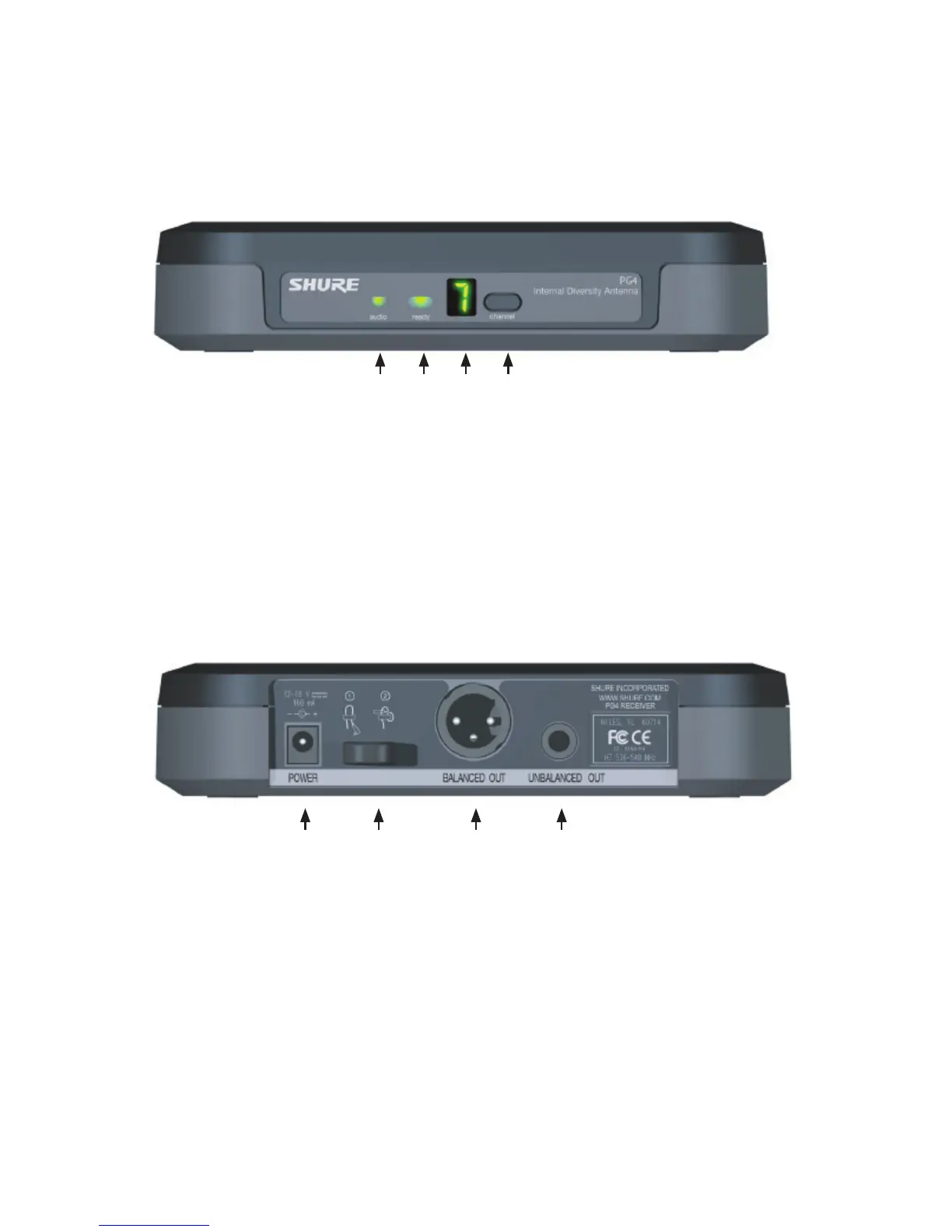
Figure 1. Front Panel
audio LED
Indicates strength of incoming audio signal: green for
normal, amber for strong, red for peak.
Channel Display
See “System Setup” on page 6.
ready LED
Green LED indicates system is ready for use.
channel button
Press and hold to change the frequency channel.
Figure 2. Back Panel
AC adapter jack XLR balanced microphone output jack
Adapter cord relief 1/4” unbalanced output jack
English



 To Next Page