Shure Incorporated
16/36
1.
2.
3.
4.
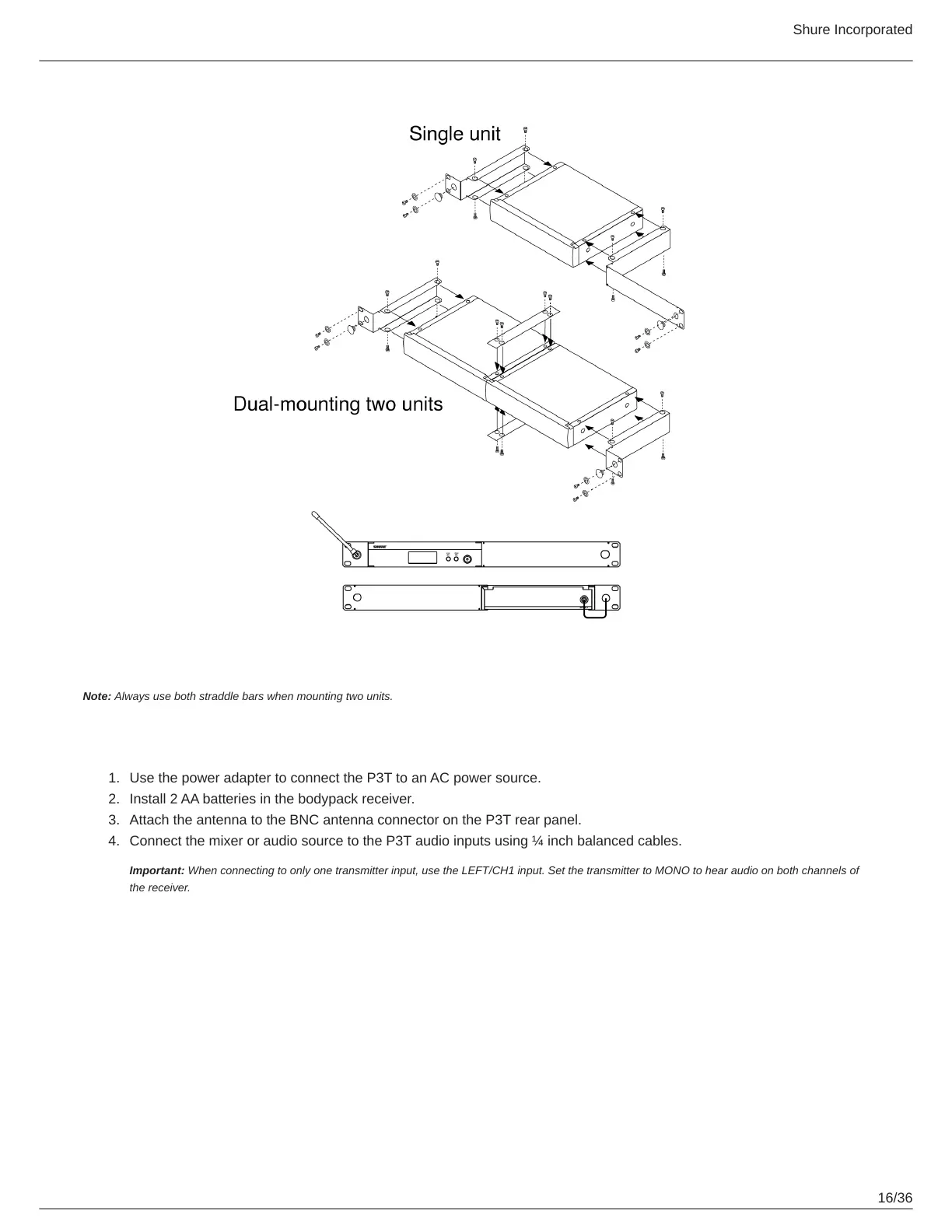
Note: Always use both straddle bars when mounting two units.
Power, Audio, and RF Connections
Use the power adapter to connect the P3T to an AC power source.
Install 2 AA batteries in the bodypack receiver.
Attach the antenna to the BNC antenna connector on the P3T rear panel.
Connect the mixer or audio source to the P3T audio inputs using ¼ inch balanced cables.
Important: When connecting to only one transmitter input, use the LEFT/CH1 input. Set the transmitter to MONO to hear audio on both channels of
the receiver.


 To Next Page