Shure Incorporated
17/36
1.
2.
3.
Scanning for the Best Open Channel
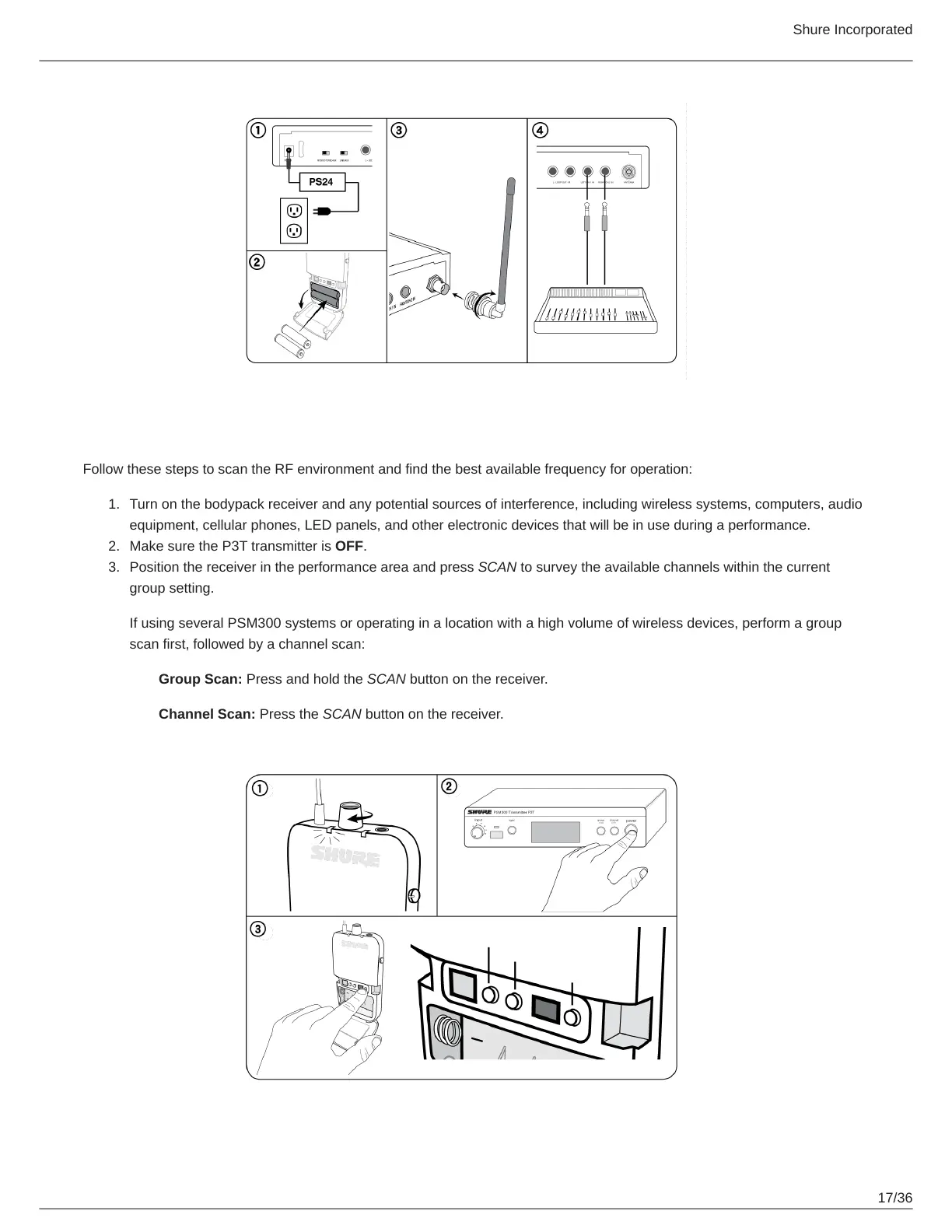
Follow these steps to scan the RF environment and find the best available frequency for operation:
Turn on the bodypack receiver and any potential sources of interference, including wireless systems, computers, audio
equipment, cellular phones, LED panels, and other electronic devices that will be in use during a performance.
Make sure the P3T transmitter is OFF.
Position the receiver in the performance area and press SCAN to survey the available channels within the current
group setting.
If using several PSM300 systems or operating in a location with a high volume of wireless devices, perform a group
scan first, followed by a channel scan:
Group Scan: Press and hold the SCAN button on the receiver.
Channel Scan: Press the SCAN button on the receiver.


 To Next Page