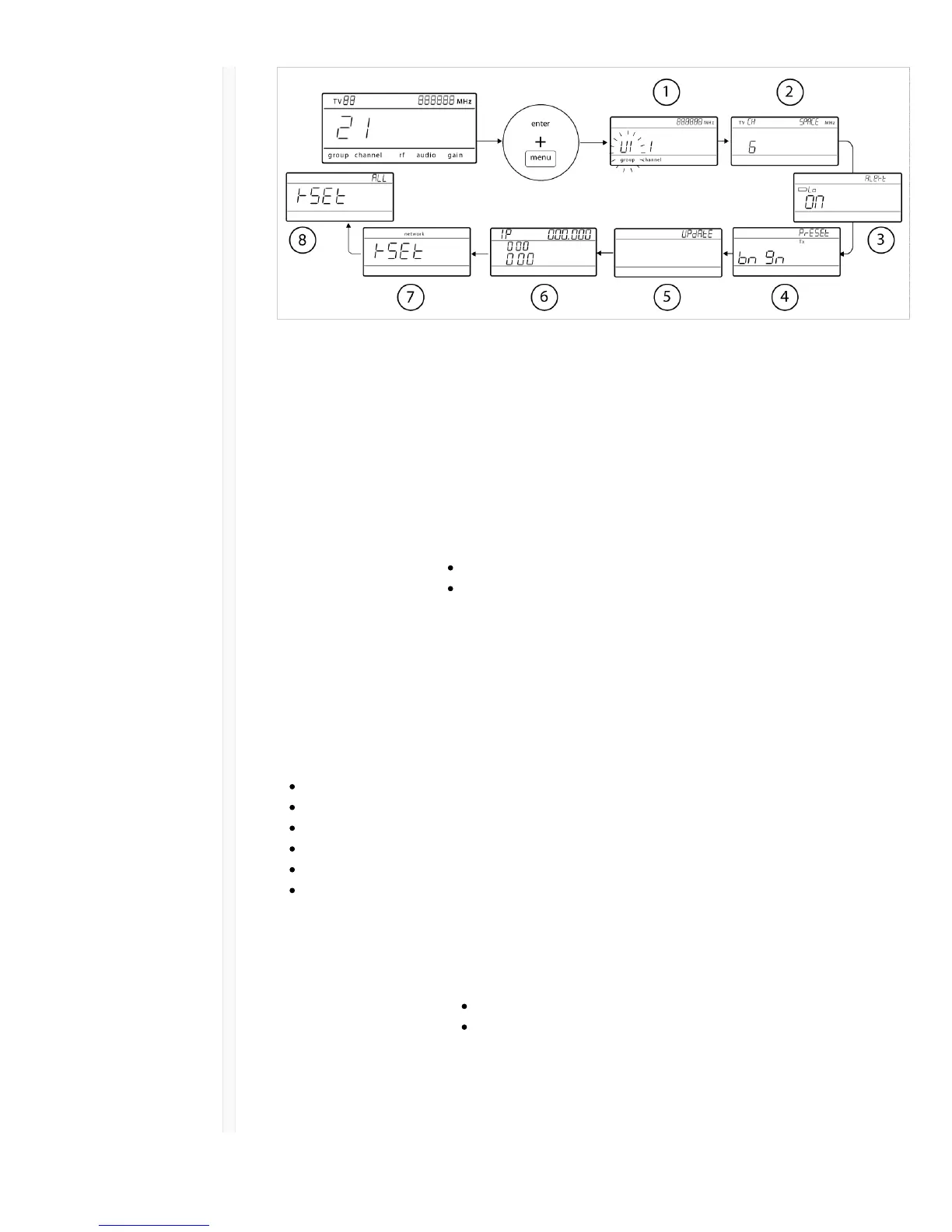
ɠ Custom Groups Use to add channels and frequencies to Custom Groups
ɡ TV Channel Spacing Selects the regional bandwidth for TV channel display
ɢ Low Battery Alert Enable or disable the low battery alert on the receiver screen
ɣ
Boundary/Gooseneck
Transmitter Presets
Sends ULXD6/ULXD8 presets configured in WWB to transmitters via the IR
Sync window
ɤ Firmware Update Displays what kind transmitter firmware the receiver has available. See
Firmware Updates for more details.
HH BP = handheld or bodypack firmware
BN GN = boundary or gooseneck firmware
ɥ IP Settings Use to select and edit IP settings and subnet masks
ɦ Network Reset Returns network settings and IP address to default setting
ɧ Factory Reset Restores factory settings
For application and configuration details, see the related guide topic for each advanced feature.
Tips for Editing Menu Parameters
To increase, decrease or change a parameter, use the arrow buttons
A menu setting will blink when editing is enabled
To save a menu change, press enter
To exit a menu without saving a change, press menu
To access the advanced menu, press menu while holding the enter button from the home screen
To return to the home screen from any menu without saving changes, press and hold the menu
button.
Transmitters
ɠ Power LED Green = unit is powered on
Red = low battery
ɡ On/Off Switch Powers the transmitter on or off.
ɢ Display: View menu screens and settings. Press any control button to activate the
backlight.



 To Next Page