Installation
Montage en rack
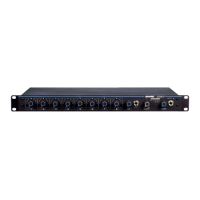
Monter le mélangeur dans un rack à l'aide des vis et des rondelles fournies
dans le kit de visserie. Suivre les meilleures pratiques générales suivantes
pour la mise en rack de l'équipement :
• La température ambiante du rack ne doit pas dépasser la plage de
température de fonctionnement spécifiée pour l'appareil.
• Veiller à ne pas obstruer l'entrée du ventilateur et les grilles d'aération
et à prévoir un dégagement suffisant pour permettre à l'air de circuler à
l'intérieur du rack.
• Si possible, prévoir 1 unité modulaire normalisée (RU) d'espace entre les
appareils.
A
UX IN
MASTER
lockout
p
o
w
er
ethe
r
net
ne
t
w
o
r
k audio
au
t
omix link
dual mi
x
er
LIM
A
B
-
9
-1
8
-2
4
-3
6
-4
8
-6
0
0
gain
limi
t
er
L+R SUM
gain
l
o
w cut
hi shelf
me
t
er
push to solo | hold to mute
1 2 3 4 5 6 7 8
A
B
HEADPHONE
A
UX IN
MASTER
lockout
p
o
w
er
ethe
r
net
ne
t
w
o
r
k audio
au
t
omix link
dual mi
x
er
LIM
A
B
-
9
-1
8
-2
4
-3
6
-4
8
-6
0
0
gain
limi
t
er
L+R SUM
gain
l
o
w cut
hi shelf
me
t
er
push to solo | hold to mute
1 2 3 4 5 6 7 8
A
B
HEADPHONE
A
UX IN
MASTER
lockout
p
o
w
er
ethe
r
net
ne
t
w
o
r
k audio
au
t
omix link
dual mi
x
er
LIM
A
B
-
9
-1
8
-2
4
-3
6
-4
8
-6
0
0
gain
limi
t
er
L+R SUM
gain
l
o
w cut
hi shelf
me
t
er
push to solo | hold to mute
1 2 3 4 5 6 7 8
A
B
HEADPHONE
4
5
OUT
L
R
mix a
mix b
AUX IN
+
7
+
gate
IN
mute
ovrd
gnd
+
direct out
8
+
gate
IN
mute
ovrd
gnd
+
direct out
6
+
gate
IN
mute
ovrd
gnd
+
direct out
+
gate
IN
mute
ovrd
gnd
+
direct out
+
gate
IN
mute
ovrd
gnd
+
direct out
3
+
gate
IN
mute
ovrd
gnd
+
direct out
2
+
gate
IN
mute
ovrd
gnd
+
direct out
1
+
gate
IN
mute
ovrd
gnd
+
direct out
lockout
line
A
A
B
B
manual
smooth
classic
extreme
custom
dual mixer
+0dB
mic
+30dB
mic
phm 48 VDC
CH
auto link
+46dB
reset
primary
secondary
CHANNEL
INTELLIMIX
00:0E:DD:AA:BB:CC
Alimentation
Brancher l'unité à une source d'alimentation c.a. au moyen du câble CEI
fourni. Appuyer sur l'interrupteur d'alimentation.
Connexions audio typiques
① Entrées de canal
• Microphones
• Envoi d'insertion d'un mélangeur
• Audio du réseau Dante
② Entrées aux.
Sources sonores de niveau aux. :
• Lecteur MP3
• Sortie casque d'ordinateur
• Lecteur de CD
③ Sorties de mélange
• Amplificateur
• Haut-parleurs sous tension
• Entrées de canal du mélangeur
④ Sorties directes
• Retours d'insertion vers un mélangeur
• Appareil d'enregistrement
• Entrées de canal du mélangeur


 To Next Page
 Loading...