Installazione
Montaggio su rack
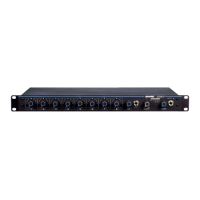
Montate su rack il mixer utilizzando le viti e le rondelle fornite nel kit
componenti. Seguite le procedure migliori per il montaggio su rack
dell'apparecchio elencate di seguito.
• La temperatura ambiente del rack non deve superare la gamma di
temperatura operativa del dispositivo.
• Liberate da eventuali ostruzioni l'ingresso della ventola e gli sfiati laterali
e prevedete uno spazio adeguato per il flusso dell'aria all'interno del rack.
• Quando possibile, prevedete 1 RU di spazio vuoto tra ciascun dispositivo.
A
UX IN
MASTER
lockout
p
o
w
er
ethe
r
net
ne
t
w
o
r
k audio
au
t
omix link
dual mi
x
er
LIM
A
B
-
9
-1
8
-2
4
-3
6
-4
8
-6
0
0
gain
limi
t
er
L+R SUM
gain
l
o
w cut
hi shelf
me
t
er
push to solo | hold to mute
1 2 3 4 5 6 7 8
A
B
HEADPHONE
A
UX IN
MASTER
lockout
p
o
w
er
ethe
r
net
ne
t
w
o
r
k audio
au
t
omix link
dual mi
x
er
LIM
A
B
-
9
-1
8
-2
4
-3
6
-4
8
-6
0
0
gain
limi
t
er
L+R SUM
gain
l
o
w cut
hi shelf
me
t
er
push to solo | hold to mute
1 2 3 4 5 6 7 8
A
B
HEADPHONE
A
UX IN
MASTER
lockout
p
o
w
er
ethe
r
net
ne
t
w
o
r
k audio
au
t
omix link
dual mi
x
er
LIM
A
B
-
9
-1
8
-2
4
-3
6
-4
8
-6
0
0
gain
limi
t
er
L+R SUM
gain
l
o
w cut
hi shelf
me
t
er
push to solo | hold to mute
1 2 3 4 5 6 7 8
A
B
HEADPHONE
4
5
OUT
L
R
mix a
mix b
AUX IN
+
7
+
gate
IN
mute
ovrd
gnd
+
direct out
8
+
gate
IN
mute
ovrd
gnd
+
direct out
6
+
gate
IN
mute
ovrd
gnd
+
direct out
+
gate
IN
mute
ovrd
gnd
+
direct out
+
gate
IN
mute
ovrd
gnd
+
direct out
3
+
gate
IN
mute
ovrd
gnd
+
direct out
2
+
gate
IN
mute
ovrd
gnd
+
direct out
1
+
gate
IN
mute
ovrd
gnd
+
direct out
lockout
line
A
A
B
B
manual
smooth
classic
extreme
custom
dual mixer
+0dB
mic
+30dB
mic
phm 48 VDC
CH
auto link
+46dB
reset
primary
secondary
CHANNEL
INTELLIMIX
00:0E:DD:AA:BB:CC
Alimentazione
Collegate l'unità all'alimentazione c.a. utilizzando il cavo IEC in dotazione.
Accendete l'apparecchio.
Collegamenti audio tipici
① Ingressi del canale
• Microfoni
• Mandata insert da un mixer
• Audio della rete Dante
② Ingressi ausiliari
Sorgenti sonore di livello aus.
• Lettore MP3
• Uscita cuffie del computer
• Lettore CD
③ Uscite mixer
• Amplificatore
• Diffusori alimentati
• Ingressi dei canali del mixer
④ Uscite dirette
• Ritorni insert ad un mixer
• Dispositivo di registrazione
• Ingressi dei canali del mixer



 To Next Page
 Loading...