EasyManua.ls Logo

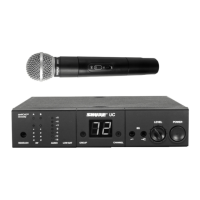
Shure UC2 - User Manual

Shure UC2
8 pages
Print Icon
To Next Page IconTo Next Page
Loading...
CONTENTS
SPECIFICATIONS 2. . . . . . . . . . . . . . . . . . . . . . . . . . . . . . . . . . . . . . . . . . . . . . . .
Furnished Accessories 5. . . . . . . . . . . . . . . . . . . . . . . . . . . . . . . . . . . . . . . . .
Optional Accessories 5. . . . . . . . . . . . . . . . . . . . . . . . . . . . . . . . . . . . . . . . . . .
Replacement Parts 6. . . . . . . . . . . . . . . . . . . . . . . . . . . . . . . . . . . . . . . . . . . . .
FREQUENCY SELECTION GUIDE 6. . . . . . . . . . . . . . . . . . . . . . . . . . . . . . . . . .
Compatibility Groups 7. . . . . . . . . . . . . . . . . . . . . . . . . . . . . . . . . . . . . . . . . . .
UC Wireless System
USER GUIDE SUPPLEMENT MB (800–830 MHZ)
27B8637 (CB)
E2003, Shure Incorporated
Printed in U.S.A.

Questions and Answers

  • S
    Susan WarrenAug 12, 2025
    Why is my Shure Microphone system signal noisy?
    • B
      barcherAug 12, 2025
      If your Shure Microphone system receiver's signal is noisy or contains extraneous sounds while the transmitter is on, first check the transmitter's power/battery fuel gauge and replace the battery if the power is low. Then, try removing any local sources of RF interference, such as lighting equipment. If you're using a guitar or another instrument, ensure it's connected to the UC1 with a Shure WA302 adapter cable. It's also possible that two transmitters are operating on the same frequency, so locate and turn one off or change its frequency. Finally, the signal may be too weak, so reposition the antennas closer to the transmitter and adjust the receiver's squelch control.
  • D
    Daniel CampbellAug 19, 2025
    How to fix a Shure UC2 with no sound?
    • P
      Patrick ClarkAug 19, 2025
      If your Shure Microphone system has no sound and the receiver RF LED(s) and AUDIO LEDs are not glowing, ensure that both the transmitter and receiver are turned on. Check the transmitter's Power/Battery Fuel Gauge and replace the battery if necessary. Verify that the transmitter and receiver frequency Group/Channel settings are identical. Also, check the receiver's squelch setting and antenna connection(s). Make sure at least one antenna is in the line of sight of the transmitter. If needed, reduce the distance between the transmitter and receiver.
  • J
    Justin RiceAug 27, 2025
    What to do if Shure Microphone system sound cuts out?
    • M
      Michael HunterAug 27, 2025
      If you are experiencing a momentary loss of sound as the transmitter is moved around the performing area with your Shure Microphone system, try repositioning the receiver and perform another walkthrough test, observing the RF level or Diversity signal indicators. If audio dropouts persist, mark these dead spots in the performing area and avoid them during the performance. You may also try decreasing the squelch control setting, even though noise in dead spots may increase slightly. Another solution is to move the antennas to a remote location.
  • G
    Gavin BradySep 4, 2025
    What to do if Shure UC2 Microphone system has no receiver sound?
    • A
      Amanda BushSep 4, 2025
      If your Shure Microphone system receiver has no sound, but the RF and AUDIO level meter LEDs are glowing, turn up the receiver audio output Level control. Then, check for a proper connection between the receiver and the microphone mixer. Try talking into the microphone and observe the receiver audio level LEDs. If they glow, the problem is elsewhere in the sound system.

Shure UC2 Specifications

General IconGeneral
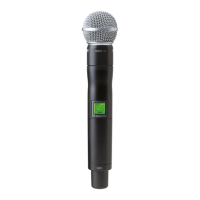
TypeHandheld Transmitter
ModulationFM
THD<0.5%
Audio Frequency Response50 Hz to 15 kHz
Dynamic Range>100 dB
Operating RangeUp to 300 ft (91 m) under typical conditions
Battery Life8 hours

Related product manuals