13
Connectors & Sockets
IDE, Floppy, Parallel and Serial port
connectors
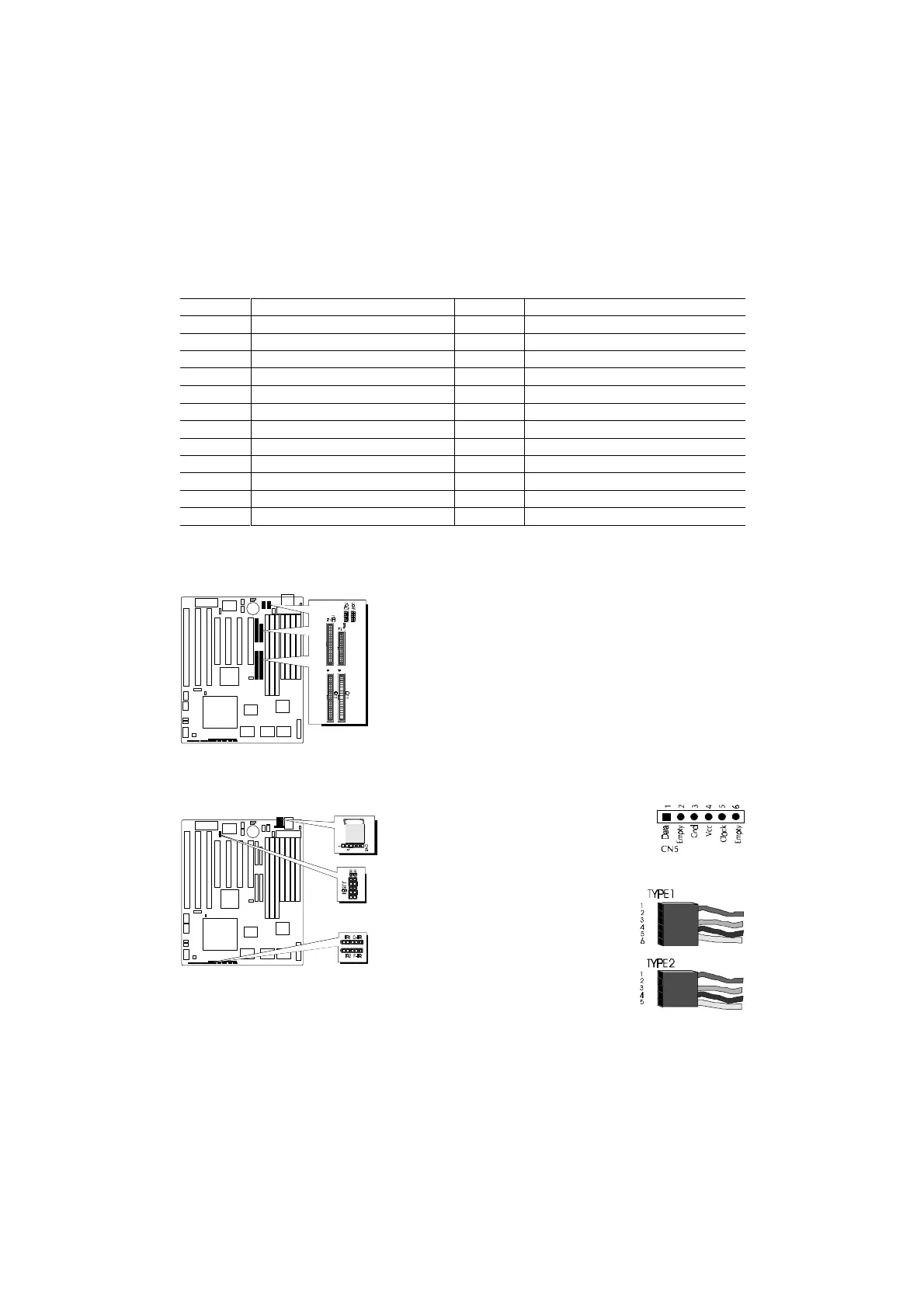
The main board shipped with one 40-pin ribbon cable for IDE
H.D.D , one 34-pin ribbon cable for F.D.D, one 25-pin ribbon
cable for printer and two 9-pin ribbon cable for COM port
devices. Ribbon cables should always be connected with the
red stripe on the Pin 1 side of the connector.
PS/2 Mouse connector
The main board provides a mini DIN connec-
tor or a 6 pins PS/2 mouse header for optional
PS/2 mouse cable. Diagram on the right side
indicates the pinout of the 6-pin header.
HOT-603 mainboard supplies two types
of optional PS/2 mouse adapter cable,
type 1 have 6-holes plug with hole 2 and
hole 6 wireless; type 2 have 5-holes plug
with hole 2 wireless.
Caution : When a PS/2 mouse is used,
make sure connect PS/2 mouse adapter
cable hole 1 to the pin 1 of onboard PS/2
connector (CN5). Reversed connecting may cause damage to
your PS/2 mouse.
Connectors & Sockets
ITEM FUNCTION ITEM FUNCTION
SIM1, 2, 3, 4 On-board SIMM sockets JUSB1 Universal Serial Bus (USB) Connectors
DIMM1, 2, 3 On-board 3.3V DIMM sockets IR1/IR2 Infra-Red/Fast Infra-Red Connectors
PCI1, 2, 3, 4 On-board PCI Slots FAN1 Cooling Fan Connector
SL1, 3, 5 On-board ISA Slots J4 Green LED
IDE1 On-board PCI Primary IDE Connector HDLED1 On-board Enhanced IDE R/W LED Connector
IDE2 On-board PCI Secondary IDE Connector J2 Hardware Reset Switch Connector
CN7 On-board Floppy Controller Connector J3 Power LED and Keylock Connector
PRINT1 On-board Parallel Port Connector J5 PC Speaker Connector
COM1 On-board Serial port-1 Connector CN3 ATX Power Supply Connector
COM2 On-board Serial Port-2 Connector CN6 AT Power Supply Connector
CN5 On-board PS/2 Mouse Port Connector PWRBTN1 Momentary Type ATX Power Switching Connector
JPON1 Permanent Type ATX Power Switch Connector
Table 2-6



 To Next Page