
 Need help?
Do you have a question about the Shuttle NC02U and is the answer not in the manual?
Incorrectly replacing the battery may damage the computer. Use only the recommended type.
Precautions for device placement, environment, and airflow.
Instructions for installing drivers from the included DVD for optimal performance.
Provides access to Adobe Reader, Motherboard Manual, and Quick Guide.
Explains AMIBIOS and basic navigation of BIOS setup screens.
Step-by-step guide on how to access the BIOS setup utility.
Describes the structure of the main BIOS setup menu interface.
How to change the system time and date within the BIOS.
Settings related to processor features like cores, HT technology, and power states.
Configuration options for SATA and M.2 storage devices.
Settings for enabling or disabling USB devices and ports.
Controls for integrated peripherals like audio, LAN, and M.2 device selection.
Options for system power management, wake-up features, and power-on behavior.
Displays system hardware status like temperature, voltage, and fan speed.
Configures the NumLock state at system startup.
Enables or disables booting from the onboard card reader.
Sets the sequence for booting from various storage devices.
Enables or disables booting from USB storage devices.
Allows enabling or disabling the fast boot feature.
Selects between UEFI and Legacy boot modes.
Indicates if a supervisor password is set.
Indicates if a user password is set.
Procedure to set or change the supervisor password.
Procedure to set or change the user password.
Adjusts password login behavior for setup and boot.
Enables or disables BIOS flash write protection.
Enables or disables the Secure Boot function.
Exits BIOS setup after saving configuration changes.
Exits BIOS setup without saving any changes.
Resets BIOS settings to their default values.
 General
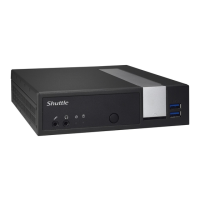
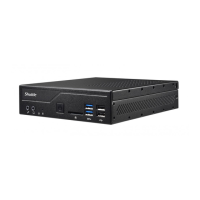
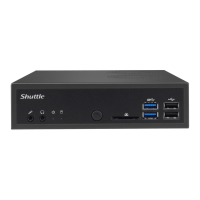
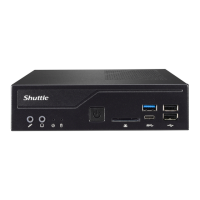
| Memory Slots | 2 |
|---|---|
| Ethernet | Gigabit Ethernet |
| USB Ports | 4 x USB 3.0, 2 x USB 2.0 |
| Memory Type | DDR3L |
| Storage Options | 1x 2.5" HDD/SSD |
| Graphics | Intel HD Graphics |
| Wireless | 802.11b/g/n |
| Ports | HDMI |
| Audio | 3.5mm jack |
| Card Reader | SD Card Reader |
| Operating System | Windows 10, Linux |
| Weight | 0.6 kg |









 To Next Page