7
English
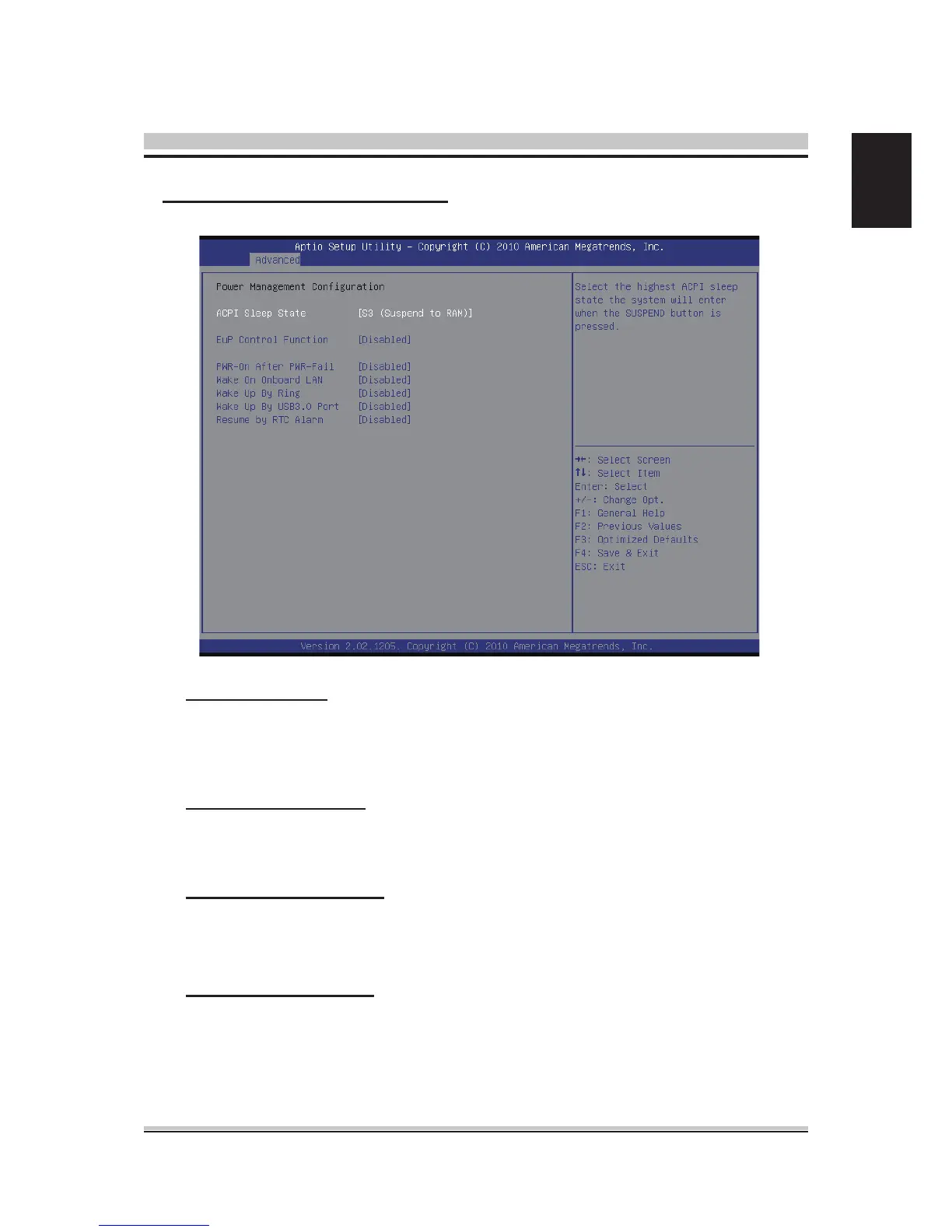
ACPI Sleep State
Select the highest ACPI Sleep state the system will enter when the SUSPEND
button is pressed.
The choice: S1 (CPU Stop Clock) , S3(Suspend to RAM).
EuP Control Function
Enable or disable system EuP function in S4/S5.
The choice:
Enabled , Disabled.
PWR-On After PWR-Fail
Enable or disable system power on automatically after AC power restored.
The choice: Enabled , Disabled , Former-Sts.
Resume by RTC Alarm
When enabled, System will wake on the hr::min::sec specied.
The choice: Enabled , Disabled.
Power Management Conguration



 To Next Page