
 Need help?
Do you have a question about the Shuttle DH310 Series and is the answer not in the manual?
Warning about incorrect battery replacement and proper disposal.
Precautions for device placement, environment, and airflow.
Details on the included driver DVD contents and installation steps.
Instructions for installing the necessary PDF reader.
Link to the comprehensive motherboard manual.
Link to a concise quick start guide.
Introduction to AMIBIOS and its terminology.
Step-by-step guide to accessing the BIOS setup utility.
Explanation of the BIOS setup screen layout and navigation.
Description of essential keyboard shortcuts for BIOS navigation.
How to modify the system's date and time settings.
Settings for configuring the Trusted Platform Module.
Monitoring system temperatures, fan speeds, and voltages.
Options for configuring CPU features and performance settings.
Settings for managing SATA storage devices.
Options for enabling/disabling USB ports and devices.
Controls for integrated motherboard components like audio and LAN.
Settings for system power states and wake-up events.
Status indication for the supervisor password.
Status indication for the user password.
Procedure to set or change the supervisor password.
Procedure to set or change the user password.
Options to manage password login behavior.
Security feature to prevent unauthorized BIOS flashing.
Enables or disables Secure Boot functionality.
Configuration of the NumLock key state upon system startup.
Option to enable or disable booting from USB drives.
Option to enable or disable booting from card readers.
Choice between UEFI and Legacy boot modes.
Enables or disables the fast boot feature.
Defines the order of boot devices.
Procedure to save settings and restart the computer.
Option to exit BIOS without applying any modifications.
Resets BIOS settings to their factory default values.
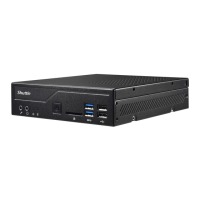
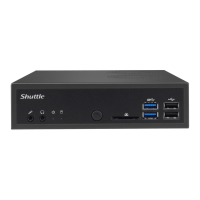
 General
| Max Memory | 32GB |
|---|---|
| USB Front | 2 x USB 3.1 Gen 1 |
| Form Factor | Mini-PC |
| Processor Support | Intel Core i3/i5/i7 (8th/9th Gen) |
| Chipset | Intel H310 |
| Memory Type | DDR4 |
| Memory Slots | 2 |
| Storage Interface | SATA III |
| M.2 | 1 x M.2 2280 (SATA/PCIe) |
| USB Rear | 2 x USB 2.0 |
| Video Output | HDMI, DisplayPort |
| Graphics | Integrated Intel UHD Graphics |
| Power Supply | 90W External Power Adapter |


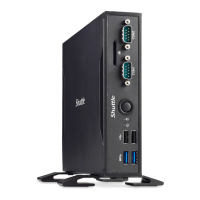
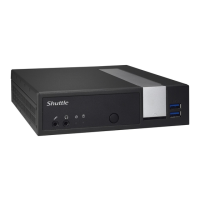

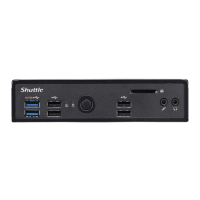




 To Next Page