
 Need help?
Do you have a question about the Shuttle DH310V2 Series and is the answer not in the manual?
Legal statement regarding reproduction rights and ownership of the publication.
Lists registered trademarks of Shuttle Inc. and other companies.
Identifies brands and product names used for identification purposes only.
Details the contents and installation process of the Motherboard Driver DVD.
Instructions provided for installing Adobe Reader 9.5.
Provides access to the detailed MotherBoard Manual.
Offers a concise Quick Guide for system setup and operation.
Instructions on how to enter and access the BIOS setup utility.
Explains the structure and basic navigation of the BIOS setup screens.
Displays hardware information and system status within the BIOS.
Allows modification of the system's current time and date settings.
Enables or disables the Trusted Platform Module (TPM) function.
Monitors system hardware status and controls fan speed.
Adjusts settings related to the CPU, including speed and features.
Configures SATA storage devices and interface settings.
Shows the status of enabled USB devices.
Selects the interface for M.2 devices.
Enables or disables system wake up by USB (S3).
Manages the BIOS supervisor password for system access control.
Manages the BIOS user password for system access control.
Adjusts settings for password login requirements during boot.
Sets the NumLock state after system bootup.
Defines the sequence of devices for system boot.
Selects between UEFI and Legacy boot modes.
Saves current settings and reboots the system.
Exits BIOS setup without applying any modifications.
Resets all BIOS settings to their default values.
 General
| Graphics | Integrated Intel UHD Graphics |
|---|---|
| Operating System Support | Windows 10, Linux |
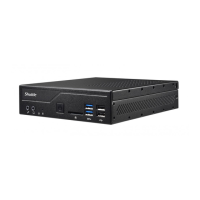
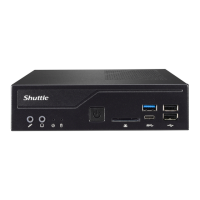
| Form Factor | Mini-PC |
| Chipset | Intel H310 |
| Memory Slots | 2 x SO-DIMM |
| Maximum Memory | 32GB |
| Storage Interface | 1 x M.2 2280 M slot, 1 x 2.5" SATA HDD/SSD |
| Graphics Output | HDMI, DisplayPort |
| Networking | Intel i211 Gigabit LAN |
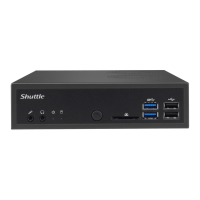
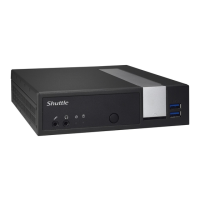
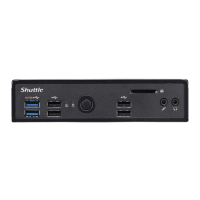
| USB Ports Front | 2 x USB 3.2 Gen 1 |
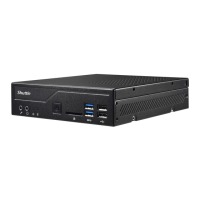
| USB Ports Rear | 2 x USB 3.2 Gen 1, 2 x USB 2.0 |
| USB Ports | 6 |
| Audio | Realtek ALC662 |
| Expansion Slots | 1 x M.2 2230 (Wi-Fi/BT) |
| Power Supply | External 90W power adapter |
| Weight | 1.3 kg |
| Rear Panel | 1 x HDMI, 1 x DisplayPort, 2 x USB 3.2 Gen 1, 2 x USB 2.0, 1 x Gigabit Ethernet, 1 x DC-in |
| Processor Support | 8th/9th Generation Intel Core, Pentium, and Celeron processors |







 To Next Page