8
English
CPU Conguration
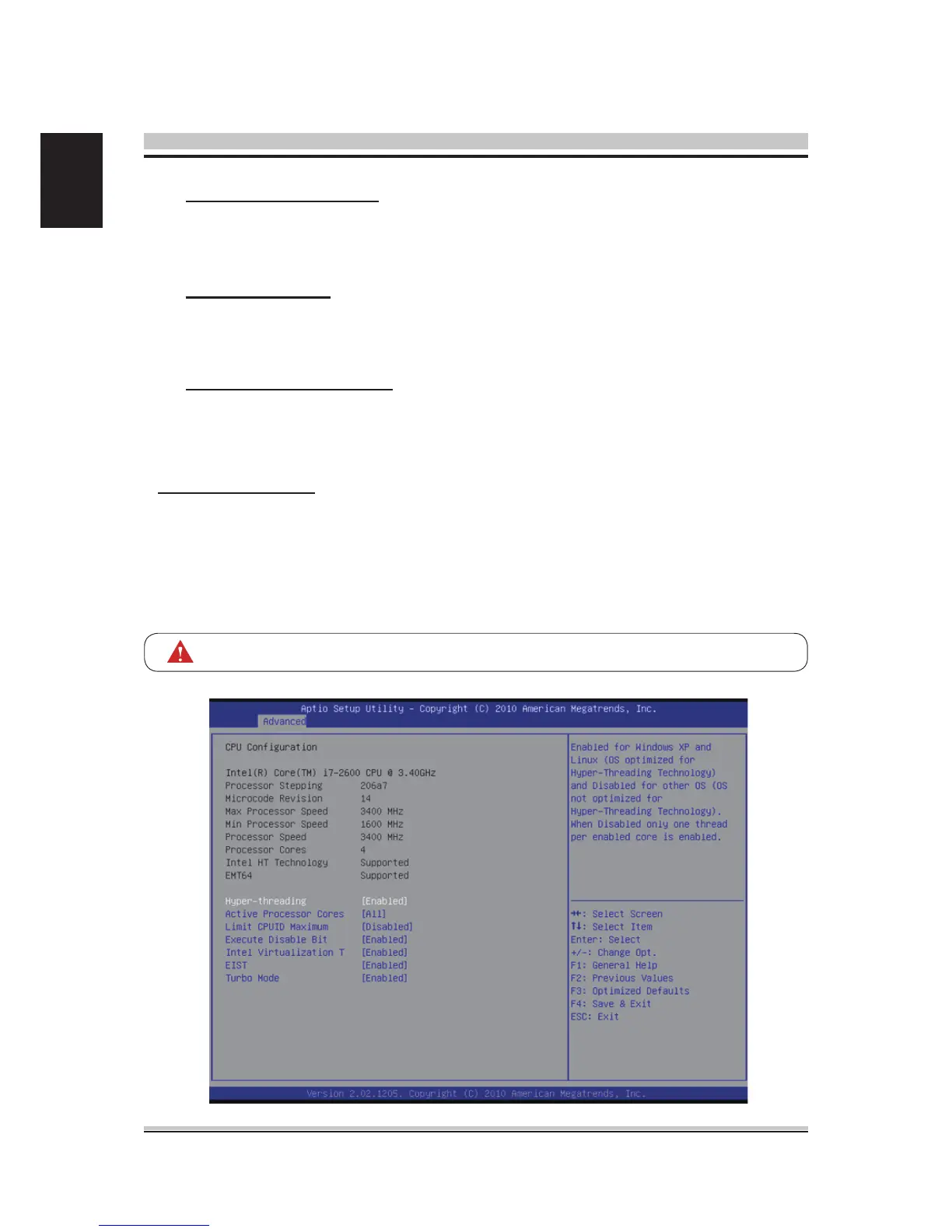
You can use this screen to select options for the CPU Conguration Settings. Use the
up and down <Arrow> keys to select an item. Use the <Plus> and <Minus> keys to
change the value of the selected option. A description of the selected item appears
on the right side of the screen. The settings are described on the following pages. An
example of the CPU Conguration screen is shown below.
The CPU Conguration setup screen varies depending on the installed processor.
Wake On Onboard LAN
Enable or disable system wake on by onboard LAN chip.
The choice: Enabled , Disabled.
Wake Up By Ring
Enable or disable system wake up by Ring.
The choice: Enabled , Disabled.
Wake Up By USB3.0 Port
Enable or disable system wake up by USB3.0 Port.
The choice: Enabled , Disabled.



 To Next Page