GC310, GC350, GC500, GC500Plus and GC500Mains User’s Manual 7
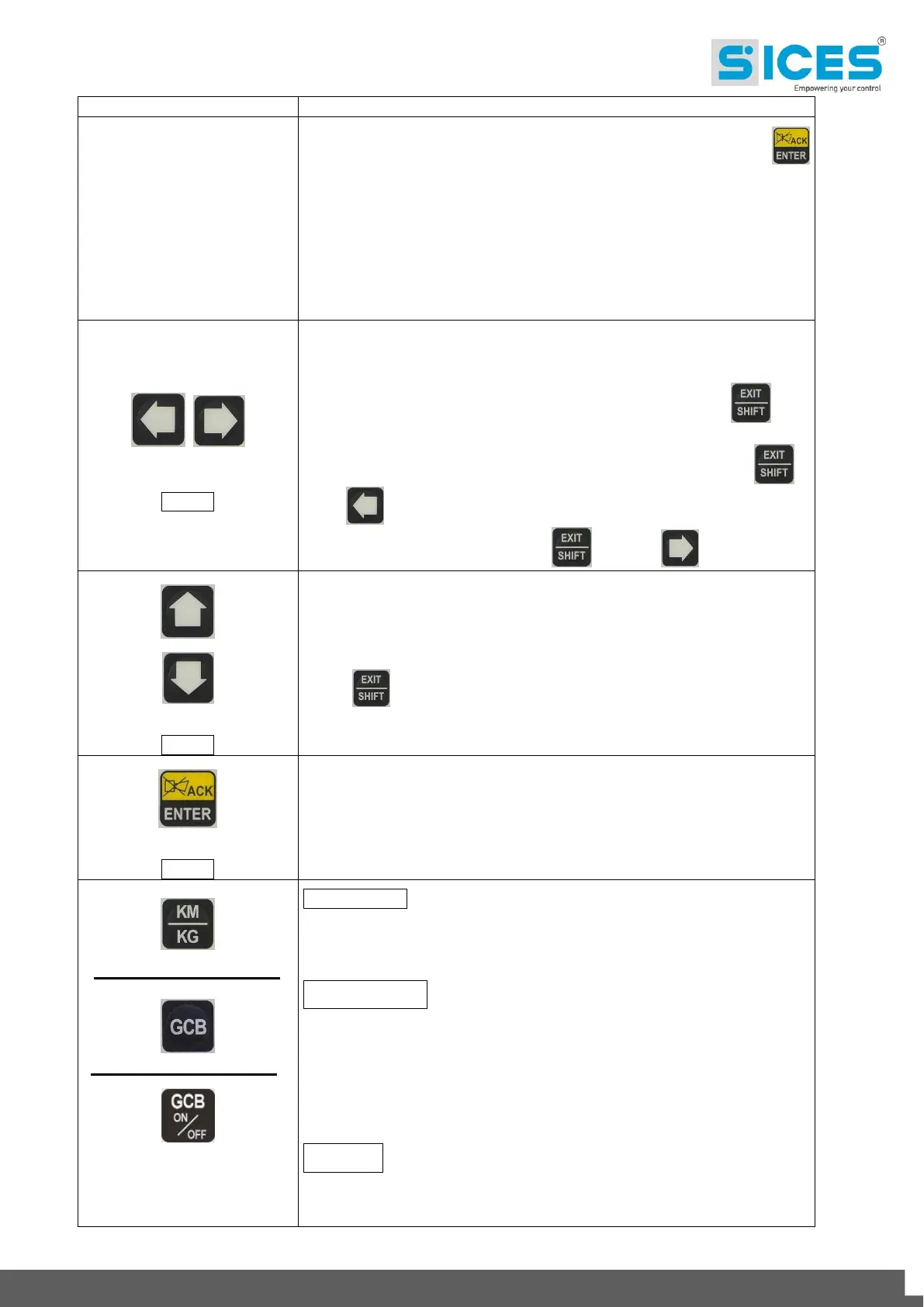
Depending on the selected page, if pressed together with the ENTER
button for at least 5 seconds while in OFF/RESET mode, it can reset
counters to zero, reload default values of the programming parameters or
cancel history logs (in addition, the CANBUS equipped model allows to
force exit from BUS OFF mode). When used during keyboard input
adjustment functions, it aborts the function.
When HELP information is available in the display's pages, pressing and
holding this button will allow to view the HELP message on the bottom
status bar.
Horizontal scroll buttons. These buttons allow to select the display's
previous or next page in all modes except PROGRAM mode.
When in PROGRAM mode they are used in order to move the cursor
while entering the strings. Used together with the EXIT/SHIFT
button, they can be used to adjust the contrast.
To decrease the contrast press at the same time the EXIT/SHIFT +
LEFT buttons combination (1a). To increase the contrast press the
combination of buttons EXIT/SHIFT + RIGHT (1a) .
Vertical scroll buttons. These buttons let you select the multifunctional
display mode.
In PROGRAM and HISTORY LOGS mode you can scroll through the
menus and the variables / settings. You can increase/decrease the value
of the variable to change the settings. Used in combination with the
SHIFT button allows you to scroll through the menus ten entries at
a time or increase/decrease the variables ten units at a time.
Allows you to enter programming mode and open submenus, change a
variable, and confirm the operation. Allows you to enable the HISTORY
LOGS function, to access a selected archive and "to accept" any fault
warnings on the non-volatile memory at the start-up.
Used to acknowledge any kind of alarm and to silence the siren.
GC310/GC350 - In manual (or “TEST”) mode it is used to switchover the
devices between the generator and the mains (switching over to the
mains is always possible; switching over to the generator is possible only
if the relevant electrical values are within tolerance).
GC500/GC500
Plus
- Used to control the General Circuit Breaker (GCB) or
the switchover. The actual function depends also on the plant
configuration. In parallel operation mode with at least one other source
powering the BUS, pressing the button activates the fast unload ramp
before the circuit breaker opens.
In case no ramp is needed, simply keep it pressed for a few seconds until
the GCB is opened.
GC500
Mains
- It commands the Genset breaker or the GCB switch,
depending on the plant configuration. In case of parallel application and at
least another source which supply the BUS, before the breaker opening
the drain ramp is activated by pressing the button.


 To Next Page
 Loading...






