Sicma S.p.A.
Miglianico (CH)
page 14
WORKING DEPTH ADJUSTMENT
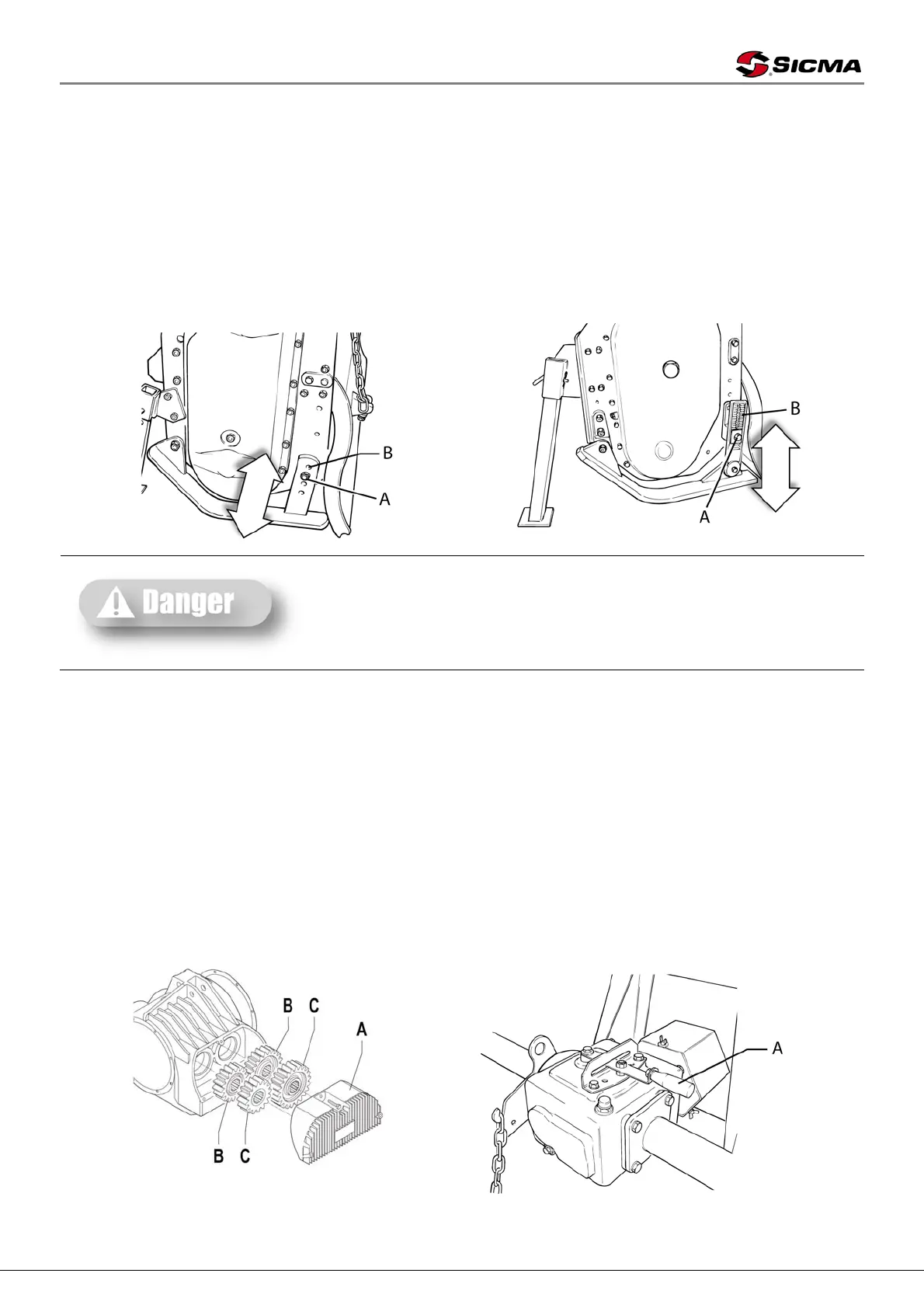
The machine’s working depth is determined by the position of side skids.
Lifting the skids the work depth increases, lowering them it decreases; it is important to lift or
lower skids equally on both sides.
To adjust the working depth on SA, SB, SF, SD, SM-F, SM-F, SHV-SHF-SHE, CS, ST and SM
tillers, screw out and remove screw A (picture 6) and adjust the height of the skid through holes B.
At the end of these operations tighten screws strongly (ref. bolts and nuts tightening table)
To adjust the working depth on SP and RG tillers, loosen screw nut A (picture 7) and make
regulation rod B slide up to needed height. At the end of these operations tighten screws strongly.
Picture 6 Picture 7
These operations shall be made only on working ground and
only after having stopped the engine, disengaged the power
takeoff and pulled the parking brake. If necessary, lift the
machine from the ground but, in order to avoid risks for
people, place it on supports thus preventing any injuries that
might be caused by its sudden fall.
SPEED GEAR
ST speed gear, SM speed gear, SM-F, SP and RG tillers are provided with speed gear and it is
possible to modify the rotor speed independently from the speed of the tractor power takeoff. Higher
speeds improve the soil working speed but produce a faster wear of rotating parts.
- To change speed on ST speed gear, SP and RG tillers leave cover A (picture 9) from
gearbox and invert gear wheels B and C inside it; it is possible to obtain two more speeds by
replacing the assembled gears with those put into the cover.
- To change speed on SM speed gear and SM-F tillers just move lever A (picture 10)
following the indications shown on the gearbox (1, 2, 3).
As for the gear’s speed, refer to the stickers put on the machine.
Picture 9 Picture 10



 To Next Page