EasyManua.ls Logo

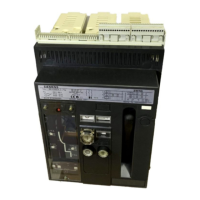
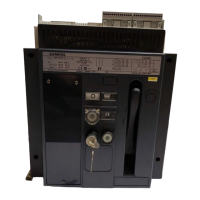
Siemens 3WX3667-1JB00 - User Manual

Siemens 3WX3667-1JB00
16 pages
Print Icon
To Next Page IconTo Next Page
Loading...
1
Betriebsanleitung/Operating Instructions Bestell-Nr./Order No.: 3ZX1812-0WX36-4FA1 / 9239 9827 422 0A
1
2
4
3
5
6
7
8
9
10
11
14
15
12
16
13
17
18
20
19
21 22 23 24
25
26
27
3WX3667-1JB00
Einschaltsperre bei offener Schaltschranktür für Einschubschalter
Closing lockout with cubicle door open for draw-out circuit-breaker
Blocage d’enclenchement sur porte ouverte pour disjoncteur débrochable
Bloqueo de conexión a puerta abierta para interruptor extraíble
Blocco di inserzione con porta del quadro di comando aperta per interruttore
in esecuzione estraibile
Tillkopplingsspärr vid öppen kopplingsskåpsdörr för utdragbar brytare
Alle Rechte vorbehalten. All rights reserved. Tous droits réservés. Reservados todos los derechos.
Tutti i diretti riservati. All rätt forbehålles.
© Siemens AG 1997
Packungsinhalt überprüfen (Stückliste siehe Seite 2) / Check the contents of pack (see page 2 for list of parts) /
Vérification du contenu de l'emballage (list des pièces, voir page 3) / Comprobar el contenido del paquete (Ver lista de
piezas en página 3) / Verificare il contenuto dell’imballo (per la lista dei pezzi ved. pag. 4) / Kontroll av förpackningens
innehåll (stycklista se sida 4)

Questions and Answers

  • K
    Kevin GravesAug 16, 2025
    What to do if Siemens Industrial Equipment breaker won't close electrically?
    • W
      whitelisaAug 16, 2025
      If your Siemens Industrial Equipment breaker will not close electrically, but the ready-to-close indicator is OK, consider the following: * The operating voltage of the stored-energy activation solenoid might be incorrect or unavailable: Check or apply the correct voltage. * The circuit-breaker may be in the disconnected position in the guide frame: Crank the circuit-breaker into the test or connected position. * The auxiliary circuit plug may be taken out: Plug in the auxiliary circuit plug.
  • B
    Brendan BarnettAug 21, 2025
    Why can't I fit the crank for racking my Siemens Industrial Equipment?
    • A
      Amy JohnsonAug 21, 2025
      If you cannot fit the crank for racking on your Siemens Industrial Equipment, check the following: 1. Ensure the OFF push button is pressed: Press the OFF pushbutton and move the slide simultaneously to the right. 2. Verify the switchgear cabinet door is completely closed: Close the switchgear cabinet door. 3. Check for obstructions in the crank hole: Remove any padlocks that may be closing the crank hole.
  • R
    Robert BrownAug 26, 2025
    What to do if Siemens Industrial Equipment breaker is stuck in maintenance position?
    • M
      Marcus SnyderAug 26, 2025
      If the Siemens Industrial Equipment breaker cannot be moved from the maintenance position to the disconnected position, consider these causes: 1. The racing-in mechanism of the breaker is not in the disconnected position: Crank the mechanism into the disconnected position. 2. An attempt was made to fit a breaker with a different rated current in the guide frame: Only insert a circuit-breaker with the same rated current data as the guide frames. 3. The coding of the breaker and guide frame do not match: Only insert circuit-breaker with the same rated current data as the guide frames.
  • C
    Christopher ColemanAug 30, 2025
    Why can't I pull out the guide rails on my Siemens Industrial Equipment?
    • T
      Thomas MorseAug 30, 2025
      If the guide rails of your Siemens Industrial Equipment cannot be pulled out for fitting a circuit-breaker, it might be because the shutter is locked with one or two padlocks. Remove the padlocks to resolve this issue.
  • N
    nguyentimothySep 5, 2025
    What causes resistance when cranking Siemens Industrial Equipment from disconnected to test?
    • Z
      Zachary PriceSep 5, 2025
      If you feel strong resistance immediately after leaving the disconnected position when cranking your Siemens Industrial Equipment from the disconnected into the test position, it may be because the breaker is not pushed right in, and the lateral latches are not yet engaged. Push the breaker as far as the stop into the disconnected position until the latches at the side engage.
  • D
    Daniel MillerNov 9, 2025
    How to fix Siemens Industrial Equipment breaker that won't close?
    • I
      idawsonNov 10, 2025
      If the Siemens Industrial Equipment breaker cannot be closed mechanically or electrically, and the ready-to-close indicator is on, consider these potential causes: 1. The spring may not be charged: Charge the spring. 2. The undervoltage release may not be excited: Energize the undervoltage release. 3. The mechanical reclosing lock-out may be effective: Rectify the cause of overcurrent tripping and press RESET. 4. The electrical closing interlock may be effective: Shut off control voltage for interlocking. 5. The mechanical OFF push-button may be blocked off: Clear the pushbutton. 6. Lockout against closing with switchgear cabinet door open effective: Close switch gear cabinet door. 7. Mutual mechanical breaker interlocks effective: Open second breaker or crank into disconnected pos...

Siemens 3WX3667-1JB00 Specifications

General IconGeneral
Number of poles3
Operating voltage / rated value690 V
Type of voltageAC
Surge voltage resistance / rated value8 kV
Mounting typeFixed
Width105 mm
Rated voltage690 V
Tripping characteristicNA

Related product manuals