6
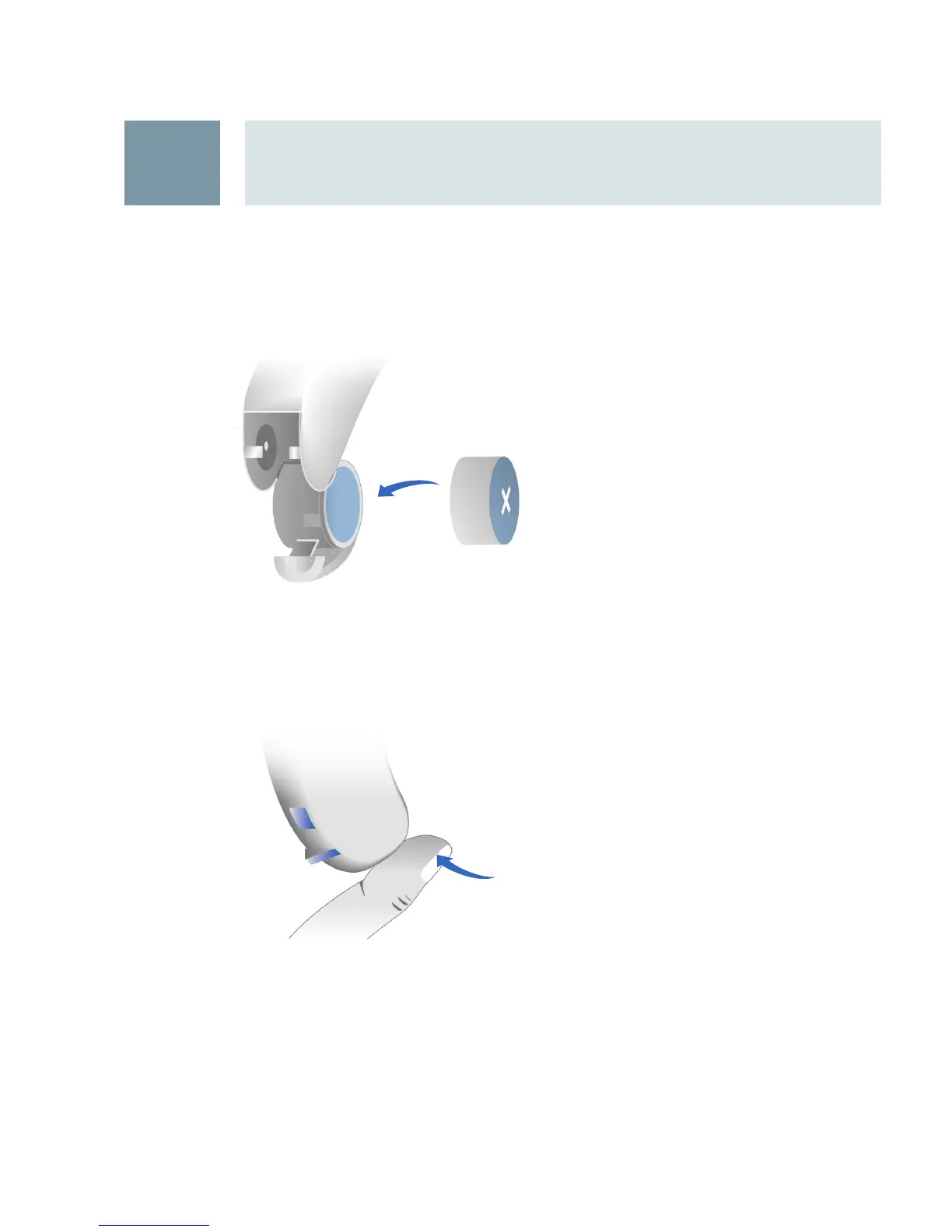
Swivel open the battery compartment door. Insert the
proper size battery into the battery compartment door
so that the “+” symbol on the battery coincides with
the “+” marked on the battery compartment.
Close the battery compartment by gently pressing the
bottom of the door upward with your fingertip. Do not
force the door shut. If it does not close easily, check
to see if the battery was inserted properly.
Handling standard and rechargeable batteries
8




 To Next Page