EasyManua.ls Logo

Siemens EX LY Series - User Manual

Siemens EX LY Series
52 pages
Print Icon
To Next Page IconTo Next Page
Loading...
Hob
[en] Instruction manual
EX...LY...

Table of Contents

Other manuals for Siemens EX LY Series

Questions and Answers

  • P
    Patricia DuncanAug 19, 2025
    What to do if the displays flash on my Siemens EX LY?
    • J
      John KimAug 19, 2025
      If the displays on your Siemens Hob are flashing, it could mean that the control panel is wet or something is covering it. Try drying the control panel or removing the object.
  • J
    Jonathan ThorntonAug 21, 2025
    Why no displays light up on my Siemens EX LY Hob?
    • E
      elizabethbakerAug 21, 2025
      If no displays light up on your Siemens Hob, start by checking if there's a power failure by using other electrical appliances. If there is no power failure, ensure the appliance is connected according to the circuit diagram. If issues persist, it could be an electronics fault, and you should contact technical after-sales service.
  • K
    Kenneth DuncanAug 23, 2025
    What to do if cooking zone overheats on my Siemens EX LY Hob?
    • M
      Megan YoungAug 23, 2025
      If the cooking zone has overheated and switched off on your Siemens Hob to protect the work surface, allow the electronics to cool down before turning the cooking zone back on.
  • J
    Jacob PayneAug 26, 2025
    What to do if the cooking sensor overheats on my Siemens EX LY Hob?
    • J
      James StevensAug 26, 2025
      If the cooking sensor on your Siemens Hob has overheated and switched off the cooking zone, wait until the cooking sensor has cooled down before reactivating the function.
  • M
    melissathomasAug 27, 2025
    What to do if the cooking sensor overheats and all cooking zones switch off on my Siemens EX LY?
    • R
      rachelaguilarAug 28, 2025
      If the cooking sensor on your Siemens Hob has overheated and switched off all the cooking zones, when you are not using the cooking sensor, remove it from the cookware and keep it away from other cooking zones or heat sources. Then, switch the cooking zones back on.
  • R
    rebeccamcdowellAug 30, 2025
    What to do if the wireless cooking sensor is not responding on my Siemens EX LY?
    • M
      Michael MckeeAug 30, 2025
      If the wireless cooking sensor of your Siemens Hob is not responding and the display isn't lighting up, first, replace the 3 V CR2032 battery. If that doesn't work, press and hold the symbol on the cooking sensor for 8–10 seconds, then reconnect the cooking sensor to the hob. If the problem continues, contact technical after-sales service.
  • A
    Amanda HowardSep 1, 2025
    What to do if the cooking zone operates continuously on my Siemens EX LY Hob?
    • K
      Kathleen BensonSep 1, 2025
      If the cooking zone on your Siemens Hob has been operating continuously for an extended period, it means the individual safety switch-off is activated. To resolve this, touch any button to switch off the display, then you can reset the cooking zone.
  • B
    Beth KnightSep 3, 2025
    What to do if hot cookware causes my Siemens EX LY to switch off?
    • K
      Kristina SmithSep 3, 2025
      If there is hot cookware near the control panel of your Siemens Hob and the cooking zone has been switched off to protect the electronics, remove the cookware. Wait a few seconds, then touch any button. Once the fault display disappears, you can continue cooking.
  • D
    Debra JohnsonSep 5, 2025
    What to do if connection to the cooking sensor has been broken on my Siemens EX LY?
    • I
      Isaac BrownSep 5, 2025
      If the connection to the cooking sensor of your Siemens Hob has been broken, try switching the function off and then reactivating it.
  • M
    Maureen TaylorSep 7, 2025
    What to do if Siemens EX LY Hob electronics overheat and switch off?
    • N
      nicole15Sep 7, 2025
      If your Siemens Hob's electronics have overheated, causing one or more cooking zones to switch off, wait for the electronics to cool down sufficiently. Then, touch any button on the control panel.

Summary

Intended Use and Safety Precautions

Intended Use

Defines the proper and safe domestic use of the hob and restrictions.

Safety Precautions and Warnings

Covers fire, burn, electric shock, magnetism, fault, and injury risks.

Environmental Protection and Induction Cooking

Getting to Know Your Appliance

Control Panel and Hotplate Identification

Overview of the control panel layout, symbols, and hotplate types.

Operating the Appliance

Hob Operation: On;Off and Hotplate Settings

Instructions for switching the hob on/off and setting hotplate heat levels.

Flex Zone and FlexPlus Zone Features

Flex Zone Usage and Cookware Advice

Guidelines for using the Flex Zone as single or dual hotplates.

Advanced Functions: Move, Time-Setting, and Boost

Time-Setting Options

Guide to programming cooking times and using the kitchen timer.

Stopwatch and PowerBoost Functions

How to use the stopwatch and activate/deactivate PowerBoost.

Transferring Settings and Cooking Assistance

Cooking Assist Functions Overview

Introduction to cooking assistance functions and their types.

Cookware, Sensors, and Heat Settings

Details on suitable cookware, sensors, and specific function settings.

Wireless Temperature Sensor Operation

Connecting Sensor to Control Panel

Steps to pair the wireless temperature sensor with the hob.

Childproof Lock and Wipe Protection

Childproof Lock Functionality

Activating, deactivating, and automatic engagement of the childproof lock.

Troubleshooting Guide

Indicator and Fault Code Troubleshooting

Guide to identifying and resolving issues based on indicators and fault codes.

Siemens EX LY Series Specifications

General IconGeneral
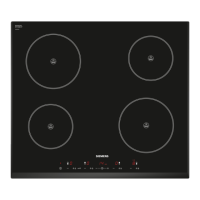
TypeInduction hob
Width60 cm
Number of Cooking Zones4
Control TypeTouch control
Boost FunctionYes
TimerYes
Child LockYes
Residual Heat IndicatorYes
Child Safety LockYes
Automatic Pan DetectionYes
Power Consumption7.4 kW

Related product manuals