EasyManua.ls Logo

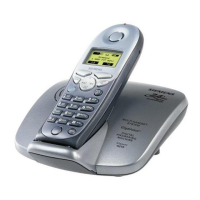
Siemens Gigaset 4210 - User Manual

Siemens Gigaset 4210
155 pages
Print Icon
To Next Page IconTo Next Page
Loading...
Gigaset 4010 Comfort, USA, A31008-G4010-B102-1-7619
4010cover vorne.fm
25.06.03
Gigaset
4210
Be inspired
User Manual and
Safety Precautions
Se incluyen Instrucciones en Español

Table of Contents

Other manuals for Siemens Gigaset 4210

Questions and Answers

  • B
    Brian WhiteJul 31, 2025
    Why is there no display on my Siemens Cordless Telephone?
    • B
      Brooke AcevedoAug 1, 2025
      If your Siemens Cordless Telephone display is blank, it could be due to two reasons. First, the handset might not be activated; try holding down the end call key for one second. Second, the batteries might be empty; in that case, you should charge or replace the batteries.
  • Z
    zmcknightAug 8, 2025
    What to do if my Siemens Cordless Telephone has no radio connection to the base station?
    • S
      Stephen BaldwinAug 8, 2025
      If your Siemens Cordless Telephone shows no radio connection to the base station (e.g., base station 1 is flashing), there are several possible causes: * The handset may be out of range; try moving closer to the base station. * The handset may not be registered; you should register the handset. * The base station may not be activated; check the connector at the base station.
  • E
    erincaldwellAug 16, 2025
    Why is the caller ID not showing on my Siemens Cordless Telephone?
    • T
      Timothy FarmerAug 16, 2025
      If the incoming call number is not displayed on your Siemens Cordless Telephone, even though Caller ID is set, it's likely that the caller has blocked the transmission of their telephone number. Callers must permit the transmission of their telephone numbers at their network provider.
  • C
    conleybryanAug 25, 2025
    What does the error beep mean on my Siemens Cordless Telephone?
    • A
      Anthony ScottAug 25, 2025
      If your Siemens Cordless Telephone is generating an error beep (descending tone sequence), it indicates a wrong input. Repeat the procedure, pay attention to the display, and refer to the operating instructions if necessary.

Summary

Connecting the Base Station

Operating the Handset: Charging and Registering

Date and Time

Setting the Date and Time

How to set the date, time, and clock mode for accurate message display.

Making Calls

Making an External Call

Steps to dial an external number and end the call.

Ending an Internal Call

Answering a Waiting Call

How to handle a second incoming call while on an active call.

Reconnecting the First Call

How to return to the original caller after handling a waiting call.

Answering Caller ID Calls

Enhanced Telephone Features

Redial: Manual and Automatic

How to redial the last dialed numbers manually or automatically.

Setting the Alarm Clock

Stopping the Alarm Sound

Schedule: Setting an Appointment

How to set a single appointment reminder with date and time.

Directory: Storing Entries

Directory: Dialing and Editing

Directory with Voice Dialing: Copying Entries

Memory Dial List: Storing Entries

Memory Dial: Displaying and Editing

Directory with Voice Dialing: Recording Patterns

Dialing with Your Voice

Changing Directory Entries

Deleting Directory Entries and Voice Patterns

Copying Entries to Local Handset Directory

Call Log: Overview and Settings

Dialing from the Call Log

Copying Call Log Numbers to Directory

Advanced Caller ID on Call Waiting

Handset Operation

Registering Handsets: Automatic

Steps for automatic registration of a handset to the base station.

Registering Handsets: Manual

Making Internal Calls

Call Forwarding to Another Handset

How to forward an external call to another internal handset.

Consultation Call

Room Monitor Function

Storing Internal Number for Room Monitor

Storing External Number for Room Monitor

Resetting Handset to Default Settings

Customizing Handset Settings

Adjusting Handset and Speakerphone Volume

How to set the volume levels for the handset and speakerphone.

Setting Ringer Volume and Melody

Turning Warning and Signal Tones On;Off

Turning Auto Answer On;Off

How to enable/disable auto answer for picking up calls automatically.

Base Station Settings

Changing the System PIN

How to change the default system PIN for security.

Resetting Base Station to Defaults

How to reset the base station to factory default settings.

Saving and Dialing Emergency Numbers

Advanced Settings

Changing the Dialing Mode

How to change between tone (DTMF) and pulse dialing modes.

Saving an Access Code

Setting Pauses After Dialing

Maintenance

Troubleshooting Common Issues

A list of common faults, their possible causes, and solutions.

Customer Care Warranty for Cordless Products

Warranty Terms and Exclusions

Details of the 1-year parts & labor warranty and what it covers/excludes.

Safety Precautions

Basic Safety Instructions

General safety guidelines for using the telephone equipment safely.

Battery Safety Precautions

Siemens Gigaset 4210 Specifications

General IconGeneral
BrandSiemens
ModelGigaset 4210
CategoryCordless Telephone
LanguageEnglish

Related product manuals