EasyManua.ls Logo

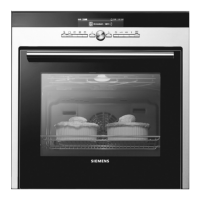
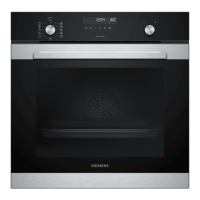
Siemens HB30D51UC - User Manual

Siemens HB30D51UC
48 pages
Print Icon
To Next Page IconTo Next Page
Loading...
Built-in Oven
Use and Care Manual
Models:
HB30S51UC, HB30D51UC

Questions and Answers

  • A
    Andrew ThomasAug 20, 2025
    What to do if the Siemens Oven door is locked?
    • M
      Mike MartinAug 20, 2025
      If the Siemens oven door is locked and won't open even after cooling, turn the oven off at the circuit breaker and wait five minutes. Then, turn the breaker back on. This should reset the oven and make it operable again.
  • C
    Courtney NovakAug 22, 2025
    Why is my Siemens Oven not heating?
    • K
      kristenlarsonAug 22, 2025
      If your Siemens oven is not heating, first check the circuit breaker or fuse box to ensure the oven is receiving proper electrical power. Also, verify that you have selected an oven temperature.
  • T
    tyler13Aug 25, 2025
    How to fix Siemens Oven light not working?
    • L
      lisaphillipsAug 25, 2025
      If your Siemens oven light is not working properly, try replacing or reinserting the bulb if it's loose or defective. Avoid touching the bulb with your fingers, as this may cause it to burn out.
  • S
    Samuel SmithAug 26, 2025
    What to do if Siemens HB30D51UC Oven control does not react?
    • N
      Norman McconnellAug 27, 2025
      If the control on your Siemens oven doesn't react when you touch a key, make sure the surface is clean and dry. Touch the center of the key using the flat part of your finger.
  • A
    Alicia WyattAug 28, 2025
    What does 'E' and a number mean on Siemens HB30D51UC Oven display?
    • G
      Garrett ArnoldAug 28, 2025
      If you see an 'E' followed by a number on the display of your Siemens oven and the control beeps, this indicates a fault code. Follow the instructions displayed. If the code persists or there are no instructions, press the INFO button to see more information and to turn off the beep. If the code continues to be displayed, record the fault code number, turn off the oven, and call Service.
  • D
    Dawn WaltonAug 30, 2025
    Why does my new Siemens HB30D51UC have a strong odor?
    • E
      edwardgonzalezAug 30, 2025
      It's normal for a new Siemens oven to have a strong odor when it's first turned on. This smell will fade away after a few uses. You can also speed up the process by running the self-clean cycle, which helps to 'burn-off' the smell more quickly.
  • K
    Kelly GarciaSep 1, 2025
    Why won't the Siemens HB30D51UC Oven light turn off?
    • M
      mkirkSep 1, 2025
      If your Siemens oven light doesn't turn off, check for any obstructions in the oven door and inspect the door hinge to see if it's bent.
  • A
    Ashley BrownSep 3, 2025
    How to fix Siemens HB30D51UC Oven not cooking evenly?
    • J
      Jennifer MartinezSep 3, 2025
      If your Siemens oven isn't cooking evenly, consult the cooking charts for the recommended rack position. Also, refer to 'Getting the Most Out of Your Appliance' for additional tips and suggestions.
  • N
    Nicholas SullivanSep 5, 2025
    Why are baking results not as expected with Siemens Oven?
    • J
      Julia HesterSep 5, 2025
      If your baking results from the Siemens oven are not as expected, consult the cooking charts for recommended rack positions and check 'Getting the Most Out of Your Appliance' for helpful tips. If needed, adjust the oven calibration by referring to 'Oven Temperature Offset' under 'User Settings'.
  • N
    Nicole JohnsonSep 7, 2025
    Why does food take longer to cook in Siemens HB30D51UC?
    • N
      Nancy JonesSep 7, 2025
      If food is taking longer to cook than expected in your Siemens oven, remember that the oven is carefully calibrated for accurate results. If food is consistently too brown or too light, the temperature can be adjusted. See 'Oven Temperature Offset' under 'User Settings'.

Summary

Safety

Important Safety Instructions

Crucial safety guidelines to prevent injury and appliance damage.

Child Safety

Guidelines for safe operation and supervision by children.

Operation

Setting the Clock

Step-by-step guide to setting the oven's internal clock.

Timer

Instructions on setting and managing the oven's timer functions.

Setting the Cooking Mode and Temperature

How to select cooking modes and adjust temperature settings for various cooking tasks.

Special Features

Introduces additional features enhancing oven functionality and convenience.

Cook Time

How to set a specific duration for cooking modes, with automatic shut-off.

Stop Time

Instructions for delaying the start of a cooking mode until a specific end time.

cookWiz

Details on the automatic cooking program that selects mode and temperature based on food type.

Probe

Instructions for using the oven probe to measure internal food temperature for accurate cooking.

Getting the Most Out of Your Appliance

Bake

Details the Bake mode, explaining its function and providing tips for optimal use.

Convection Bake

Explains Convection Bake mode, its benefits, and provides cooking charts.

Cleaning and Maintenance

Self-Clean

Instructions for operating the self-cleaning function and important precautions.

Service

Troubleshooting Chart

A table listing common oven problems and their potential causes and solutions.

Siemens HB30D51UC Specifications

General IconGeneral
Control TypeElectronic
Self-CleaningYes
Number of Racks2
Interior LightYes
ColorStainless Steel
Energy SourceElectric
Energy Efficiency ClassA
Number of Cooking Levels5
Voltage240 V
Frequency60 Hz
Installation TypeBuilt-In
Child LockYes
DisplayDigital
Door CoolingYes
Oven FeaturesConvection
Oven TypeSingle
Width30 in.
Heating SystemConvection
Programsdefrost

Related product manuals