EasyManua.ls Logo

Siemens MILKPERFECT EQ-5 - User Manual

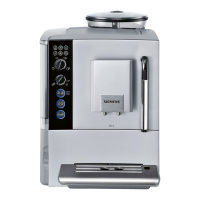
Siemens MILKPERFECT EQ-5
81 pages
Go to English
Print Icon
To Next Page IconTo Next Page
Loading...
Gebrauchsanleitung
Instruction manual
Mode d‘emploi
Istruzioni per l’uso
de Deutsch
en English
fr Français
it Italiano
TE501...

Table of Contents

Questions and Answers

  • J
    Jenna ReedSep 4, 2025
    What does it mean when LED I flashes on my Siemens MILKPERFECT EQ-5?
    • T
      Tammy GreenSep 4, 2025
      If LED I is flashing on your Siemens Coffee Maker, it could indicate a few issues: * The brewing unit may be soiled, so clean the brewing unit. * There might be too much pre-ground coffee in the brewing unit, so clean the brewing unit and ensure you put in no more than 2 level measuring spoons of ground coffee. * The brewing unit mechanism might be stiff; remove and clean the brewing unit.
  • G
    Gary SmithSep 18, 2025
    What to do if LEDs flash on Siemens Coffee Maker?
    • M
      Mary MillerSep 18, 2025
      If the LEDs are flashing on your Siemens Coffee Maker, it could indicate a few potential issues: * The appliance may have a fault. * The voltage may be incorrect; operate the appliance at 220 V-240 V only. * The ambient temperature may be too cold; operate the appliance at temperatures > 5° C.
  • C
    Christopher MosleySep 16, 2025
    What does it mean when LED I lights up on my Siemens MILKPERFECT EQ-5 Coffee Maker?
    • D
      Dylan PetersSep 16, 2025
      If LED I lights up on your Siemens Coffee Maker, the brewing unit may be missing or has not been detected. Switch off the appliance with the brewing unit in place, wait three seconds, and switch it on again.
  • B
    Brian RhodesSep 14, 2025
    Why does water drip when I remove the drip tray from my Siemens MILKPERFECT EQ-5?
    • M
      Madison WilliamsSep 14, 2025
      If water dripped onto the inner floor of the appliance when you removed the drip tray from your Siemens Coffee Maker, it means that you removed the drip tray too soon. Wait a few seconds after the last drink was dispensed before removing the drip tray.
  • A
    Ana BeardSep 12, 2025
    Why does LED D light up on my Siemens Coffee Maker?
    • P
      paige41Sep 13, 2025
      If LED D lights up on your Siemens Coffee Maker, the water tank may have been incorrectly inserted, or the new water filter has not been rinsed according to instructions. Insert the water tank correctly or rinse the water filter according to instructions and then switch on.
  • P
    Paula RamseySep 12, 2025
    How to secure the water filter in Siemens Coffee Maker water tank?
    • A
      Angela CoxSep 12, 2025
      If the water filter does not stay in position in the water tank of your Siemens Coffee Maker, it might not be fitted correctly. Firmly press the water filter straight down into the tank connection.
  • S
    smckenzieSep 9, 2025
    Why are the coffee grounds not compact and too wet in my Siemens MILKPERFECT EQ-5?
    • J
      Joseph ThomasSep 9, 2025
      If the coffee grounds are not compact and are too wet when using your Siemens Coffee Maker, it could be because the grind setting is either too fine or too coarse, or not enough ground coffee has been used. Adjust the grinding unit to a coarser or finer setting, or use 2 level measuring spoons of ground coffee.
  • S
    Samantha BennettSep 7, 2025
    What to do if no hot water is dispensed from Siemens MILKPERFECT EQ-5 Coffee Maker?
    • D
      David BrownSep 7, 2025
      If no hot water is being dispensed from your Siemens Coffee Maker, the milk frother may be soiled. Clean the milk frother.
  • T
    Todd BonillaSep 5, 2025
    How to fix Siemens MILKPERFECT EQ-5 grinding unit that does not grind?
    • M
      melissahigginsSep 5, 2025
      If the grinding unit on your Siemens Coffee Maker isn't grinding, it could be because the beans are not falling into the grinding unit, possibly because they are too oily. Gently tap the bean container. If necessary, change the type of coffee you are using.
  • C
    Crystal RojasAug 20, 2025
    How to reset default settings on Siemens MILKPERFECT EQ-5?
    • A
      Alexa AcostaAug 21, 2025
      If the default settings on your Siemens Coffee Maker have been changed and need to be reset: Press the power on/off button to switch off the appliance. Press and hold the service button and the steam button, then press the power on/off button to switch on the appliance. Then press the start button to confirm. The default settings are now reset.

Summary

Safety Instructions

Risk of electric shock

Connect and operate the appliance only in accordance with the specifications on the rating label.

Controls

Power on;off switch O;I

Used to switch the appliance on or off completely.

Before using for the first time

Setting up the appliance

Steps for placing the machine, connecting power, and initial checks.

Water filter

Settings

Adjusting the grind settings

Preparation using coffee beans

Preparation using ground coffee

Preparing milk froth

Maintenance and daily cleaning

Cleaning the milk frother

Cleaning the brewing unit

Service programme

Simple troubleshooting

Technical specifications

Siemens MILKPERFECT EQ-5 Specifications

General IconGeneral
BrandSiemens
ModelMILKPERFECT EQ-5
CategoryCoffee Maker
LanguageEnglish

Related product manuals