EasyManua.ls Logo

Siemens PXC Modular Series - User Manual

Siemens PXC Modular Series
4 pages
Print Icon
To Next Page IconTo Next Page
Loading...
Installation Instructions
Document No. 565-411
April 2, 2014
Modbus Driver for PXC-Modular and PXC-36
1
Siemens Industry, Inc.
565-411
These installation instructions cover the connection of
the Modbus and Modbus 250/500/1000 Driver to the
vendor's Modbus system only.
For hardware installation of the PXC Modular, see
the
PXC Modular Series Installation Instructions
(553-638).
For hardware installation of the PXC-36, see the
PXC Compact 36 Installation Instructions
(553-
504).
Product Description
The Modbus and Modbus 250/500/1000 Driver
enables communication between the APOGEE®
Automation System and the Modbus system.
Product Numbers
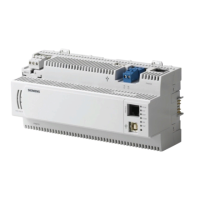
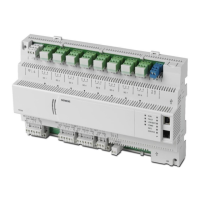
PXC Modular
PXC Modular, Ethernet or RS-485
ALN, 96 FLN nodes
PXC Modular, BACnet/IP or MS/TP
ALN, 96 FLN nodes
PXC Modular, Ethernet or RS-485
ALN, 96 FLN nodes, TX-I/O module
support
PXC Modular, BACnet/IP or MS/TP
ALN, 96 FLN nodes, TX-I/O module
support
Expansion Module, three RS-485
FLN connections
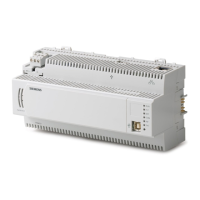
PXC-36
PXC Compact, 36 point, Ethernet/IP
or RS-485 ALN
PXC Compact, 36 point, BACnet/IP
or MS/TP ALN
PXC Compact, 36 point, Ethernet/IP
or RS-485 ALN. Includes licenses
for TX-I/O module and P1 FLN
support.
PXC Compact, 36 point, BACnet/IP
or MS/TP ALN. Includes licenses
for TX-I/O module and P1 FLN
support.
Licenses
License for Modbus Driver on PXC
Modular or PXC-36
License for Modbus 1000 Driver on
PXC Modular or PXC-36
License for Modbus 500 Driver on
PXC Modular or PXC-36
License for Modbus 250 Driver on
PXC Modular or PXC-36
Accessories
Trunk Interface II, 115V
Trunk Interface II, 230V
Trunk/RS-422 Interface (115V
Power)
Trunk/RS-422 Interface (230V
Power)
RS-232 Cable
Caution Notation
CAUTION
Equipment damage or loss of data
may occur if you do not follow a
procedure as specified.
Expected Installation Time
The expected installation time is 7 minutes if no cable
must be made and the driver does not use a Trunk
Interface (see Figure 2), or 30 minutes if a cable must
be made or if the driver uses a Trunk Interface (see
Figure 1 and Figure 2).
Required Tools and Materials
Flat-blade screwdriver (1/8-inch blade width).
Wire strippers.
Cabling and connectors. See the
Connecting the
Driver to the Vendor's Modbus Master or Modbus
Slave Devices
section.


Questions and Answers

  • E
    Elizabeth CalderonAug 17, 2025
    How to troubleshoot Siemens PXC Modular Control Unit when analog input/output points are not reading as expected?
    • C
      Carolyn JonesAug 17, 2025
      If the analog input/output points on your Siemens Control Unit aren't reading correctly, verify that all slope/intercept entries are correct. Also, ensure the sensor is functioning properly and replace it if necessary.
  • D
    Donna MaciasAug 20, 2025
    What to do if the RUN LED is off on Siemens PXC Modular Control Unit?
    • P
      Paige PattersonAug 20, 2025
      If the RUN LED is off on your Siemens Control Unit, first verify that power is connected. Then, check the service box and transformer ON switches. If power is ON, verify that the application firmware has booted. Finally, measure voltage on 24V~ and (Terminals 1 and 2).
  • D
    David HuntAug 22, 2025
    How to fix Siemens PXC Modular when points cannot be read or commanded from the operator's terminal?
    • C
      Christine PhamAug 22, 2025
      If points cannot be read or commanded from the operator's terminal on your Siemens Control Unit, verify that any failed points have been properly addressed. Also, verify the status of the points at the operator's terminal and ensure that points are not under Operator priority.
  • A
    Anthony BrownAug 26, 2025
    What to do if the RUN LED is ON but no communication is possible with the HMI port on Siemens PXC Modular Control Unit?
    • J
      Joseph MclaughlinAug 26, 2025
      If the RUN LED is ON but there's no communication with the HMI port on your Siemens Control Unit, verify that the HMI port and your terminal are set to the same communication speed. Also, ensure that the cable from the field panel to the operator's terminal is properly connected at both ends. Open the enclosure and verify that both ends of the HMI extension cable are properly connected. Try unplugging the extension cable and plugging directly into the HMI port.
  • C
    christopher59Aug 28, 2025
    Why is there no communication over the ALN trunk on Siemens Control Unit?
    • A
      Alan FrancoAug 28, 2025
      If there is no communication over the ALN trunk on your Siemens Control Unit, and the TX and RX LEDs are off or on solid, verify that the ALN trunk is securely connected to the ALN port on the Field Panel. On a two-wire ALN trunk, verify that the shield is connected to the enclosure ground and not the S-pin. Verify the field panel address and communication speed. Also, verify that the extended ALN trunk is operating.
  • J
    Jessica CarrilloAug 30, 2025
    How to troubleshoot Siemens Control Unit when LAI point does not function properly?
    • M
      Matthew HuynhAug 31, 2025
      If an LAI point on your Siemens Control Unit isn't functioning correctly or shows as failed (*F*), verify that the field input device is within range. Also, make sure that points are properly terminated on the termination board or module. Confirm that the correct voltage is supplied to the device, as in a 4 to 20 mA device.
  • S
    Sarah Perry DVMSep 2, 2025
    How to troubleshoot Siemens PXC Modular when LAO point does not function properly?
    • M
      Mark McconnellSep 2, 2025
      If an LAO point on your Siemens Control Unit is not functioning properly, displays as failed (*F*), and the output doesn't change when commanded, verify that the device connected to the point is functioning properly and is not shorted out. Also, verify that points are properly terminated on the termination board or module. Finally, verify that the correct voltage is supplied to the device.
  • E
    Eric DanielsSep 5, 2025
    How do I fix no communication over the FLN trunk on Siemens PXC Modular?
    • J
      Jacob WhitneySep 5, 2025
      If there is no communication over the FLN trunk on your Siemens Control Unit, verify the FLN address and communication speed. Also, verify the FLN trunk is connected to the correct FLN port.
  • S
    Susan JohnsonSep 8, 2025
    Why does the BATT LOW LED remain on after battery replacement in Siemens PXC Modular Control Unit?
    • J
      Joshua BergerSep 8, 2025
      If the BATT LOW LED remains on after replacing the battery in your Siemens Control Unit, verify that the correct type of battery is being used. The LOW BATT LED remains ON if an alkaline battery is used in PXC Compact models with extended temperature range operation.
  • J
    Jessica PrestonSep 12, 2025
    What to do if the battery low warning is displayed on Siemens PXC Modular Control Unit?
    • F
      Felicia SinghSep 12, 2025
      If the BATT LOW LED is on or the battery low warning is displayed at the operator's terminal of your Siemens Control Unit, check that the mylar insert was removed from the AA (LR6) battery holder. Check for correct polarity (+ to +) and (- to -). Check that the battery is properly seated in the battery holder. If needed, replace the battery.

Siemens PXC Modular Series Specifications

General IconGeneral
BrandSiemens
ModelPXC Modular Series
CategoryControl Unit
LanguageEnglish

Related product manuals