Operating sequence
+
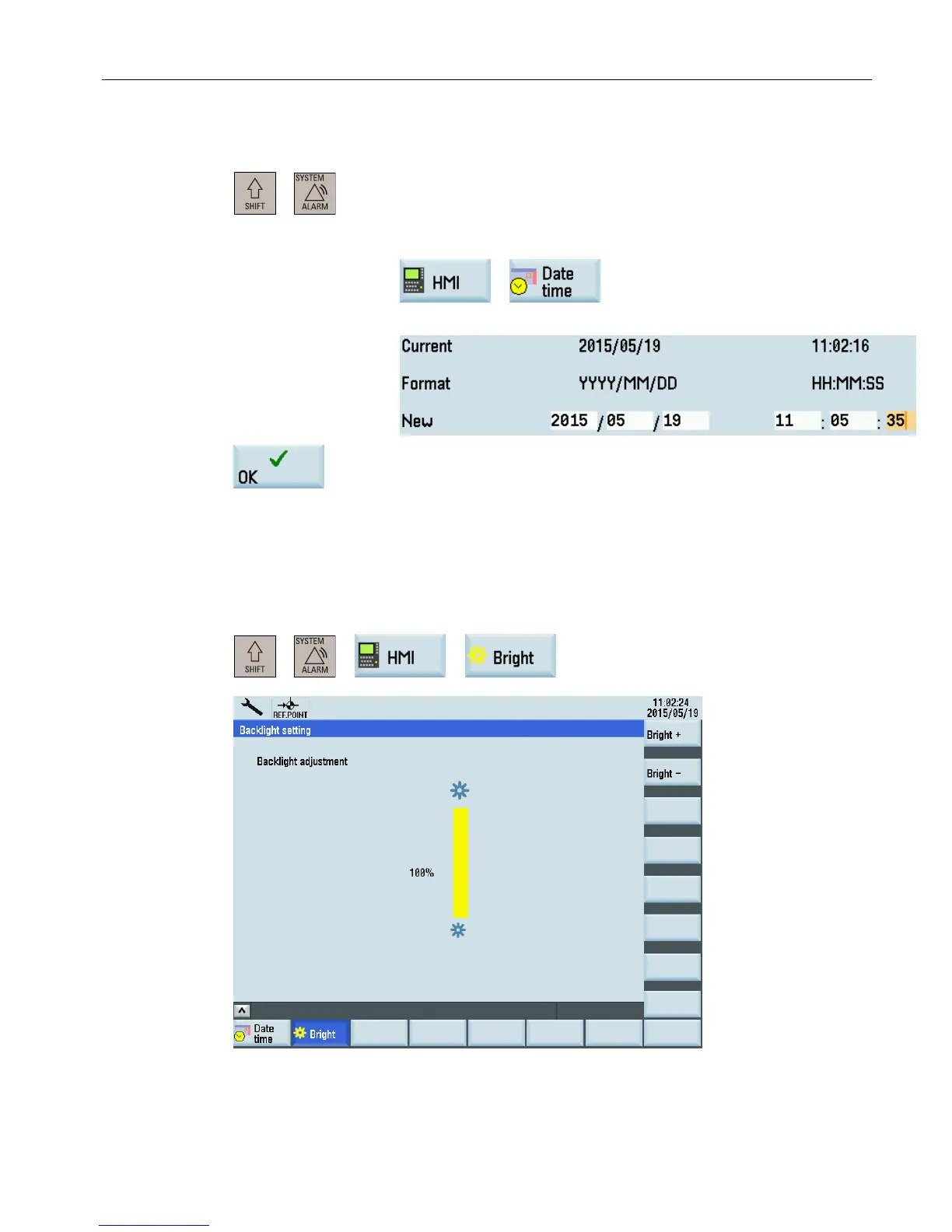
1. Select the desired operating area on the PPU.
2. Open the date and time setting window through the following softkey
operations:
→
3. Enter the date and time in the specified format.
4. Press this softkey to confirm your settings.
3.5.2 Adjusting the screen brightness
You
can
open the window for adjusting the brightness of the HMI screen through the following
operations:
+ → →
Operating in the system data management operating area
3.5 Setting the HMI display
Diagnostics Manual
Diagnostics Manual, 06/2015, 6FC5398-6DP10-0BA2 29


 To Next Page
 Loading...