B507
B507 Page 6 840D/828D SINUMERIK Operate
Notes
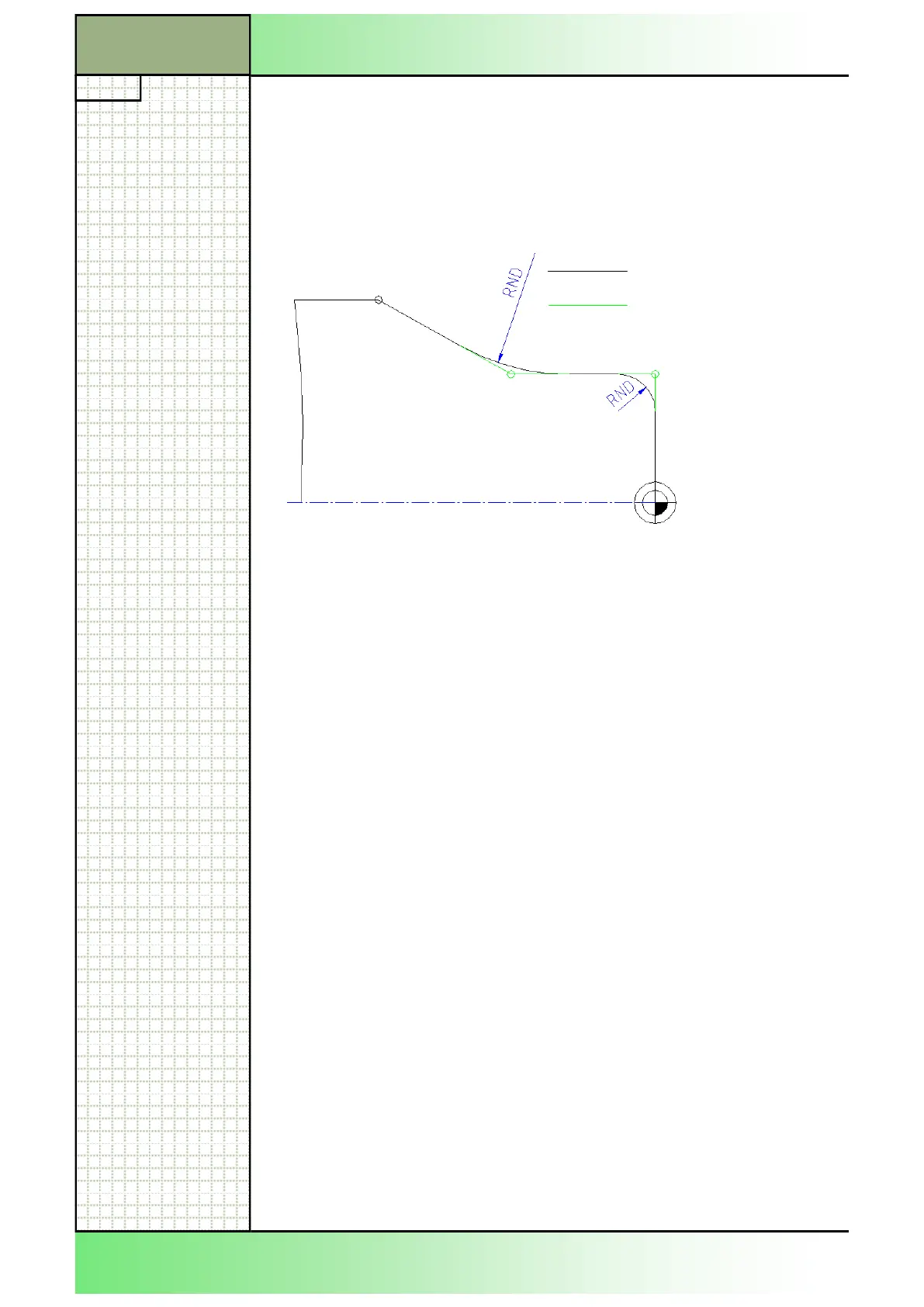
The defined rounding of the contour corners between linear and circular
contours in any combination can be carried out very comfortably.
Only the points of intersection of the contour elements have to be pro-
grammed. The control unit automatically adds the required circular arc
contour element.
Rounding with statement of the rounding radius Code RND=
Programming example: Explanation:
…..
N40 G42 G00 X0 Z2
N50 G01 Z0
N60 X40 RND=10 Straight to P1, tangential rounding
with radius 10 mm
N70 Z-40 RND=40 Straight to P2, rounding radius = 40 mm
N80 X80 Z-80 Straight to P3
If on a work piece there are several edges one after the other on each of
which the same rounding radius is to be machined (e. g. for deburring),
modal rounding may be used.
This instruction must be deactivated afterwards.
Modal rounding ON EIN Code RNDM=
Modal rounding OFF Code RNDM=0
Programming example: Explanation:
N50 G01 Z0
N60 X40 RNDM=0.5 Straight to P1, Tangential rounding
modal ON with radius 0,5 mm,
N70 Z-10 Straight, rounding with radius 0,5 mm,
N80 X50 Straight, rounding with radius 0,5 mm,
N90 Z-50 Straight, rounding with radius 0,5 mm,
N100 RND=0 modal rounding OFF
…
P2
P3
P1
Finished contour
Programmed contour
Section 4
Chamfering of contour corners
















 To Next Page