840D/828D SINUMERIK Operate Page 3
B519
B519
Notes
Section 2
Operating area "Machine"
2.1 Selecting the operating area "Machine"
The operating area "Machine" can be selected as follows:
Press the button "MENU SELECT".
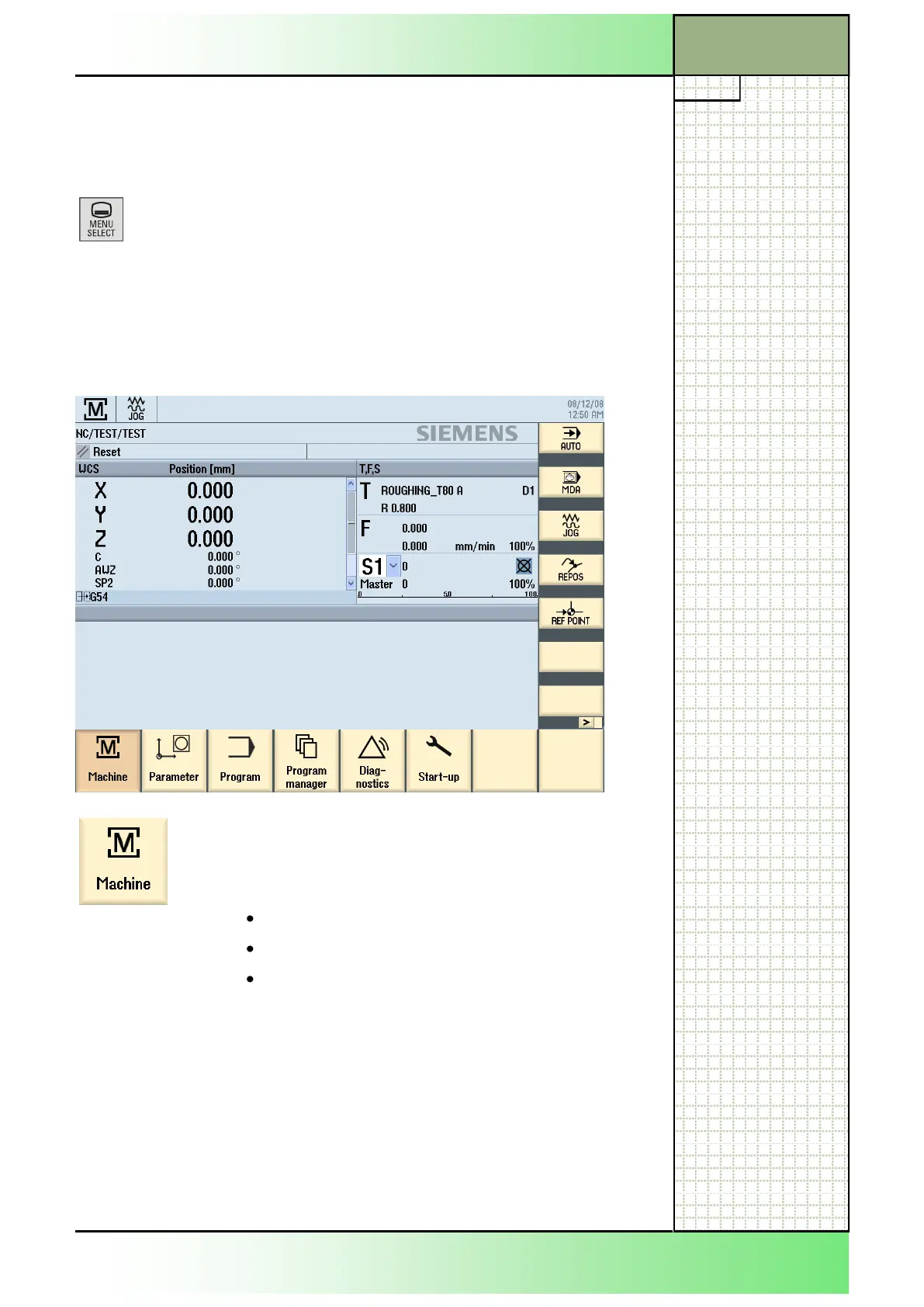
The actual operator interface will be overlaid with the display of a basic
menu containing the yellow horizontal softkey bar (with the 6 operating ar-
eas: “Machine”, “Parameter”, “Program”, “Programmanager”, “Diagnostics”
and “Start-up”) and the yellow vertical softkey bar (with 3 operating modes:
“JOG“, “MDA“, “AUTO“ and 2 functions: “REPOS, “REFPOINT).
By pressing the HSK 1 "Machine" there will be differ-
ent window options (HSK) and function options
(VSK) available in the operating area "Machine",
depending on the formerly chosen operation mode:
JOG (see module B520)
MDA (see module B521)
AUTO (see module B522)
After pressing the HSK 1 "Machine" (selecting the operating area
"Machine") in the operating mode "JOG" the "Machine" operator interface
opens up (see the following image).
















 To Next Page