B520
B520 Page 10 840D/828D SINUMERIK Operate
Notes
Tool-, spindle- and machine commands (T,S,M)
Section 3
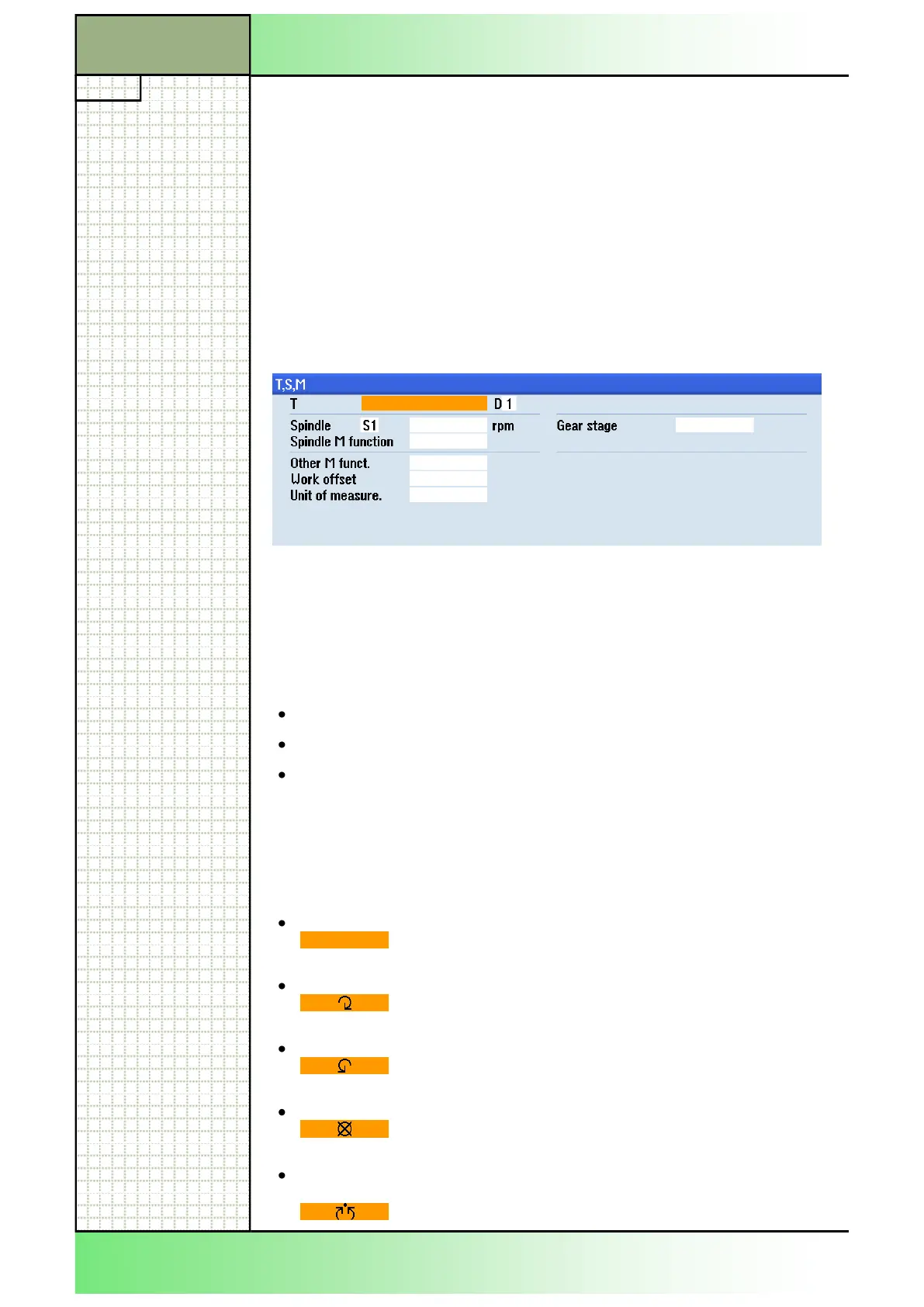
Input mask for tool-, spindle- and machine commands:
Values can be entered directly in the orange marked input fields or by se-
-key.
-button in the selected cursor field opens a se-
lect menu of all possible parameters, in which you can navigate with the
- -- --down but-
In order to be independent of country specific measuring units [metric/
imperial] not all units are displayed in the input masks.
See module B518 - "Basic operations".
In this documentation the measuring units are always metric.
Parameter Meaning
T
Tool name:
e.g. T1 or Roughing _55 (alphanumerical).
D
Cutting edge number of the tool.
Spindle:
S1 Work spindle
S2 Tool spindle
S3 Counter spin-
dle
Hint:
The display of the spindles S2 and S3 is optional.
Follow the machine manufacturer‟s instructions.
rpm Spindle speed (revolutions per minute, numerical).
Spindle M funct.: Spindle M function (Make a selection using the
"SELECT"-key on the keyboard).
Empty field
No selection is made.
Right (M 3)
Clockwise rotation of the spindle.
Left (M 4)
Counterclockwise rotation of the spindle.
Off (M 5)
Spindle is stopped.
Positioning
(SPOS)
Spindle positioning: Spindle is positioned to the de-
sired position.
3.3 Parameters of "T,S,M"
















 To Next Page