840D/828D SINUMERIK Operate
Notes
Tool-, spindle- and machine commands (T,S,M)
Section 3
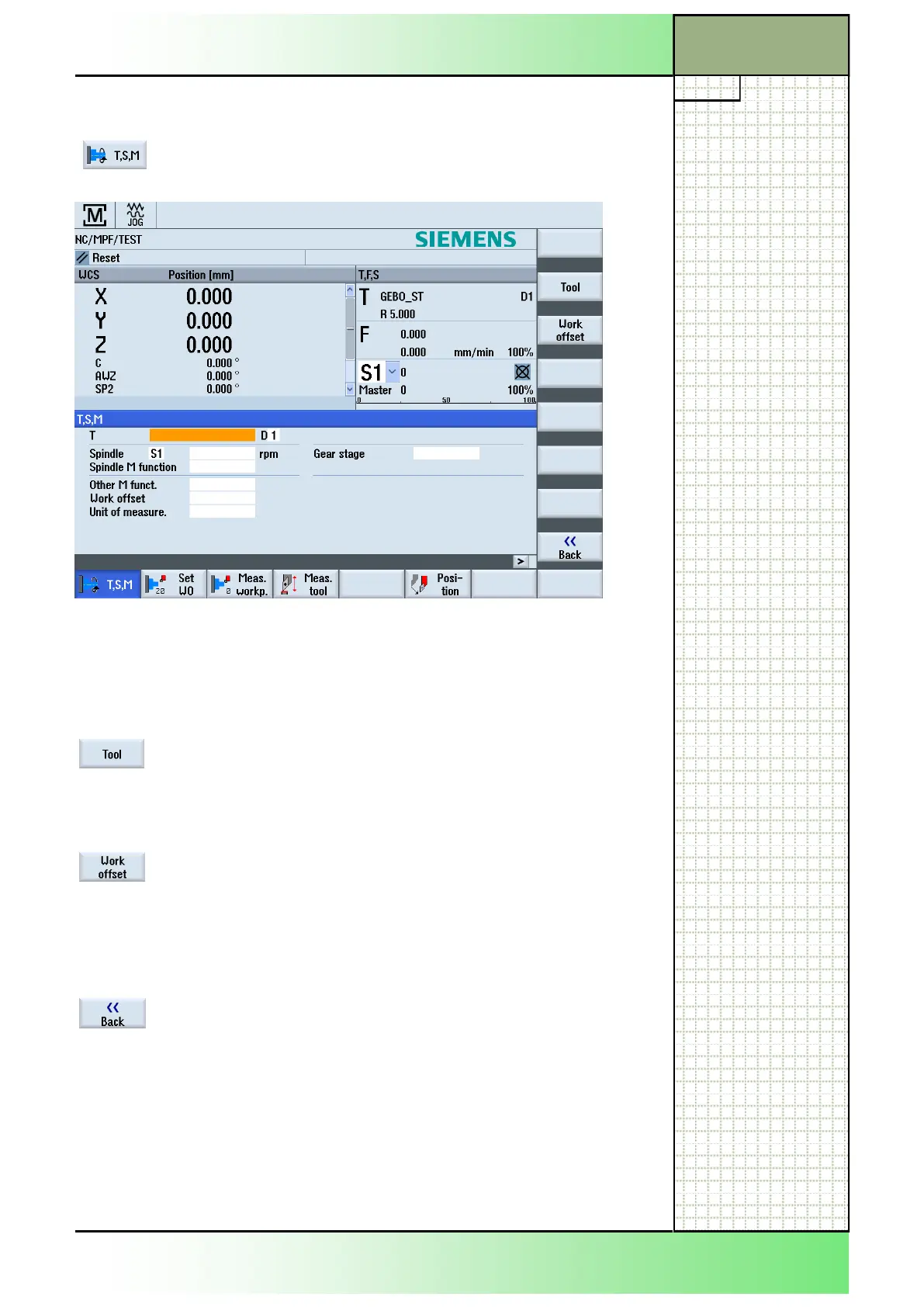
3.1 Selecting the function "T,S,M"
3.2 Vertical softkey bar (VSK)
Display area Description
By pressing the VSK 2 "Tool" the tool list opens on
the screen.
See module B523 - "Operating area Parameter".
By pressing the VSK 3 "Work offset" a list with the
zero point offsets will be displayed.
Work offset see section 4 in this module.
See module B523 - "Operating area Parameter".
By pressing the VSK 8 "Back" switch back to the
main screen of the Sinumerik Operate.
















 To Next Page