B521
B521 Page 6 840D/828D SINUMERIK Operate
Notes
Section 3
Load MDI
3.1 Selecting the function “Load MDI”
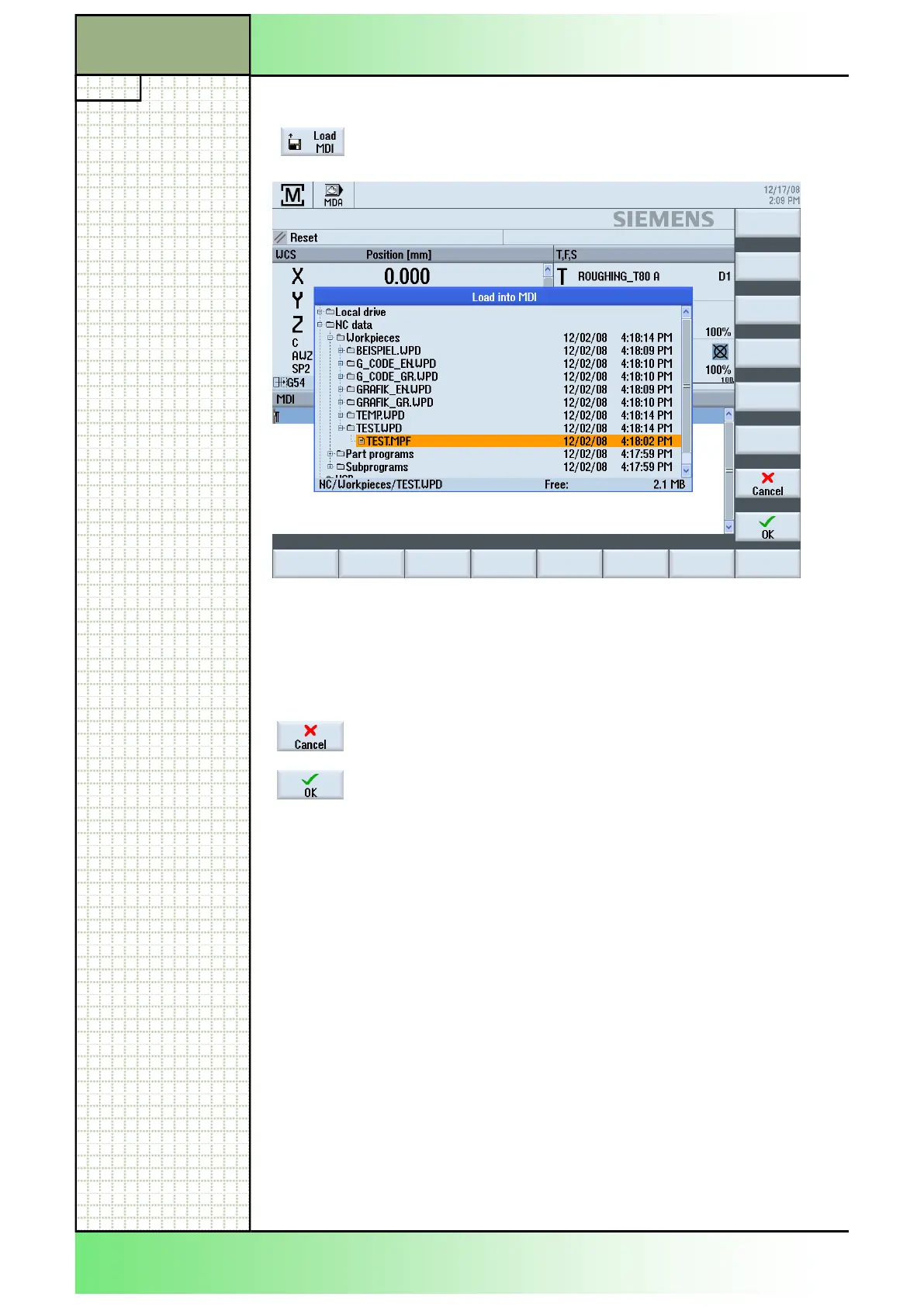
Press the HSK1 “Load MDI” and the following
“Load into MDI” window opens like displayed below:
3.2 Vertical softkey bar
Display area Description
Press the “Cancel“-key to close the “Load into MDI”
window without selection.
By pressing the “OK”-key the marked program will
be opened in the MDI-window.
If a program is already in the MDI-buffer, you will be
asked to overwrite.
Accept with “OK” or refuse with “Cancel”.
A program loaded in the MDI-buffer can be edited or
can be executed by pressing the “CYCLE START“-
button on the machine control panel.
3. 3 Loading a MDI-program
1. Switch to operating mode “MDA“ (see section 2.1).
2. Press the VSK 1 “Load MDA”.
The “Load into MDI”-window opens.
3. Select a program you want to load by moving the
orange cursor with the blue cursor-keys.
4 Press the VSK 8 “OK“.
The window closes and and the program is ready for machining.
To navigate in the program manager window use the blue cursor-keys
The following operation options are available in the vertical softkeybar to
the right:
















 To Next Page